A bank statement often lands in the inbox or mailbox at exactly the wrong moment. There's already a rough sense of what happened that month, but the actual document still feels dense, a little mechanical, and easy to postpone.
That reaction is normal. Finding the statement isn't the primary difficulty; understanding its contents once opened is where individuals often seek assistance.
The useful shift is this. A bank statement isn't just a record of the past. It's raw financial data. When someone knows how to read a bank statement well, that monthly document becomes a fast way to verify income, check spending, catch mistakes, and build a clearer budget.
Table of Contents
- Why Your Bank Statement Is More Than Just a Piece of Paper
- The Anatomy of a Bank Statement
- Decoding Your Transactions Debits Credits and Descriptions
- Your Simple Monthly Reconciliation Routine
- How to Spot Errors and Suspicious Activity
- Turn Your Statement into Action with Rondre
Why Your Bank Statement Is More Than Just a Piece of Paper
It is the last week of the month. Rent cleared, your paycheck hit, and the account balance still feels lower than expected. The bank statement is the document that turns that vague feeling into something you can check.
A bank statement is more than a record of transactions. It is the raw data for understanding how money moved through your life over a defined period. Dates show timing. Running balances show pressure points. Recurring charges show commitments that continue whether you notice them or not.
A statement's value is in its context. Seeing a coffee purchase alone tells you almost nothing. Seeing it beside a late subscription renewal, a utility payment, and a transfer from savings shows what kind of month it really was. That is the difference between looking at isolated spending and reading a financial pattern.
Used well, a statement helps answer practical questions fast. Did income arrive when it should have? Did any bill hit twice? Did spending climb in one category without a deliberate choice? Those are the questions that improve cash flow, not just record it.
Practical rule: Read your statement like a monthly review of decisions, timing, and commitments.
That shift matters for stress, too. Money gets harder to manage when it stays fuzzy. A statement gives you a clean timeline, which makes it easier to separate a real problem from a bad guess.
The useful signals are straightforward:
- Balances show trajectory. They reveal whether cash is stabilizing, shrinking, or bouncing around from timing gaps.
- Transactions show behavior. They highlight habits, exceptions, and categories that deserve a second look.
- Fees and small charges show drag. These items are easy to ignore and expensive to repeat.
- Recurring entries show obligations. They belong in planning, not in the surprise column.
This is also where budgeting gets more honest. Instead of estimating what probably happened, you can use the statement to build categories from real activity. If that system is missing, a simple household budget approach gives those monthly patterns somewhere useful to go.
For anyone who wants more clarity with less manual work, tools like rondre help turn statement data into something usable. The goal is not to stare at PDFs longer. The goal is to get from raw records to actions you can take next month.
The Anatomy of a Bank Statement
A bank statement gets easier to read once you stop treating it like a wall of text and start treating it like a structured report. The format varies a little by bank, but the same building blocks show up almost every time. Learn those pieces once, and the monthly review gets faster.

Start with the summary
The top section is your orientation point. It tells you what account you are looking at, which dates the statement covers, where the balance started, and where it ended. If those basics are off, any deeper review will be confusing.
I usually check continuity first. Does the opening balance match last month's closing balance? If yes, the statement chain is intact. Then I look at the statement period so I know whether a late bill, paycheck, or card charge may have landed just outside the window.
Most summaries include a core set of items:
| Section item | What it tells you | Why it matters |
|---|---|---|
| Opening balance | Where the period began | Confirms the statement connects to the prior one |
| Closing balance | Where the period ended | Shows the month's net result in one number |
| Statement period | The exact dates covered | Explains why a transaction may appear early, late, or not at all |
| Total deposits or credits | Money in during the period | Helps verify income, transfers in, and refunds |
| Total withdrawals or debits | Money out during the period | Helps flag an unusually expensive month |
The header may also show the account number, statement date, and bank contact details. Those fields are easy to ignore during a normal review, but they matter if you need to dispute a charge, confirm the account, or download records for taxes or lending paperwork.
The transaction list is where the statement becomes useful
The middle section is the raw data. Each line usually includes a posting date, a description, an amount, and sometimes a running balance. That is enough to reconstruct what happened and decide whether it matches your memory, your budget, and your obligations.
The description field is often underestimated.
A vague merchant label can hide a subscription, a card processor name, a duplicate charge, or a transfer between your own accounts. A running balance can also help you spot timing issues fast, especially if the account came close to zero at any point during the month.
The final pages often hold the fine print that affects your money more than the formatting does. Look for maintenance fees, overdraft charges, interest paid, interest charged, and account notices. Banks often place policy updates there too, which is why a quick scan of the last page can save a frustrating phone call later.
A practical reading order keeps the review efficient:
- Check the statement period
- Confirm the opening and closing balances
- Review total money in and total money out
- Scan the transaction list for anything unfamiliar
- Read fees, notices, and interest entries
That order helps you go from orientation to analysis without getting pulled into random line items too early. If you want that review to take less effort each month, an expense tracker app that automatically organizes transactions can turn the statement from a PDF you skim into a set of patterns you can use.
Decoding Your Transactions Debits Credits and Descriptions
The transaction list is where most confusion starts. The amounts are visible, but the meaning isn't always obvious. If someone wants to know how to read a bank statement with confidence, this is the skill that makes the biggest difference.

Read money in and money out first
A clean way to analyze a statement is to classify each line by cash-flow direction. Deposits and refunds are money in. Purchases, withdrawals, fees, and transfers out are money out. Commerce Bank notes that a technical reading method is to classify each line item by cash-flow direction, and that summing all credits then subtracting all debits and fees should match the balance movement for the period. It also warns that timing differences can mislead readers because a card authorization may post later than the purchase date, as described in Commerce Bank's guide to understanding a bank statement.
That sounds more technical than it is. In plain terms, the account should add up.
A simple working model looks like this:
- Credits include paycheck deposits, transfers in, refunds, and sometimes interest.
- Debits include card purchases, bill payments, cash withdrawals, transfers out, and fees.
- Running balance shows the account after each entry posts.
When the running balance moves in a way that feels off, the issue is often one of three things: a forgotten transaction, a delayed posting date, or a charge that doesn't belong.
Descriptions matter more than most people think
The description field is where statements often become cryptic. Instead of a clear merchant name, the line may include abbreviations, location fragments, processing codes, or payment channel labels.
Some common description types are easier to interpret if read by function:
- Card purchase entries usually point to everyday spending such as food, fuel, or online shopping.
- ATM lines usually mean cash was withdrawn, and sometimes include a related fee.
- Transfer labels often show money moving between accounts or to another person.
- Bill payment entries often point to utilities, rent, insurance, phone service, or loan payments.
- Refunds or reversals can look odd at first because they may resemble the original merchant line with a different sign or wording.
The goal isn't to decode every banking abbreviation perfectly. The goal is to answer one practical question for each line: What category does this belong to?
That's where a tracking tool helps. A dedicated expense tracker app can reduce the friction by grouping repeat merchants and making transaction search much faster than scrolling through PDFs each month.
Small naming messes create big budgeting mistakes. If a transaction can't be recognized quickly, it usually won't be categorized correctly.
A useful habit is to tag uncertain descriptions immediately. If a charge reads like a processor name instead of a recognizable merchant, that's a signal to look closer rather than assume it's fine.
Your Simple Monthly Reconciliation Routine
Reading a statement once is useful. Reading it the same way every month protects the account. The old-fashioned habit that still works best is monthly reconciliation. Financial education sources and banks advise reviewing statements once a month to catch errors, unauthorized charges, duplicate transactions, missing deposits, or suspicious small charges before they grow into bigger problems, as outlined by Merchants Bank on reading a bank statement.

A routine that works in real life
Good reconciliation isn't accounting theater. It's a short monthly check that keeps small issues from becoming expensive ones.
The routine works best when it's boring and repeatable:
- Pull the latest statement and personal records. That might mean receipts, notes, or transactions already tracked elsewhere.
- Check the starting balance. If that number doesn't line up with the previous ending balance, stop there and figure out why.
- Scan deposits first. Income is usually easier to verify than spending, so it's a fast confidence check.
- Review major payments. Rent, mortgage, utilities, subscriptions, and transfers should all look familiar.
- Look at small charges last. That's where hidden issues often sit.
This order matters because it reduces noise. Starting with every coffee purchase tends to waste attention before the important checks are done.
What to compare each month
A practical reconciliation doesn't require perfect memory. It requires a short list of comparisons.
| Compare this | Against this | What you're checking |
|---|---|---|
| Opening balance | Prior statement ending balance | Continuity |
| Deposits | Pay records or expected income | Missing or incorrect inflows |
| Bill payments | Known obligations | Whether key payments cleared |
| Transfers | Personal notes or account history | Whether money moved as intended |
| Small charges and fees | Expectations | Whether anything looks unfamiliar or repeated |
One useful rule is to scan every line even when the top summary looks right. Fraud and forgotten subscriptions often begin as small entries, not dramatic ones.
Review the statement monthly, not when something already feels wrong.
The monthly rhythm also lowers stress. Problems are easier to sort out when the transaction is still recent, the memory is fresh, and related receipts or messages are still easy to find.
How to Spot Errors and Suspicious Activity
Statement review is often thought to be about catching one giant mistake. In reality, the biggest value comes from pattern recognition.
Many statement guides explain layout well enough, but users usually struggle with the harder part: seeing meaningful cash-flow signals. That includes recurring subscriptions, duplicate charges, small test debits, and fee creep over time. Commerce-style guidance and financial education commentary highlighted in this discussion of reading a bank statement point to a practical truth. The need isn't only to read the statement. It's to turn statement lines into categories and ongoing financial visibility.
Look for patterns not just surprises
A suspicious charge doesn't always look dramatic. Sometimes it looks ordinary enough to ignore.
That's why the better question isn't “Is there one weird transaction?” It's “What pattern changed this month?”
Examples of useful pattern checks:
- Repeated small charges can signal a forgotten subscription or a test debit.
- Duplicate merchant entries can mean a processing error or a double charge.
- Fee creep can show up as maintenance charges, service fees, or rising recurring costs.
- Unexpected repeats often matter more than one-time purchases because they continue unnoticed.
A single odd line can be harmless. A repeated line deserves attention.
Red flags worth slowing down for
The biggest mistakes often happen when readers excuse something because the amount seems small. Small charges are exactly what deserve a second look.
A practical scan should slow down for:
- Unknown merchant names that don't match any memory, receipt, or app
- Two nearly identical entries from the same seller within a short window
- Subscriptions that should have been canceled
- Charges that appear to be fees but aren't understood
- Entries with confusing dates that might be a posting delay or a real duplicate
When a line looks wrong, the next step is simple. Mark it, verify it against receipts or transaction history, and contact the bank if it still doesn't make sense. Waiting usually doesn't improve anything.
Turn Your Statement into Action with Rondre
A bank statement is useful on its own, but it becomes much more practical when the information moves into a system built for analysis. PDFs and bank portals are fine for review. They're clumsy for ongoing categorization, shared budgeting, and trend tracking.

From static document to working system
Tools can change how the job is done. Instead of re-reading the same statement every time a question comes up, a person can import the data once and work from categorized transactions.
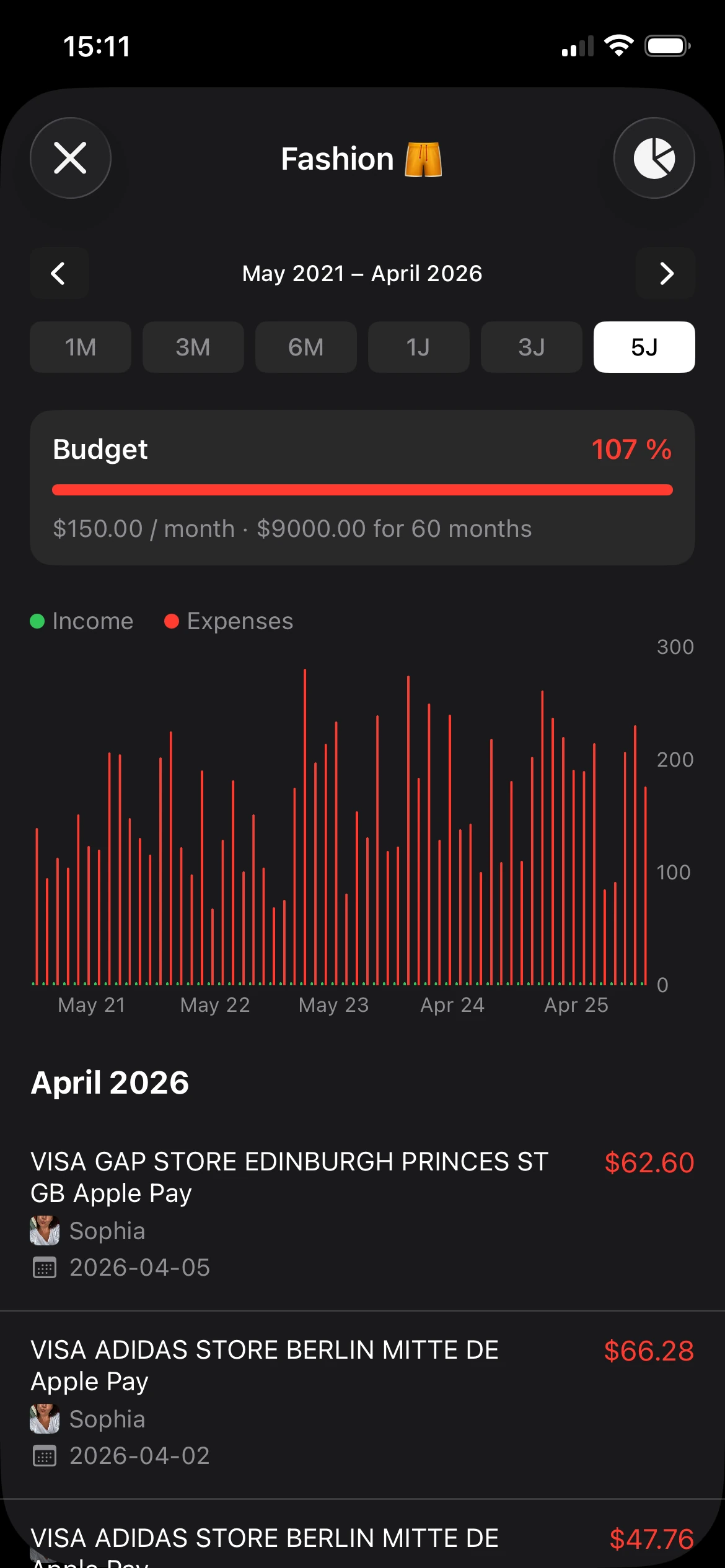
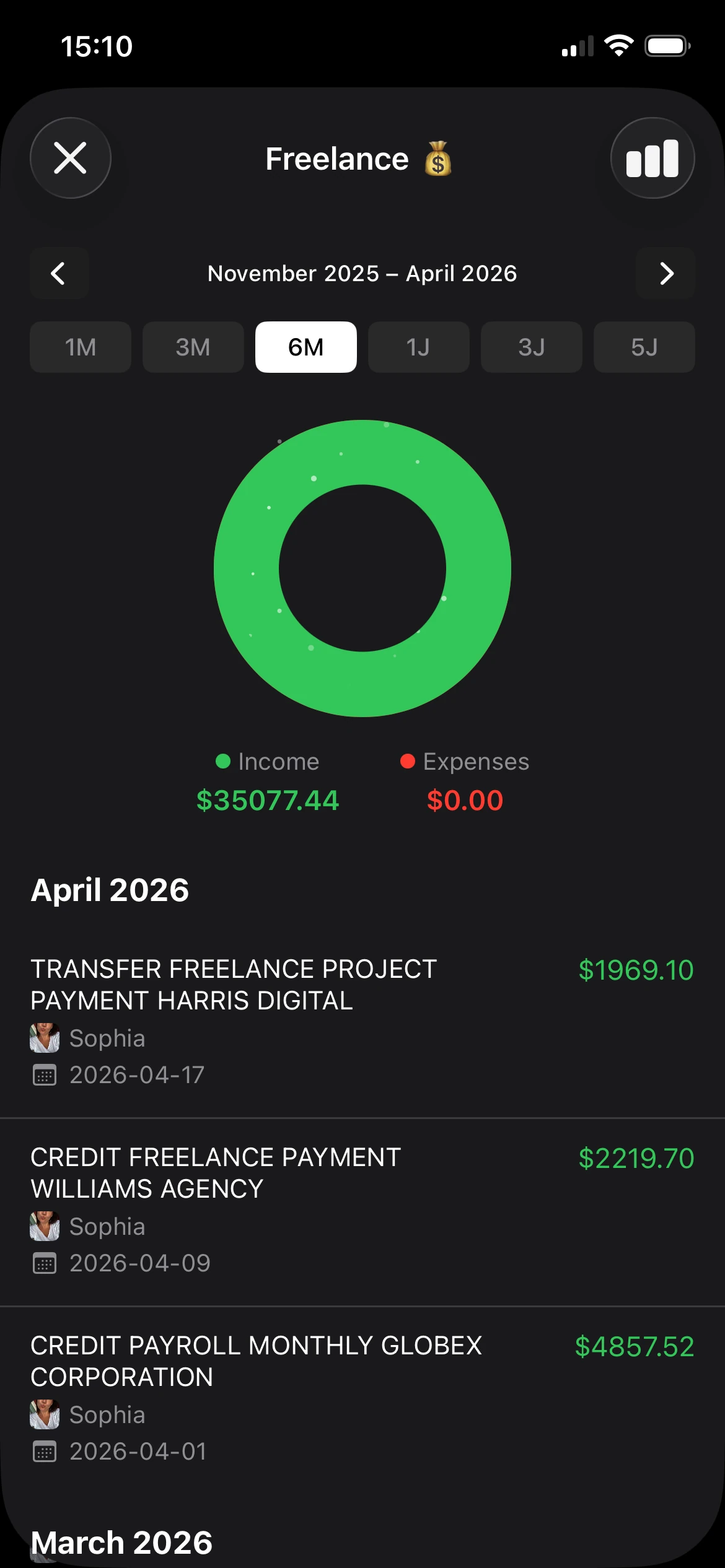
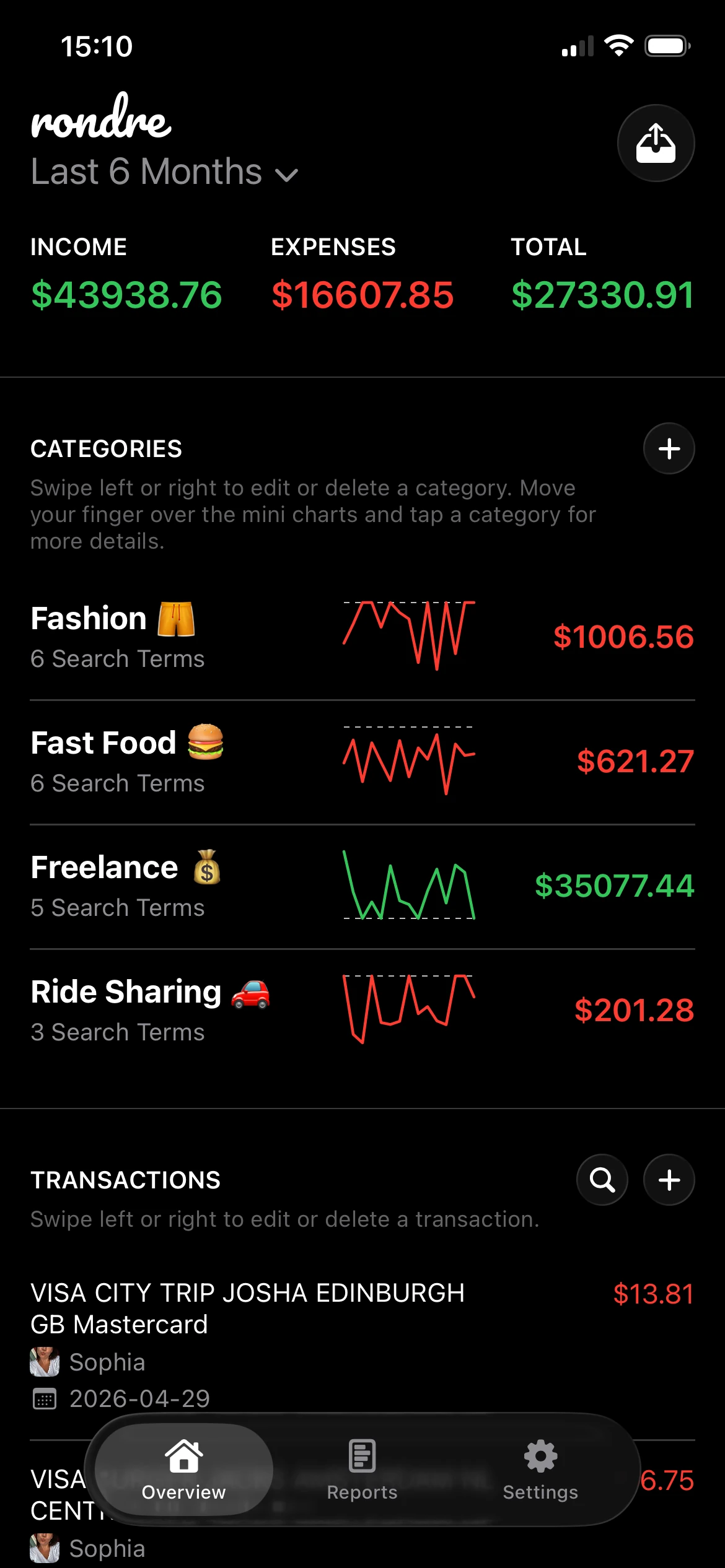
One option is rondre, which lets users upload PDF bank statements and CSV files, organize transactions with smart custom categories, separate finances into multiple books, and share a book with a partner or family. That solves a very practical problem. It turns raw statement data into searchable records that are easier to review over time.
That matters most in a few situations:
- Shared households need visibility without passing spreadsheets around.
- People with mixed spending need faster categorization for groceries, bills, subscriptions, work costs, and transfers.
- Anyone using PDF statements needs a cleaner way to move from document review to budget tracking.
Manual review still matters. But once the statement has been checked, the next useful step is turning those lines into categories, trends, and searchable history.
The practical takeaway is simple. Download the latest bank statement, check the balances and transactions, then move the data into a system that makes monthly review easier instead of harder.
A simple next step is to take the latest statement already sitting in the downloads folder and try it in rondre. Import the PDF or CSV, sort transactions into clear categories, and use that month's statement as the starting point for a cleaner budget routine.