Individuals typically don’t start looking for an expense tracker app because they love personal finance. They start because money has gone fuzzy. Receipts are stuffed into a bag. Card charges look familiar but not familiar enough. A bank statement says the month was “fine,” yet the account balance says otherwise.
That’s the point where spreadsheets usually begin to fail. They can work, but only if someone keeps them updated, labels everything consistently, and remembers to open them after every purchase. That’s a tall order in real life. Mobile tools fit daily life better because they’re there the moment a payment happens.
That shift isn’t just personal habit. More than 65% of consumers prefer mobile expense tracker apps for convenience and real-time insights, and global digital transaction volumes reached 1.3 trillion in 2024, according to Future Market Insights on the expense tracker apps market. The appeal is simple. Phones are where transactions happen, alerts appear, and financial decisions get made.
An expense tracker app won’t fix spending overnight. It does something more useful first. It turns scattered money activity into a picture that makes sense.
Table of Contents
- From Financial Fog to Financial Clarity
- What an Expense Tracker App Actually Does
- Must-Have Features in a Modern Tracker
- Why Your Privacy and Security Matter Most
- Choosing the Right App for Your Life
- Your First Week A Practical Workflow
- Migrating from Spreadsheets or Bank Statements
- Frequently Asked Questions
From Financial Fog to Financial Clarity
A common pattern looks like this. Someone pays for groceries with one card, a streaming subscription with another, splits dinner through a payment app, then forgets about all of it until the end of the month. Nothing seems outrageous on its own. Together, it creates a constant low-grade uncertainty.
That uncertainty is expensive. Not always in fees or debt, but in attention. People hesitate before buying something small because they don’t trust the full picture. Then they avoid reviewing transactions because the list feels messy. That cycle keeps going.
A good expense tracker app breaks that cycle by making money visible again. It gives each purchase a place, each income entry context, and each month a shape. Instead of asking, “Where did it all go?”, the better question becomes, “Which categories are subtly taking over?”
The moment clarity usually arrives
Clarity rarely comes from one giant report. It usually shows up in small discoveries:
- Duplicate habits: Two food delivery charges in one week felt harmless until they sat next to each other.
- Leaky subscriptions: A recurring charge stayed unnoticed because it was too small to trigger concern.
- Uneven spending: Weekdays were stable, weekends were not.
- False assumptions: “Transport is cheap” turned out to mean “transport was never being counted fully.”
Practical rule: If someone can search a transaction, categorize it quickly, and review the month without friction, the habit usually sticks.
An expense tracker app matters most when it reduces effort. If recording a transaction feels like admin work, people stop. If it feels like jotting down a note, they keep going. That difference is where financial fog starts to lift.
What an Expense Tracker App Actually Does
An expense tracker app is best understood as a digital financial diary. It doesn’t exist to impress anyone with charts. It exists to capture what happened with money, while the details are still fresh enough to be useful.

A digital financial diary
Three jobs matter more than anything else.
Logging transactions
Every tracker starts here. Money comes in, money goes out, and the app records both. The simpler the entry flow, the more accurate the record becomes over time.Categorizing spending
A raw list of transactions is better than nothing, but it still hides the pattern. Categories turn “ten card charges” into “food, transport, rent, subscriptions, gifts.”Visualizing patterns
Charts are useful when they answer a question quickly. Which category is growing? Which week was heavy? Which income source is irregular? Good visuals shorten the distance between data and action.
Tracking is not the same as budgeting
Many people get stuck, believing they need a complete budgeting philosophy before they can begin. They don’t. Tracking comes first.
Budgeting tells money where it should go. Tracking shows where it went.
That sounds small, but it changes behavior. A person who tracks expenses consistently gains awareness without needing to commit to rigid envelopes, targets, or rules on day one. That’s why tracking often succeeds where strict budgeting fails. It starts with observation, not pressure.
The most useful finance habit is often the least dramatic one. Record the transaction, label it well, and review it later.
A solid expense tracker app makes this almost automatic. The user enters less, sees more, and notices spending patterns before they become problems. That’s its primary job. Not complexity. Not endless customization. Just clear, repeatable awareness.
Must-Have Features in a Modern Tracker
A modern expense tracker earns its place in the first few days. If logging a coffee, splitting a grocery run, or fixing a wrong category takes too many taps, people stop using it. I have tried feature-heavy apps that promised automation everywhere, and many of them created more cleanup than clarity.
The baseline is simple. The app should make daily tracking fast, make review easy, and avoid forcing bank connections or account setup just to record spending.

The features that remove friction
Useful features cut repeat work and stay out of the way.
- Fast manual entry: This matters even more in privacy-first apps. A good tracker should let users add an amount, category, and note in seconds without digging through menus.
- Smart categories: Category rules save time if they are easy to set and easy to correct. If "Uber" maps to Transport once, it should stay there unless the user changes it.
- Effective search: Search turns a tracker from a log into a working tool. Merchant names, notes, amounts, and categories should be searchable without delay.
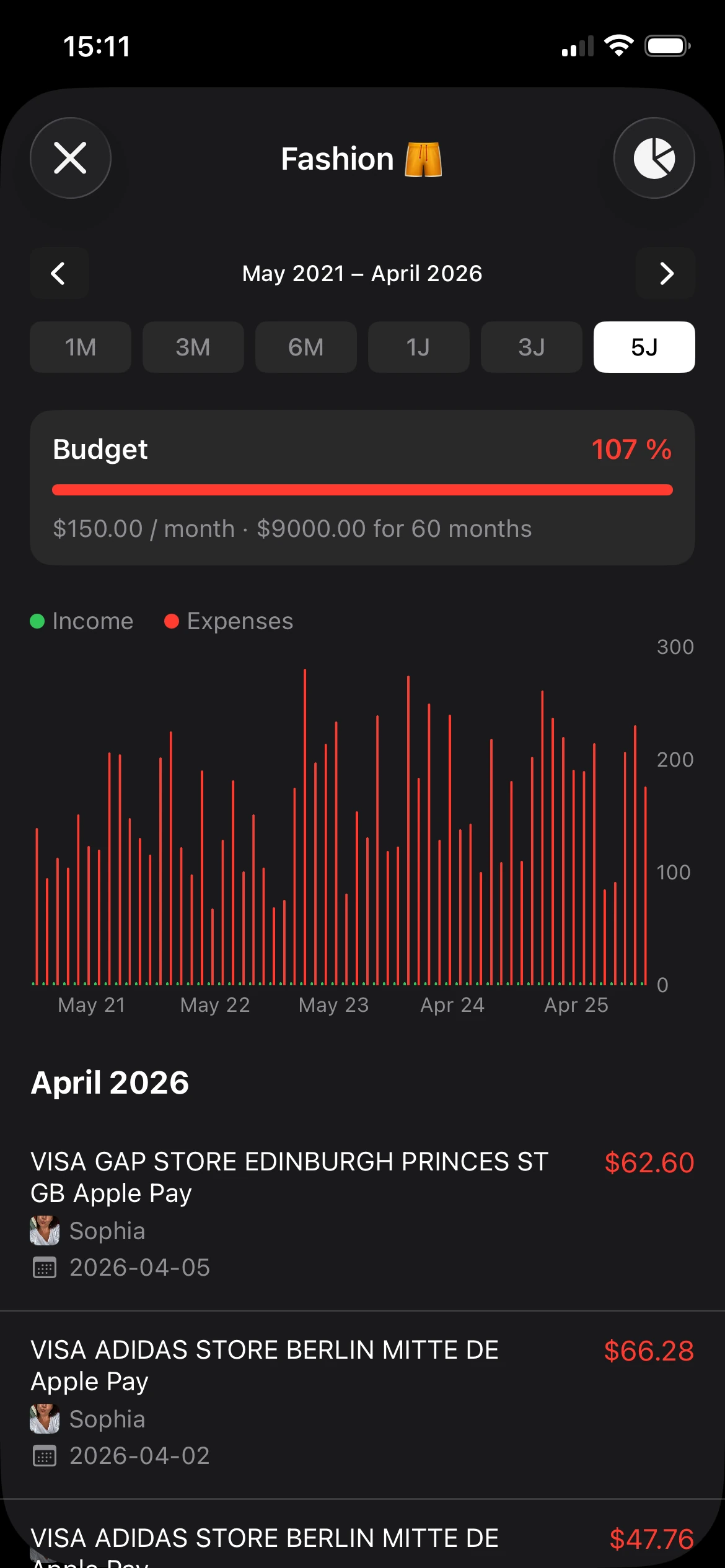
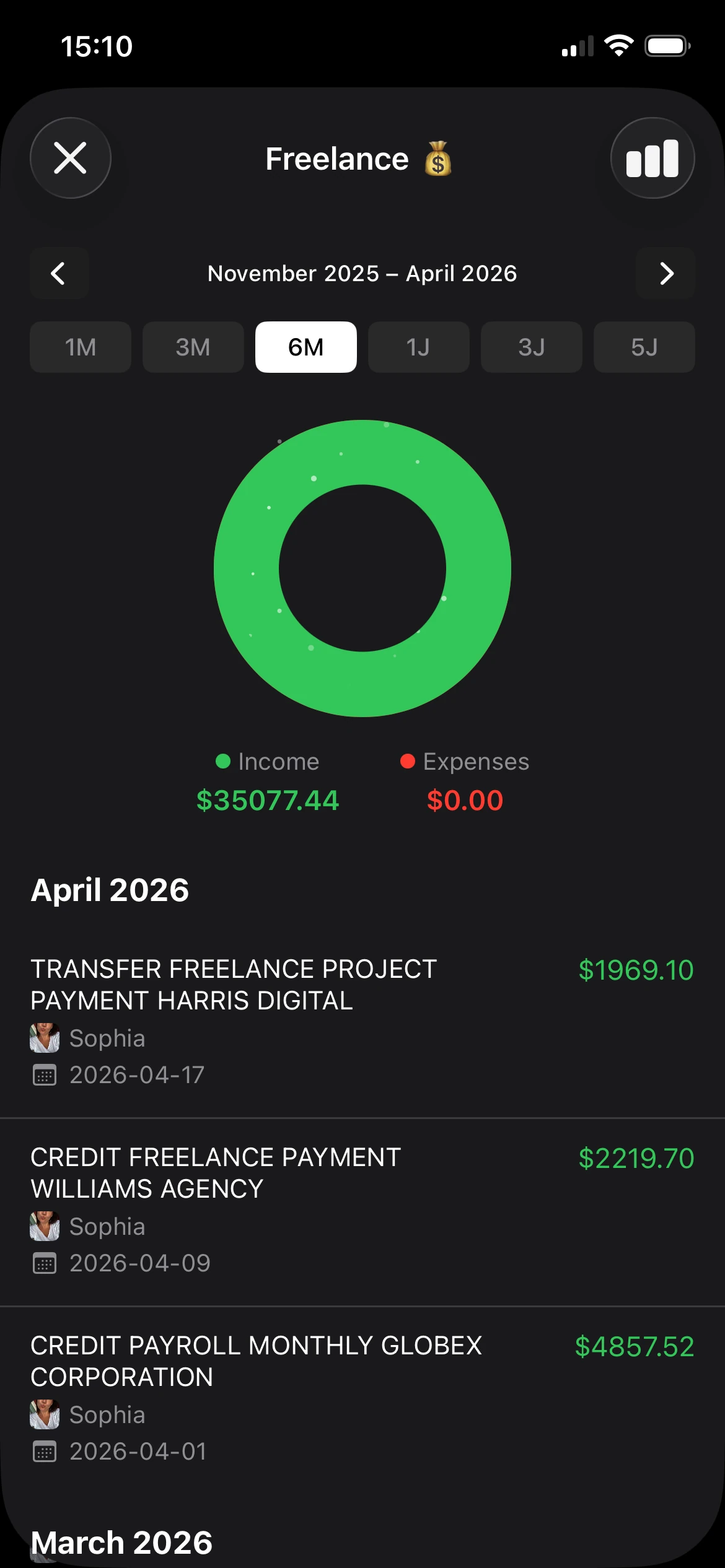
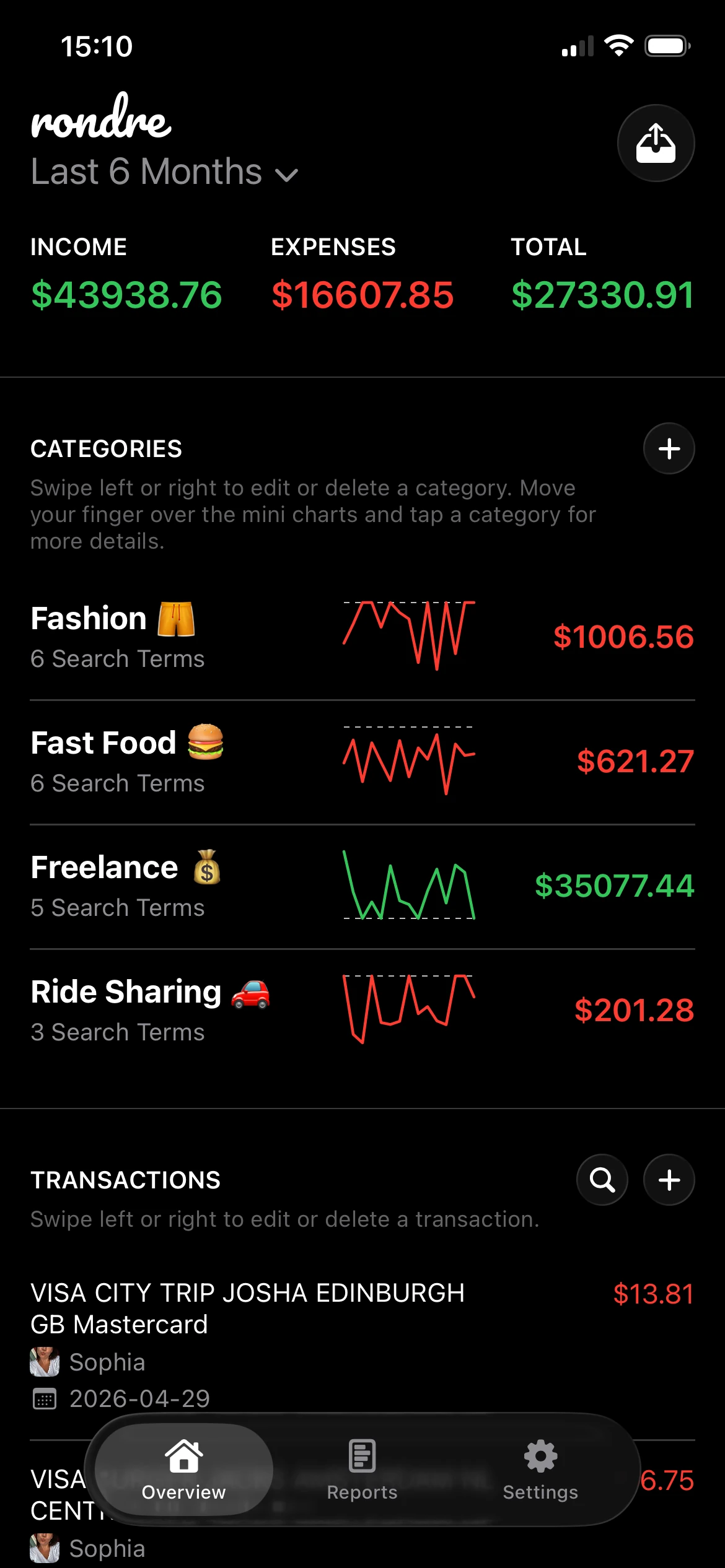
- Clear mini-charts and summaries: Small visual summaries help during a weekly check-in. The goal is quick pattern recognition, not a dashboard that feels like accounting software.
- Imports for CSV and statements: Imports matter for catch-up weeks, spreadsheet migrations, and anyone who wants manual control without retyping old transactions.
- Multiple books or separate ledgers: Keeping personal spending, shared household costs, and side-income expenses separate prevents category drift and messy reports.
A privacy-first option like rondre fits this simpler model. It supports manual tracking, smart categories with custom search terms, CSV and PDF imports, shared books, and instant search without requiring an account.
What sounds useful but often adds clutter
Some features look impressive in screenshots and become annoying in daily use.
Long onboarding flows are a common example. If an app needs ten minutes of goals, income assumptions, and template selection before the first expense is logged, it is already asking too much. The same goes for dense dashboards packed with widgets that answer questions nobody asked.
Automatic bank syncing can also be overrated for a certain kind of user. It reduces entry work, but it adds dependency, more sensitive access, and more time spent fixing duplicates or broken categories when the feed gets messy. For someone who wants clear records without another account to manage, a fast manual system often holds up better.
A practical filter works well here. Keep the features that help users record faster, find transactions faster, or review spending with less effort. Cut the ones that mainly create setup work.
| Feature type | Usually worth it | Often overrated |
|---|---|---|
| Daily capture | Quick entry, smart defaults | Long forms |
| Review | Search, category summaries, charts | Dense dashboards |
| Maintenance | CSV or PDF import, easy edits | Complicated rules many users never maintain |
The best expense tracker feels lighter after a week of use. It should ask for a little discipline and return a lot of clarity.
Why Your Privacy and Security Matter Most
A lot of finance apps ask for a trade. Hand over account access, create a login, accept tracking, and in return get convenience. Many people accept that trade without thinking through the long-term cost.
That hesitation is no longer niche. A 2025 survey found that 68% of adults are concerned about their financial app’s data privacy, and searches for “privacy-focused expense tracker no signup” rose 150% year over year, according to AfroTech’s discussion of finance apps and privacy concerns.
The trade-off most people accept too quickly
Bank-linked apps can be useful. They reduce data entry and pull in transactions automatically. For some users, that convenience is worth it.
But the trade-offs are real:
- More sensitive data in more places: Logins, account connections, and synced financial records widen the surface area for exposure.
- Less control over data sharing: Some apps rely on ad-supported or tracking-heavy models.
- More dependency: If access breaks, categories fail, or syncing misfires, the user may not understand what’s missing.
For someone who mainly wants awareness, not full financial automation, that’s often too much machinery.
Why no-account tracking changes the experience
A privacy-first expense tracker app works differently. It starts from local control. Enter transactions manually. Import files when needed. Share only what should be shared. Keep the setup small.
That model has practical benefits beyond security. It often feels calmer. There’s no password to remember, no long permission screen, and no nagging push toward premium add-ons just to gain access to basics. The app becomes a simple record of money, not another account to manage.
Privacy is a feature when it reduces both risk and friction.
This is especially useful for people who already know they won’t use a tracker that feels invasive. If the app asks too much upfront, they abandon it. If it respects boundaries, they keep using it. In personal finance, consistency beats sophistication every time.
Choosing the Right App for Your Life
The right expense tracker app depends less on app store rankings and more on the shape of someone’s financial life. A solo user needs one thing. A couple needs another. A freelancer often needs separation more than automation.
Searches for shared budgeting solutions for couples increased by 220% in the last 12 months, according to ExpenseVisor’s roundup of expense tracker apps. That lines up with what many households already feel. Sharing expenses is common. Sharing them cleanly is harder than it should be.
For one person managing personal spending
A solo user usually needs three things: quick entry, flexible categories, and a review screen that makes spending obvious. Complex household tools can get in the way.
The ideal setup is lightweight. The user should be able to log a coffee, tag a subscription, search for a restaurant charge, and review the month without touching a desktop interface.
For couples and families sharing the load
Many apps fall apart, as they either focus on one user only or drift into business-style collaboration that feels too heavy for rent, groceries, and school costs.
Shared books are the feature to look for. Not “team workspaces.” Not invoicing layers. Just a shared record where both people can add expenses, use the same categories, and see the same picture.
A household doesn’t need enterprise software. It needs one clean place to track joint money.
For readers comparing minimalist options with stricter budgeting systems, this guide to a free YNAB alternative is a useful starting point.
For freelancers separating roles and records
Freelancers often need an expense tracker app that can separate different contexts. Personal life is one book. Client-related expenses are another. A side project may need its own record too.
The key isn’t necessarily tax complexity. It’s avoiding mixed signals. When business software subscriptions, transport, and home groceries sit in one stream, reviews become slower and mistakes become easier.
| User Type | Top Priority | Key Feature to Look For | Rondre Fit |
|---|---|---|---|
| Individual | Clear personal spending visibility | Fast entry, search, simple charts | Fits users who want simple personal tracking without signup |
| Couple or family | Shared household tracking | Shared books, common categories, instant updates | Fits shared expense tracking for joint books |
| Freelancer | Separation between money roles | Multiple books, imports, searchable records | Fits users who need separate books for personal and work finances |
Choosing well comes down to one question. Does the app match daily life, or does it ask daily life to bend around the app?
Your First Week A Practical Workflow
The first week matters more than the first month. A good start creates the habit. A complicated start usually kills it. The goal isn’t perfect data. The goal is a repeatable routine that takes almost no effort.

Day one setup
Start smaller than expected. Too many categories create hesitation.
A practical starter set looks like this:
- Home: Rent, utilities, repairs
- Food: Groceries, dining, coffee
- Transport: Fuel, transit, rides
- Bills: Phone, internet, subscriptions
- Personal: Shopping, health, hobbies
- Income: Salary, freelance payments, refunds
If the app supports custom rules, add a few obvious ones early. Merchants that always land in the same category shouldn’t need repeated decisions.
The daily habit
The most reliable routine is a short one done close to the purchase. Logging at the end of the week sounds efficient, but memory gets sloppy fast.
A workable daily flow looks like this:
Open the app after a payment
Don’t wait for “later tonight.”Enter the amount and choose the category
Notes are optional unless the transaction needs context.Move on immediately
The habit survives when it takes seconds, not when it becomes a ritual.
Record first. Refine later. That keeps the ledger honest.
The weekly review
Once a week, spend a few minutes reviewing the ledger. Not to judge every purchase. Just to tighten the record and spot patterns.
Use this checklist:
- Fix vague entries: Rename anything unclear while it’s still recognizable.
- Merge category drift: If “Snacks” and “Coffee” should both live under Food, clean that up now.
- Look for repeat spending: Small recurring charges are easier to notice in a weekly scan than in a monthly surprise.
- Tag shared expenses: If a partner or family member should see it, put it in the right book promptly.
The first week should feel almost too easy. That’s good. When an expense tracker app becomes part of the day instead of a project, the numbers start telling the truth.
Migrating from Spreadsheets or Bank Statements
Moving from a spreadsheet to an expense tracker app feels harder than it usually is. Users often assume they need to clean years of data before importing anything. They don’t. A decent move beats a perfect cleanup.
A clean move beats a perfect move
The simplest path is usually this:
- Export recent data first: Start with the current month or last few months from a spreadsheet or bank download.
- Use CSV when available: It’s easier to inspect before import.
- Use PDF statements when needed: Many people already have them, especially for historical records.
- Check a small sample after import: Confirm dates, amounts, and categories before relying on the full history.
Modern apps handle this well behind the scenes. On-device databases such as SQLite can handle tens of thousands of transactions instantly, and diff-based CSV parsing can process a 1MB file in under 2 seconds, as described in this technical write-up on local-first expense tracking with SQLite.
That matters for two reasons. It’s fast, and it keeps sensitive financial files on the device instead of sending them elsewhere just to become usable.
Spreadsheets are still good at raw storage. They’re just weak at daily use. Once imported into a purpose-built app, old data becomes searchable, sortable, and much easier to learn from.
Frequently Asked Questions
Can an expense tracker app work for freelance income and costs
Yes, if the app allows separate books or clear category separation. Freelancers usually don’t need full accounting software for everyday visibility. They need a clean record of income, recurring tools, transport, and project-related costs without mixing those with groceries and rent.
What is the difference between tracking and budgeting
Tracking records reality. Budgeting sets limits or plans. Tracking usually comes first because it shows the baseline. Once spending patterns are visible, budgets become more realistic and less frustrating.
How long does it take to see useful results
Usually sooner than expected. A few days of accurate entries can reveal habits that were invisible before. The biggest gains come from consistency, not from waiting for a perfect month of data.
Should someone choose bank sync or manual tracking
That depends on priorities. People who want maximum automation may prefer bank-linked tools. People who care more about privacy, control, and simple daily use often do better with manual entry plus occasional imports.
Are charts necessary
Not always, but small visual summaries help. They’re useful when they answer a real question quickly. If the chart makes someone pause less and understand more, it earns its place.
A practical next step is to try rondre if a free, no-signup, privacy-first expense tracker app for iPhone sounds closer to real life than another account-linked finance platform. Start with one book, add this month’s transactions, and review the categories at the end of the week.