A lot of people land here in the same state. They liked what YNAB taught them about giving each dollar a job, but they no longer like paying a recurring fee just to keep using a system they already understand. Others are less frustrated by the price and more tired of the feeling that every money tool wants an account, a bank connection, and permission to watch their habits.
That’s usually the turning point. The search for a free YNAB alternative isn’t only about replacing one app with another. It’s about deciding what kind of budgeting relationship fits daily life. Some people want strict zero-based budgeting. Some want simple tracking. Some want privacy first. Some want a system they can share with a partner without turning the whole process into homework.
A sustainable budget starts with a tool that matches values and workflow. Features matter, but philosophy matters more.
Table of Contents
- Why You Might Be Looking for a YNAB Alternative
- First Define Your Budgeting Philosophy
- The Landscape of Free YNAB Alternatives
- Feature Comparison of the Top Contenders
- Which Free Alternative Is Right for You
- How to Migrate Your Data from YNAB
- Your First Step to a Simpler Budget Today
Why You Might Be Looking for a YNAB Alternative
You open your budget, approve the annual renewal, and realize the habit is doing the heavy lifting now. The app taught the method. The question is whether the subscription still earns its place.

That is usually the turning point. YNAB works well for plenty of people, but recurring cost changes the math over time. For a household that already understands zero-based budgeting, paying every year for the same core workflow starts to feel different than paying to learn it in the first place. YNAB publishes its current pricing on its own pricing page, and that alone is enough reason for some users to start comparing free options.
Cost is only part of it.
A lot of people are also tired of handing over financial data just to get a budget screen and a few charts. Free tools often make money in ways that are less visible than a subscription. That trade-off became harder to ignore after Mint shut down. For anyone who wants a budget that stays on their device, uses manual imports, or works without an account, the search for an alternative is really a search for a different relationship with their money and their data.
The method isn’t the same as the app
This distinction matters. Zero-based budgeting existed before YNAB, and it will still work if you move to a spreadsheet, a local-first app, or a shared file with your partner. The method is portable. The software is optional.
That changes how to judge alternatives.
If the habit is solid but the tool feels expensive, too rigid, or too connected to third-party services, replacing the app can be the practical move. I have seen this happen a lot with people who started with strict category planning, then later wanted something lighter. They still want intention. They just do not want to maintain a full system every time they buy groceries or split a utility bill.
For couples, this gets even more obvious. Sometimes the core need is not advanced budgeting logic. It is a shared system that both people will consistently use week after week. A simple setup often beats a perfect one, especially for households building a routine around a basic household budget that both partners can follow.
A free YNAB alternative makes sense when your values and your workflow have changed. Privacy may matter more now. Simplicity may matter more. Shared access may matter more. Once that becomes clear, the goal is no longer to replace features one by one. The goal is to choose a budgeting system you can keep using without resentment.
First Define Your Budgeting Philosophy
Choosing a replacement too quickly usually creates the same problem in a different app. The better move is to decide what the budget is supposed to do before comparing tools.

Start with the job your budget needs to do
A budget can play very different roles depending on the person using it. One household needs guardrails. Another just needs visibility. A freelancer may need category-level tracking for uneven income, while a couple may just need one place to see groceries, rent, and shared bills.
A useful self-check looks like this:
- Planning or tracking: Does the person want to assign money in advance, or mostly review what already happened?
- Strictness or flexibility: Is envelope-style control helpful, or does it create fatigue?
- Solo or shared use: Will one person run the system, or does a partner need equal visibility?
- Privacy or convenience: Is automatic bank sync worth the trade-off, or is manual import more comfortable?
- Minimalism or customization: Should the app stay simple, or should it support deeper categories and reporting?
Anyone building a home system with a partner may benefit from a simple framework before app-shopping. A practical starting point is a basic household budget structure like the one outlined in this guide to creating a household budget.
Choose your tolerance for friction
Every budgeting system has friction somewhere. The mistake is pretending one tool has none. A spreadsheet creates setup friction. A freemium app creates upgrade friction. A privacy-first tool may create import friction if it avoids bank syncing.
That’s why the better question isn’t “Which app has the most features?” It’s “Which type of friction is acceptable every week?”
The best budget isn’t the most advanced one. It’s the one a person can maintain on an ordinary Tuesday.
For many people, these are dividing lines:
- Manual entry lovers often do well with simple apps or paper-like systems. They like awareness more than automation.
- Review-oriented budgeters usually prefer imports, fast search, and clean reporting over strict envelope rules.
- Privacy-first users tend to prefer local-first setups, CSV imports, and no-account tools.
- Joint-finance households need collaboration more than methodology. If both people can’t use the system easily, the budget breaks.
A clear budgeting philosophy turns comparison shopping into a much easier decision. Without that step, every app demo looks promising and every setup eventually feels wrong.
The Landscape of Free YNAB Alternatives
Open any budgeting forum after a YNAB price increase and the pattern is familiar. One person wants a spreadsheet they fully control. Another wants envelope budgeting without another monthly bill. A couple wants shared access without handing years of transaction history to another finance app. Those are different problems, and they lead to different kinds of alternatives.
The useful way to sort free options is by what they ask you to give up. Some trade time for control. Some trade privacy for convenience. Some keep ownership in your hands but ask for a little more setup.
A quick comparison
| Category | Best for | Main strength | Main weakness | Typical trade-off |
|---|---|---|---|---|
| Spreadsheets | People who want full control | Maximum flexibility | Manual setup and maintenance | Time instead of subscription cost |
| Freemium apps | People who want fast setup | Easy onboarding | Important features are often limited | Convenience with restrictions |
| Privacy-first or local-first tools | People who care about ownership | Better data control | Sometimes less polished setup | Privacy over passive automation |
Spreadsheets, freemium apps, and privacy-first tools
Spreadsheets remain one of the best free options for disciplined budgeters. They are not the easiest option, but they are often the most honest one. What you see is the system. There is no hidden upsell, no feature held back for premium, and no risk that a company changes the rules after you have built your routine around it.
That matters more than people expect.
A spreadsheet works well for anyone who already understands their method and just needs a place to run it. Zero-based budgeting, sinking funds, weekly cash flow planning, and simple expense tracking all fit. The downside is obvious. You have to maintain it yourself, and if you stop maintaining it, the system stops helping.
Privacy-first and local-first tools sit in the middle. They try to give people real budgeting structure without the usual account-heavy model. Actual Budget is the clearest example in this category. It is open source, community-maintained, and built around the idea that your financial data should stay under your control rather than live primarily inside a vendor's cloud. For users who care about ownership and are comfortable with a bit of setup, that trade-off can be worth it.
Freemium apps solve a different problem. They reduce startup friction. That is useful for someone who wants to begin tonight, not after building formulas or configuring sync. The catch is that free often means limited, not fully usable.
For example, EveryDollar's free plan centers on manual transaction entry, while bank-connected features sit behind the paid tier, as shown on Ramsey Solutions' pricing page: EveryDollar pricing. Goodbudget takes a similar approach, with limits on envelope count and account history on its free plan, outlined here: Goodbudget pricing and plan limits. Those apps can still work, but they work best if their limits line up with your habits rather than fight them.
Free can mean a tool you can live with for years, or a trial that becomes inconvenient only after you've entered all your accounts and categories.
There is also a broader trust issue now. Mint's shutdown changed the way many longtime budgeters think about "free" financial software. If the business model depends on monetized data, affiliate offers, or attention inside the app, the product can change long before your budgeting habits do.
Manual imports deserve a more honest reputation too. CSV importing is less glamorous than live bank sync, but it is often more predictable. A stable weekly import routine beats a broken connection that needs fixing every few days. In practice, reliability matters more than automation you cannot count on.
Feature Comparison of the Top Contenders
The better question is not which app has the most features. It is which one still fits your life after the setup excitement wears off and the weekly money routine starts to feel ordinary.

A useful comparison starts with behavior, not marketing copy. Some tools want you to plan every dollar before the month begins. Others are better at showing where money went after the fact. Some are private enough for people who do not want another finance account in the cloud. Others make collaboration easier, but ask for more trust in exchange.
The comparison points that matter are these five:
- Budgeting method: zero-based, envelope-style, or expense tracking
- Import options: bank sync, CSV, or manual entry
- Collaboration: practical for one person, or workable for couples and families
- Privacy posture: local-first, account-based, or cloud dependent
- True cost: fully free, limited free tier, or paid from day one
Side-by-side trade-offs
| Tool | Budgeting style | Imports and sync | Collaboration | Privacy and account model | True cost |
|---|---|---|---|---|---|
| Actual Budget | Strong fit for zero-based budgeting | Bank sync support in some regions, plus file import workflows | Can work well for shared budgeting if the household is comfortable with setup | Open-source and self-hosting friendly | Free |
| Google Sheets | Whatever the user builds | Manual entry and CSV imports | Easy to share, but depends on spreadsheet discipline | Depends on where the sheet is stored and who can access it | Free |
| EveryDollar free | Envelope-style basics | Manual entry only on free tier | Fine for simple solo use | Standard account-based app model | Free, but limited |
| Goodbudget free | Envelope budgeting | Manual workflow | Usable for simple shared budgeting | Standard account-based app model | Free, with limits |
| PocketGuard free | Tracking-first with auto-categorization | More automation-focused | Better for monitoring spending than strict planning | Cloud-based account model | Free tier |
| PocketSmith free | Forecasting and calendar-based planning | Import-focused with reporting tools | Useful for households that plan ahead in time-based views | Account-based | Free plan available |
| Tiller | Spreadsheet budgeting with feeds | Google Sheets or Excel plus automated bank feeds | Strong for spreadsheet households | Cloud-connected account model | $79/year or $8.25/month, per Tiller pricing |
What each option gets right
Actual Budget stands out for people who still believe budgeting should be intentional, private, and under their control. That matters more than it did a few years ago. If the goal is to keep the YNAB habit of assigning money on purpose without keeping your financial history inside another subscription app, Actual is the clearest fit in this group.
Google Sheets remains the most flexible option, and also the easiest one to abandon. I have seen spreadsheets work for years when the person running them likes building systems and reviewing numbers. They fail fast when the sheet becomes one more chore to maintain. The upside is total control. The downside is that you become the product manager, support team, and QA department.
EveryDollar and Goodbudget work best for households that want a simple envelope mindset and can tolerate manual entry. That trade-off is not automatically bad. For some people, typing transactions by hand creates the pause that keeps spending decisions honest. For others, that same step becomes friction and the budget goes stale within a month.
PocketGuard fits a different philosophy. It is less about assigning every dollar and more about preventing drift. That works well for someone who wants guardrails, spending summaries, and less ceremony. It works less well for budgeters who want category targets, month planning, and strong end-of-month control.
PocketSmith is more planning tool than envelope system. It suits people who think in calendars, cash flow timing, and longer-range projections. If your main budgeting question is “can we afford this next month and still cover the irregular bills after that,” its style makes sense. If your main question is “what job does this paycheck need to do today,” it is solving a different problem.
Tiller is for spreadsheet people who are tired of importing everything by hand but still want direct access to the data. It is not free, so it belongs in this comparison as a reference point rather than a true free alternative. For some households, paying a smaller fee for a spreadsheet workflow is still a better long-term fit than paying for a full budgeting app they no longer enjoy using.
A budgeting tool earns its place by fitting the weekly habit, not by winning the feature table.
The primary split between these tools is philosophical. Local-first options favor ownership and durability. Freemium apps favor convenience, but often set limits that shape how you budget. Spreadsheets favor control, but ask for more maintenance. If you choose based on that trade-off first, the feature comparison becomes much clearer.
Which Free Alternative Is Right for You
The right answer depends less on “best app” rankings and more on daily behavior. Different tools work for different kinds of money lives.

For the privacy-focused individual
This person usually has one firm boundary. No unnecessary data sharing. No interest in handing over bank credentials if imports can do the job well enough.
A local-first tool like Actual Budget fits this mindset best. It preserves the spirit of deliberate budgeting while giving the user more control over where data lives. A spreadsheet can also work if the user wants complete ownership and doesn’t mind setting up formulas.
For the collaborative couple
Couples often think they need a more advanced app when what they really need is a shared workflow. The problem usually isn’t missing features. It’s that one person updates the budget and the other person avoids it.
For this kind of household, the best option is usually the one with the least ceremony. Shared visibility, fast categorization, easy imports, and simple searching matter more than a perfect envelope model. If the app makes both people willing to participate, it wins.
Shared budgeting fails when one partner becomes the unpaid system administrator.
Freemium apps can work here if the budget is simple. But if the free plan hides collaboration behind limitations, that friction tends to show up during real life moments like vacations, school costs, or surprise bills.
For the spreadsheet-minded planner
Some people don’t want a finance app deciding how they should think. They want categories their own way, a dashboard they can tune, and reporting that reflects their real priorities.
That person should choose Google Sheets or Tiller. Sheets is better for full control and zero software cost. Tiller suits users who want the spreadsheet environment but prefer help with feeds and structure. Both reward consistency. Neither is ideal for someone who hates tinkering.
For the person who wants the least friction
This person is done with subscriptions, done with complexity, and not interested in building a custom budgeting machine. They want to open an app, record spending, import statements when needed, and see where the money went.
A simple no-account tracker is often the best fit here, especially if it supports CSV or PDF imports, custom categories, instant search, and shared books without adding a premium wall. That style works particularly well for iPhone users, couples, and families who care more about clarity than methodology branding.
The important part is honesty. If someone doesn’t enjoy detailed zero-based maintenance, forcing a strict YNAB clone usually won’t last. A lighter free YNAB alternative is still a successful replacement if it keeps the user engaged with money every week.
How to Migrate Your Data from YNAB
The switch feels bigger than it is. Most of the difficulty comes from uncertainty, not from the mechanics.
Export cleanly before choosing a new app
Start by exporting transaction history from YNAB in CSV format. The exact menu can change over time, but the goal stays the same: get a clean, portable copy of transactions, categories, and account history into a standard file format.
Before importing anywhere else, clean the file a little:
- Remove obvious duplicates if the export contains repeated entries.
- Check category names so similar labels don’t split apart in the new system.
- Keep the date format consistent because import tools often fail on mixed formats.
- Decide how much history matters. Some people need years of data. Others only need recent months plus current balances.
A migration goes more smoothly when the user treats it as a reset, not a museum transfer. Old data is only valuable if it helps future decisions.
Import only what helps you keep going
The most universal next step is importing the CSV into the new tool. A spreadsheet can take the file directly after some column mapping. Import-based apps usually ask for category, amount, date, and merchant fields.
If the new system supports PDF bank statements as well, that can help fill gaps and consolidate older history without manual entry. This is especially useful for people leaving behind a mix of app data, bank exports, and household records from different accounts.
A practical migration sequence looks like this:
- Week one: Import recent history and current balances
- Week two: Run the new tool alongside the old one briefly
- After that: Stop perfecting the archive and start using the new system normally
Clean migration beats perfect migration. A budget only becomes real again when fresh transactions start flowing into it.
The goal isn’t to preserve every old habit. The goal is to keep the useful ones and remove the friction that caused the switch in the first place.
Your First Step to a Simpler Budget Today
Individuals often don’t need another week of comparison. They need one low-friction test.
The smartest move is to try a tool that doesn’t ask for an email address, password, subscription, or card before it proves itself. Add a handful of transactions. Import one recent statement. Create a few categories that match real life. Then check one thing only: does the process feel calmer than the old one?
That small test reveals more than reading another ranking list. A good budget tool feels usable right away. It doesn’t need a sales funnel to get out of the way. It gives enough structure to stay aware and enough flexibility to keep going next week.
A free YNAB alternative is worth choosing when it supports the budgeting philosophy that already makes sense. Privacy-first users should choose ownership. Couples should choose collaboration. Spreadsheet people should choose control. Everyone else should choose the setup they’ll keep opening.
The practical takeaway is simple. Pick one tool today, import one file, and judge it by whether it makes the next budgeting session easier.
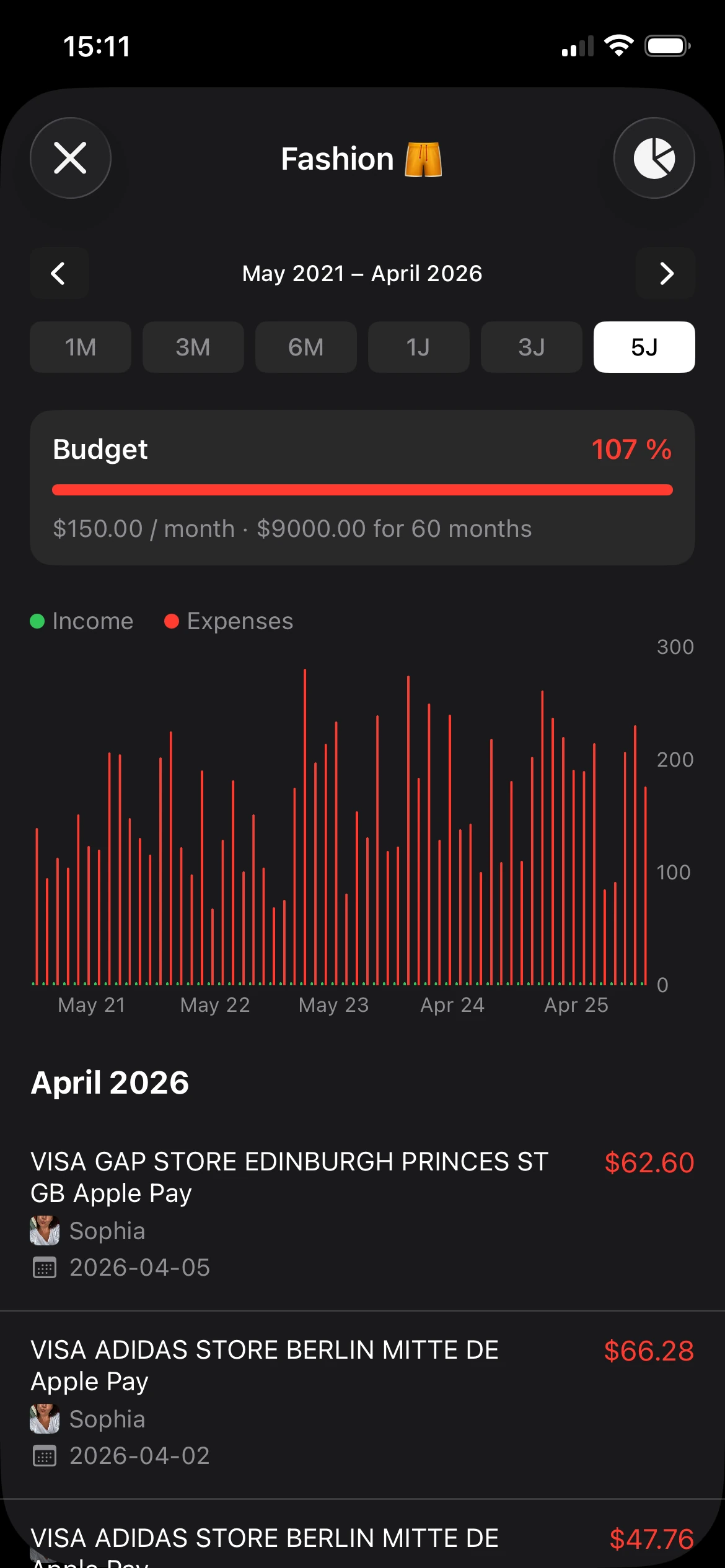
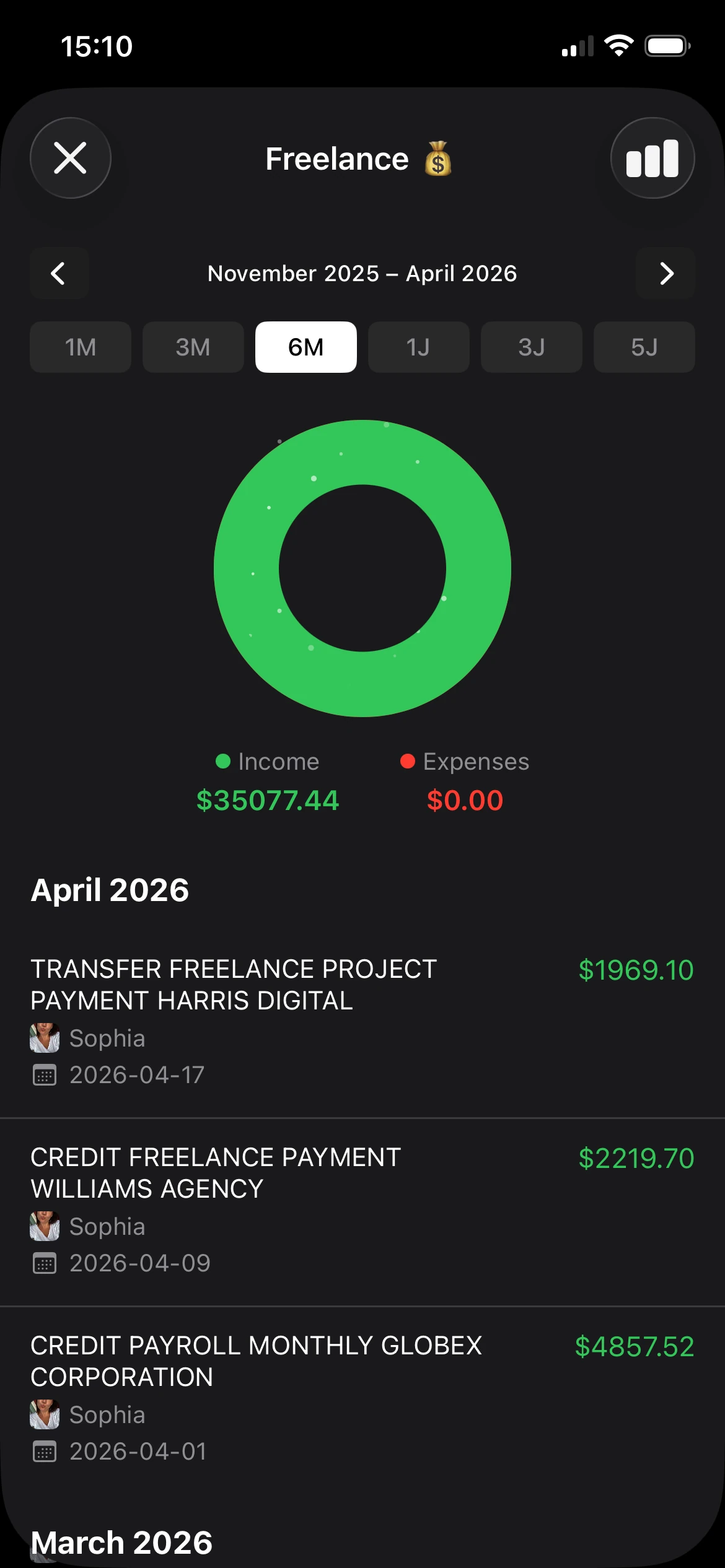
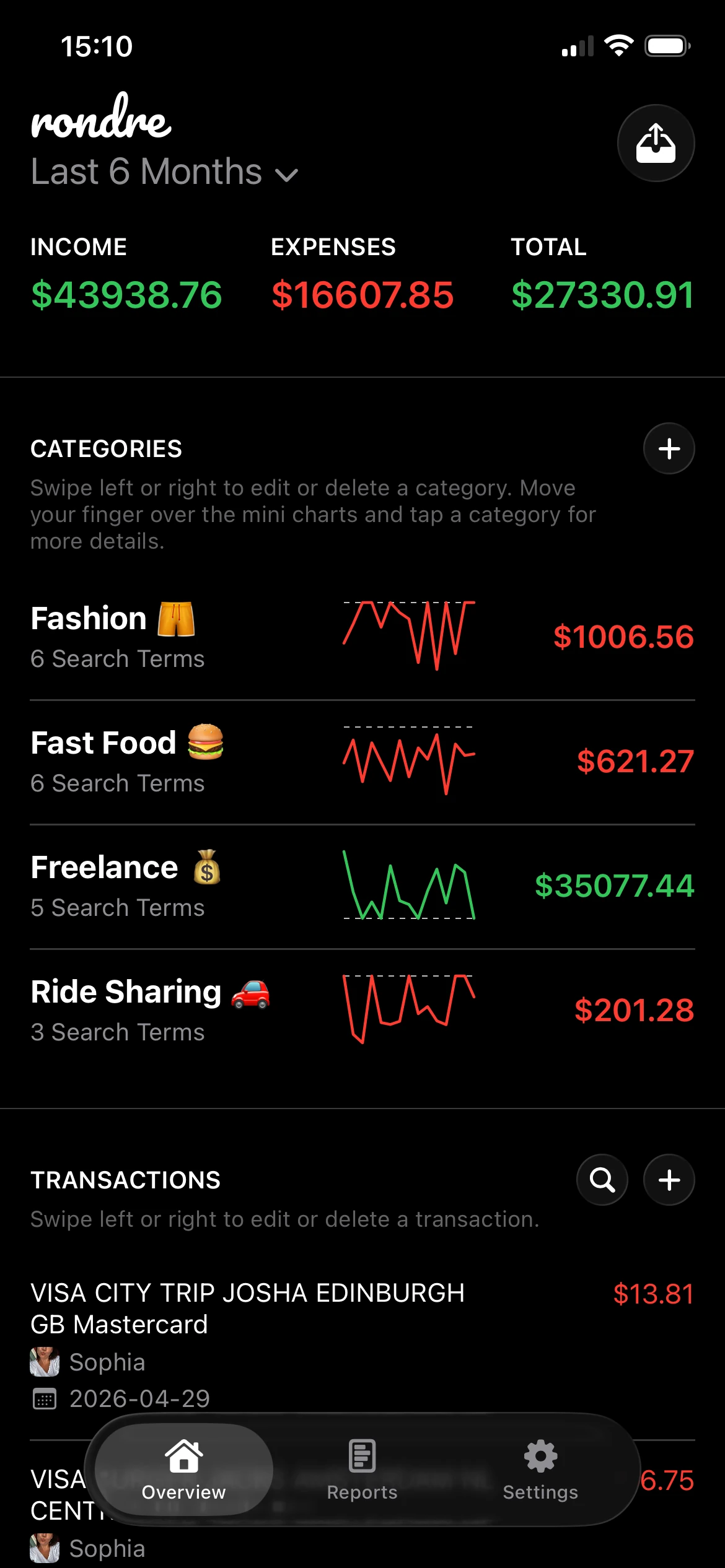
If a simple, private tracker sounds like the right next step, rondre is worth trying. It’s free, has no ads, no tracking, and no sign-up. iPhone users can open it, import a CSV file or PDF bank statement, organize spending with custom categories, and share a book with a partner or family without hitting a premium wall.