Um extrato Miles & More chega muitas vezes à caixa de entrada com duas reações muito diferentes. Há interesse nas milhas, e há irritação com o próprio documento. A mistura de etiquetas alemãs, cobranças do cartão, saldos e marcadores de recompensas pode tornar uma simples revisão mensal mais difícil do que deveria.
Essa é a lacuna que a maioria dos guias em inglês não aborda. Avaliam o cartão, comparam benefícios ou falam sobre recompensas de viagem, mas ajudam pouco na tarefa prática de transformar uma Miles & More Kreditkartenabrechnung num registo mensal de despesas limpo, fácil de pesquisar, categorizar e rever mais tarde.
Índice
- Da caça aos documentos à clareza financeira
- Como encontrar e ler o seu extrato
- Exportar os seus dados para uma importação limpa
- Importar e categorizar transações no rondre
- Analisar recompensas versus custos reais
- O seu próximo passo para acompanhamento financeiro privado
Da caça aos documentos à clareza financeira
Uma cena típica é assim. Alguém abre o PDF mensal do cartão para verificar se as milhas foram registadas corretamente, e depois acaba preso a tudo o resto na página. Os nomes dos comerciantes precisam de interpretação, as cobranças recorrentes precisam de contexto, e a linha entre “ferramenta de recompensas de viagem” e “fatura normal de cartão de crédito” começa a ficar pouco clara.

É aí que o trabalho normalmente se desfaz. Muitas pessoas conseguem encontrar o extrato, mas não têm uma rotina repetível para o transformar em dados de finanças pessoais utilizáveis. Por isso, as mesmas perguntas voltam todos os meses. Que compras geraram milhas. Que cobranças eram comissões. Que despesas pertenciam a supermercado, viagens, casa ou subscrições.
Regra prática: um extrato só é útil quando as suas transações podem ser pesquisadas, agrupadas e verificadas em relação à vida real.
A abordagem mais forte é simples. Trate a Miles & More Kreditkartenabrechnung como dados brutos, não como a vista final das finanças pessoais. Assim que o extrato é importado para um tracker, começa a parte útil. As transações podem ser filtradas, categorias podem ser atribuídas, e os padrões de despesas do agregado familiar tornam-se visíveis sem ter de procurar sempre num layout bancário.
Uma ferramenta focada na privacidade importa aqui, porque os extratos incluem histórico de despesas sensível. Algumas pessoas não querem outro fluxo de registo, outro painel ou outro serviço a recolher hábitos financeiros em troca de funcionalidades básicas de orçamento. Para este tipo de tarefa, um workflow leve é muitas vezes melhor do que uma plataforma financeira complexa.
O que funciona é uma rotina curta. Descarregar o extrato, importá-lo, verificar os nomes dos comerciantes, criar algumas categorias inteligentes e rever o mês num só lugar. O que não funciona é deixar cada PDF numa pasta e esperar que os detalhes da faturação façam sentido mais tarde.
Como encontrar e ler o seu extrato
Inicia sessão para verificar uma cobrança e acaba a olhar para etiquetas alemãs, um saldo acumulado e um resumo de milhas que não se encaixa perfeitamente nas suas categorias de orçamento. Esse é o ponto de partida normal com uma Miles & More Kreditkartenabrechnung. A solução é lê-la pela ordem que ajuda a organizar o dinheiro mais tarde no rondre, não pela ordem em que o PDF a apresenta.
O acesso também mudou. Desde que o programa de cartão de crédito Miles & More na Alemanha passou para o Deutsche Bank, instruções antigas da configuração anterior podem levar as pessoas ao portal errado ou às páginas de suporte erradas. Se o seu favorito guardado parece familiar, mas o arquivo de extratos está em falta, confirme que está a usar o login atual do cartão.
Onde o extrato se encontra agora
Comece pela área da conta do cartão no portal ou na aplicação atual do cartão de crédito Miles & More, depois vá diretamente para documentos, extratos ou faturação mensal. Não comece pela vista de transações em tempo real se o seu objetivo for a revisão mensal. A vista no navegador é útil para atividade recente, mas o extrato é o registo mensal oficial que quer para reconciliação.
Use esta rotina:
- Abra a conta do cartão ligada ao seu cartão Miles & More.
- Vá a extratos, documentos de faturação ou arquivo.
- Descarregue o extrato mensal mais recente tal como foi emitido.
- Renomeie o ficheiro com ano e mês para que continue ordenável, por exemplo
2026-04-miles-more.pdf.
A terminologia alemã pode atrasar a primeira leitura. Nesta fase, a estrutura importa mais do que o vocabulário. Foque-se no intervalo de datas, no montante total devido, nas linhas de transação, nas comissões e na secção das milhas.
Se quiser uma revisão rápida sobre como os layouts de extratos são construídos antes de lidar com os termos alemães, este guia sobre como ler um extrato bancário dá o enquadramento mais amplo.
O que procurar no extrato
O extrato normalmente apresenta quatro elementos importantes para o trabalho de finanças pessoais: o saldo final, a lista de transações do cartão, quaisquer comissões ou juros, e as informações relacionadas com milhas. A FAQ do emissor também assinala que as transações elegíveis para milhas são marcadas com um símbolo dedicado no extrato, o que facilita verificar se as compras esperadas contaram para recompensas, conforme descrito na FAQ do extrato do cartão de crédito Miles & More.
Esse marcador de milhas é útil, mas não deve ser a primeira coisa que lê.
Comece pelos números que afetam o fluxo de caixa. Depois verifique as cobranças. Depois reveja as milhas. Essa ordem evita um erro comum. Titulares de cartão muitas vezes fixam-se nos pontos e deixam passar uma comissão, uma cobrança duplicada ou um comerciante que não reconhecem.
Uma sequência prática de leitura é assim:
- Verifique primeiro o saldo do extrato. Este é o número que afeta as suas finanças.
- Reveja cedo as comissões e os juros. Eles afetam o valor real de qualquer recompensa ganha.
- Analise cada linha de comerciante para identificar algo desconhecido. Detetar entradas estranhas antes da importação poupa tempo de limpeza mais tarde.
- Procure transações marcadas com milhas. Confirme que as despesas esperadas geraram milhas.
- Use o limite de crédito como contexto. Importa se a utilização ou a margem disponível parecer estranha, mas não é o principal ponto de revisão para orçamento.
Leia o extrato como um auditor, não como um folheto comercial. Vá linha por linha onde o dinheiro sai da sua conta, e use a secção das milhas como verificação, não como título principal. Essa abordagem traduz-se muito melhor do formato alemão do extrato para um workflow em inglês assim que traz o ficheiro para o rondre.
Exportar os seus dados para uma importação limpa
Inicia sessão, descarrega um extrato e assume que a parte difícil está feita. Depois a importação cria comerciantes divididos, montantes invertidos ou meses duplicados. O passo de exportação decide se a sua Miles & More kreditkartenabrechnung se torna utilizável no rondre ou se se transforma em trabalho de limpeza.

Escolher o formato do ficheiro com base na tarefa
Para extratos Miles & More, a escolha prática é normalmente entre PDF e CSV. Ambos podem funcionar. Falham de formas diferentes.
PDF é o ponto de partida mais seguro se o objetivo for captar um extrato mensal exatamente como o emissor o apresentou. Datas, texto dos comerciantes, totais e contexto do extrato ficam juntos. Isso importa se quiser um arquivo limpo e uma importação rápida sem editar primeiro o ficheiro.
CSV dá mais controlo antes da importação. Pode inspecionar colunas, uniformizar nomes de comerciantes e detetar problemas de formatação antes de entrarem no seu tracker. Uso CSV quando espero exports confusos ou quero controlo mais apertado sobre datas e sinais dos montantes.
| Formato | Melhor para | Principal compromisso |
|---|---|---|
| Importação mensal rápida e arquivo | Menos controlo antes da importação | |
| CSV | Limpeza antes da importação e mapeamento de colunas | Mais tempo de preparação |
Mais um ponto prático. A configuração do emissor mudou, por isso tutoriais antigos podem mostrar o portal errado ou passos de exportação desatualizados. Se o caminho do menu no seu ecrã não corresponder ao guia que encontrou, confie no portal atual, não na captura de ecrã.
Se quiser um segundo exemplo de como os workflows de extratos alemães diferem por banco, o guia de workflow de extratos Sparda-Baden-Württemberg é uma comparação útil.
Criar uma rotina de ficheiros que possa repetir todos os meses
Importações limpas vêm de hábitos aborrecidos.
Guarde cada extrato numa pasta por ano. Renomeie-o com a data primeiro, como 2026-02 Miles More PDF ou 2026-02 Miles More CSV. Nomes começados pela data mantêm os ficheiros em ordem em qualquer dispositivo e tornam óbvio que mês já foi importado.
Depois mantenha-se num único formato de origem, a menos que tenha um motivo para mudar. Se janeiro for PDF, fevereiro CSV e março uma cópia limpa de um portátil, os erros aparecem rapidamente. Deixa de comparar coisas iguais.
Uma rotina que funciona:
- Use uma pasta anual.
- Renomeie ficheiros com ano e mês primeiro.
- Mantenha um export original intacto.
- Se editar um CSV, guarde uma segunda versão com “cleaned” no nome do ficheiro.
- Importe cada mês uma vez e arquive-o imediatamente.
Esse último passo importa mais do que parece. Registos duplicados normalmente começam com fraca disciplina de ficheiros, não com mau software. Um original guardado, um nome de ficheiro claro e uma única passagem de importação são o que transforma um extrato em alemão num workflow financeiro em inglês em que pode confiar no rondre.
Importar e categorizar transações no rondre
Depois de o ficheiro ser descarregado, começa o trabalho útil. Este é o ponto em que um extrato deixa de ser um documento de faturação e se torna um mês de comportamento financeiro.

Importe o extrato uma vez e depois corrija a estrutura
Um workflow prático no iPhone é abrir um tracker financeiro, selecionar o ficheiro de extrato guardado e importar o PDF ou CSV. Se o ficheiro for CSV, a parte importante é o mapeamento de colunas. A data deve cair no campo de data, o comerciante ou beneficiário deve cair no campo de descrição da transação, e o montante deve cair no campo de montante.
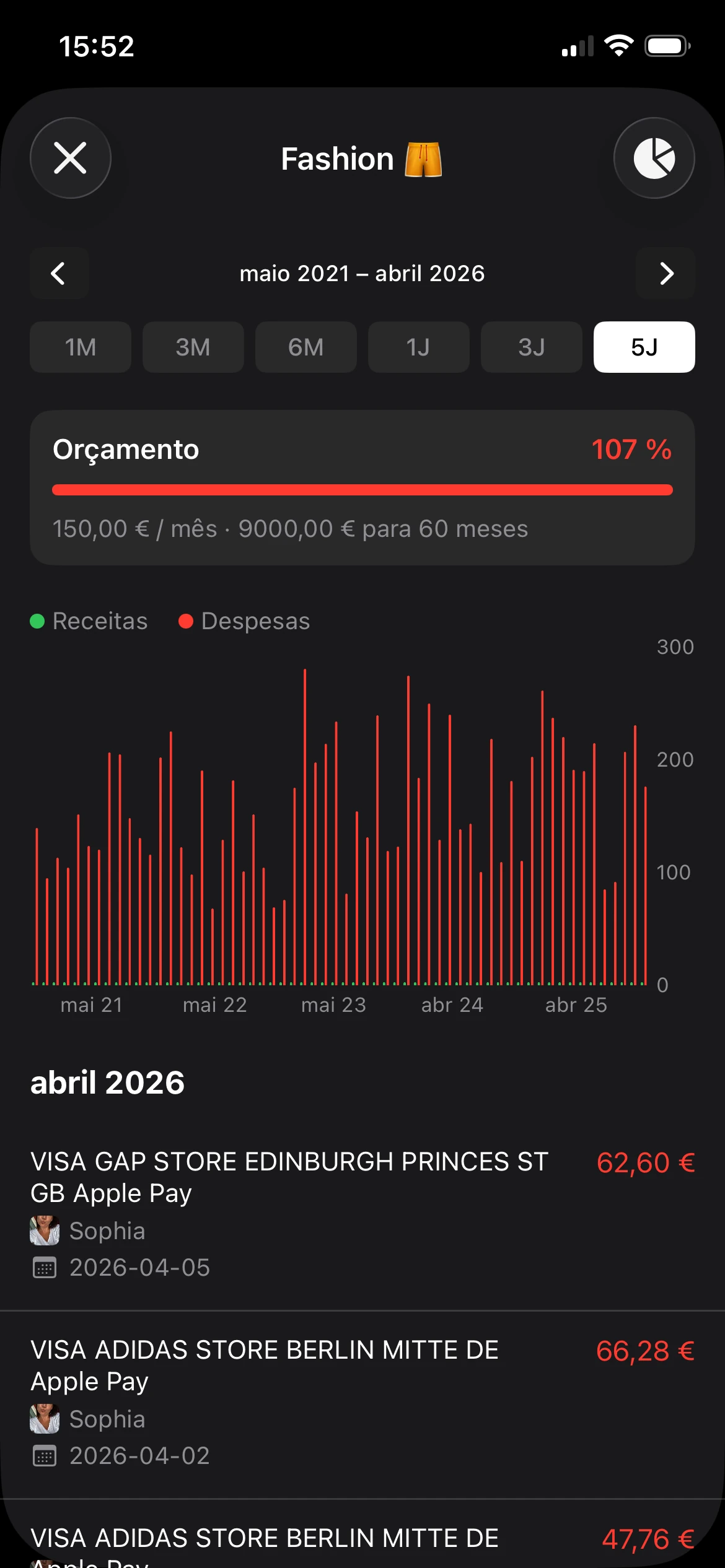
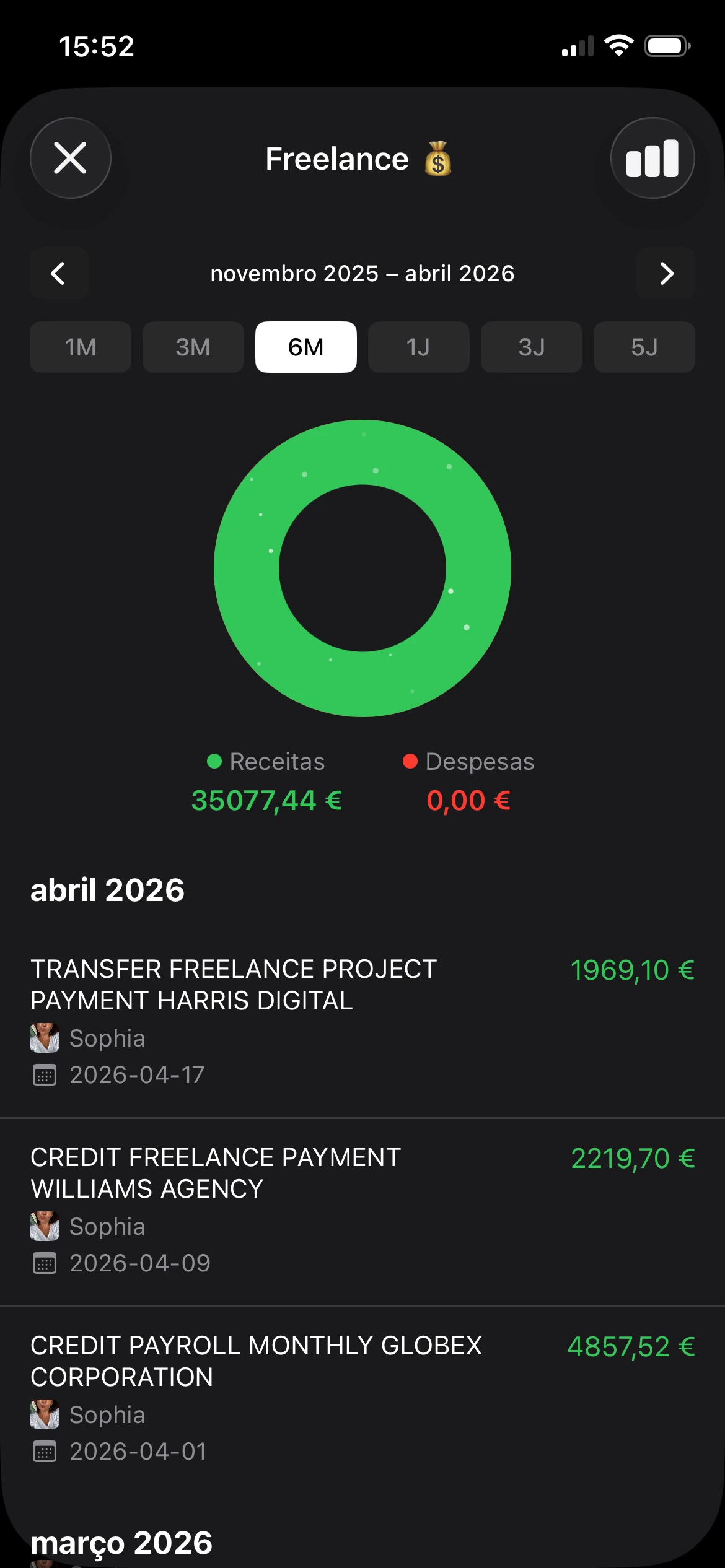
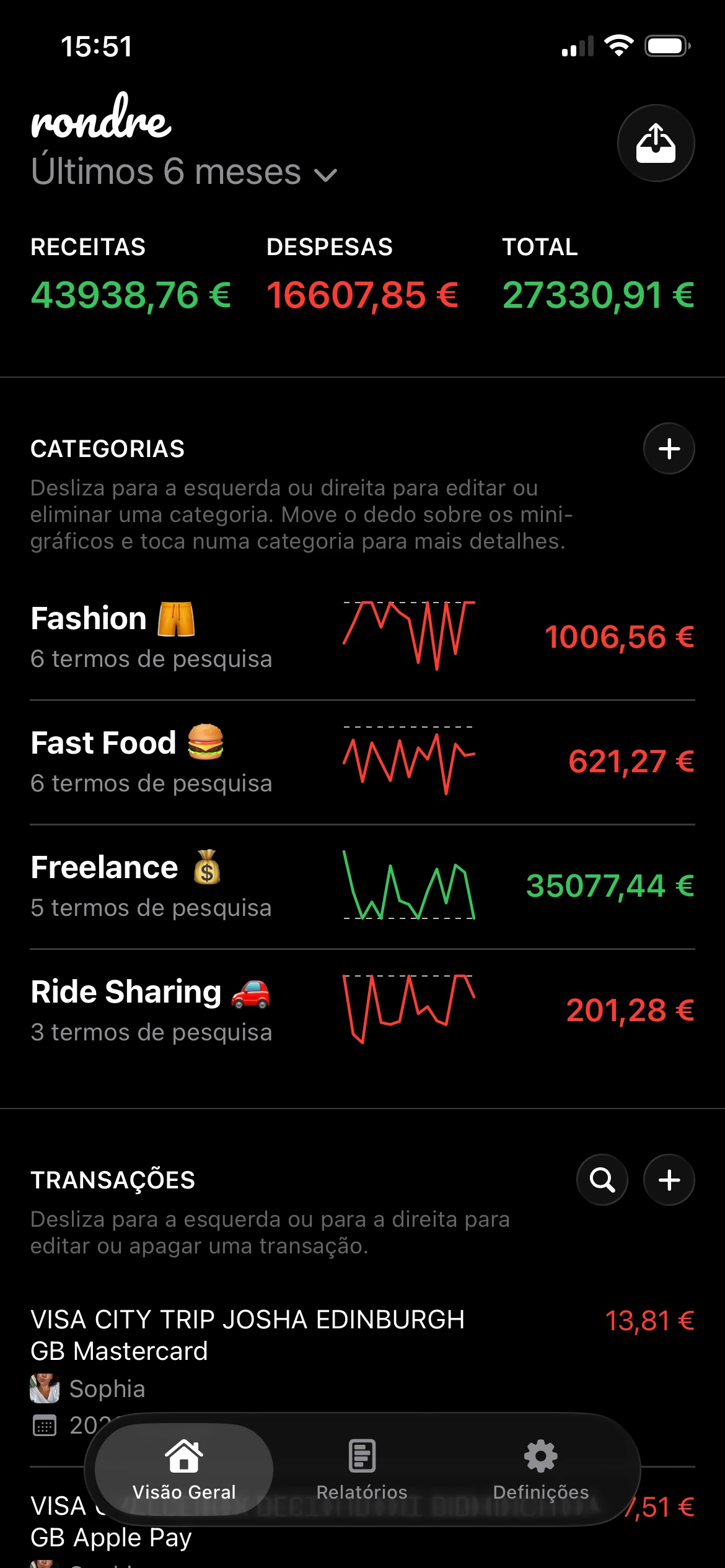
rondre encaixa naturalmente como uma opção para acompanhamento privado. Suporta ficheiros CSV e extratos bancários PDF, permite pesquisar transações instantaneamente, criar categorias personalizadas com termos de pesquisa e partilhar um livro com parceiro ou família, tudo sem conta ou registo.
Se o extrato incluir etiquetas de comerciantes estranhas, não tente aperfeiçoar tudo na primeira importação. Corrija apenas os maiores problemas. O objetivo é uma vista mensal fiável, não um livro-caixa de museu.
Uma boa checklist para a primeira passagem:
- Confirme que as datas foram importadas corretamente. Datas mal lidas estragam relatórios mensais.
- Verifique montantes positivos e negativos. Cobranças e créditos precisam de ser interpretados corretamente.
- Reveja primeiro os comerciantes recorrentes. Subscrições, serviços e supermercados devem ser ganhos rápidos.
- Deixe comerciantes raros e pontuais para mais tarde. Importam menos do que os principais padrões de despesas mensais.
Para leitores que estão a aperfeiçoar o seu workflow geral de despesas, este guia sobre acompanhamento de despesas complementa bem o passo de importação.
Criar categorias que funcionem em importações futuras
Um benefício importante vem das categorias inteligentes. Em vez de marcar manualmente os mesmos comerciantes todos os meses, configure categorias com base em termos de pesquisa.
Exemplos funcionam melhor do que conselhos abstratos:
- Supermercado pode incluir termos de pesquisa como Rewe, Lidl, Aldi, Edeka.
- Transporte pode incluir Deutsche Bahn, BVG, Shell, Aral.
- Viagem pode conter cobranças de companhias aéreas, hotéis e plataformas de reserva.
- Comissões do cartão devem ficar separadas para que o custo de ter o cartão seja visível.
- Despesas partilhadas do agregado familiar funcionam bem quando um casal importa extratos para um livro partilhado.
Essa estrutura muda completamente a revisão mensal. Uma única pesquisa pode mostrar todas as transações de supermercado em vários extratos. Uma categoria de comissões pode mostrar se custos relacionados com o cartão continuam a aparecer. Livros partilhados podem separar “meu”, “teu” e “agregado familiar” sem uma folha de cálculo.
O que normalmente falha é complicar demasiado as categorias no início. Vinte categorias amplas e compreensíveis vencem sessenta frágeis. O sistema de categorias deve ajudar a responder a perguntas reais. Para onde foi o dinheiro. Que despesas foram partilhadas. Que cobranças pertencem a viagens. Que comerciantes se repetem.
Analisar recompensas versus custos reais
Um extrato Miles & More muitas vezes parece generoso até ao momento em que as comissões estão bem visíveis. Assim que os termos alemães na Kreditkartenabrechnung são traduzidos para alguns grupos de custos claros dentro do rondre, o cartão deixa de ser um produto de fidelização e começa a parecer o que é: uma ferramenta de pagamento com uma camada de recompensas anexada.

Como é o lado das recompensas
A lógica básica é fácil de perder se só ler marketing de cartões. Ganha milhas com despesas elegíveis no cartão, e o valor dessas milhas depende de como as resgata. Miles & More lista vários caminhos de resgate, incluindo voos, produtos, vouchers e MilesPay através de pontos de aceitação Mastercard participantes. O ponto prático é simples. Uma recompensa só é útil se o custo de a ganhar se mantiver baixo.
MilesPay importa porque transforma milhas em algo mais próximo de despesa tipo dinheiro no checkout. Isso pode tornar os resgates mais tangíveis para titulares de cartão que não estão a poupar para prémios de voo. A visão geral da Reisetopia sobre o cartão e as funcionalidades MilesPay resume os limites de despesa e descontos em milhas envolvidos nessa configuração: Reisetopia sobre o cartão de crédito Miles & More.
Há também um ângulo de retenção. Como indicado anteriormente, uma razão pela qual alguns titulares mantêm um cartão Miles & More é a proteção das milhas ao longo do tempo. Esse benefício tem valor real para pessoas que acumulam lentamente e resgatam raramente. Tem pouco valor para alguém que paga custos anuais ou mensais do cartão, mas raramente usa bem o programa.
Onde o cartão fica caro rapidamente
Esta é a linha que observo primeiro em qualquer extrato importado. As comissões são concretas. O valor das milhas é estimado.
Comissões de moeda estrangeira, comissões de levantamento de dinheiro, cobranças do cartão e juros nunca devem ficar misturados com supermercados, bilhetes de comboio e restaurantes. Se ficarem, o cartão parece mais barato do que é. Assim que essas entradas são isoladas, a troca torna-se óbvia. Um cartão que ganha milhas em compras de rotina pode ainda assim ser uma má opção para levantamentos de dinheiro em viagem, despesas fora do euro ou pagamento parcial.
O cartão tende a funcionar bem para despesas planeadas pagas na totalidade. Funciona mal para acesso a dinheiro e saldos transportados.
Custos de financiamento podem anular o argumento das recompensas num único ciclo de faturação. O documento de preços e serviços da Miles & More é a fonte a verificar para cobranças relacionadas com o extrato, limites de serviços de dinheiro e termos de juros, porque esses detalhes afetam o custo real de possuir e usar o cartão: documento de preços e serviços Miles & More.
Uma revisão prática dentro de um tracker funciona melhor com quatro grupos:
| Grupo | O que pertence lá |
|---|---|
| Despesa recompensável | Compras normais que geram milhas |
| Custos de posse do cartão | Comissões do cartão e cobranças administrativas relacionadas com o extrato |
| Penalizações de utilização | Comissões de moeda estrangeira e custos de levantamento de dinheiro |
| Custos de financiamento | Juros de pagamento parcial ou utilização revolving |
Essa estrutura responde à pergunta que importa na vida real, não numa análise de cartão. As milhas vêm de despesas que teria feito de qualquer forma, ou está a pagá-las através de comissões, custos FX e juros? Para leitores em inglês a lidar com uma Kreditkartenabrechnung alemã, essa tradução da linguagem do emissor para categorias de despesa simples é a parte útil. Assim que o extrato está organizado no rondre, a resposta costuma ser muito menos favorável do que o título das recompensas.
O seu próximo passo para acompanhamento financeiro privado
Uma Miles & More Kreditkartenabrechnung não precisa de continuar a ser um puzzle mensal. O workflow prático é direto. Encontrar o extrato no portal atual do cartão, exportá-lo num formato adequado à tarefa, importá-lo para um tracker e separar despesas normais de comissões, uso de dinheiro e custos de financiamento.
Esse processo é especialmente útil para pessoas que partilham despesas com um parceiro, viajam ocasionalmente ou querem perceber se o cartão ajuda ou cria fricção subtil. A privacidade também importa mais do que o habitual em importações de extratos. Registos financeiros já contêm detalhes suficientes, por isso muitas pessoas preferem uma ferramenta que não pede conta, e-mail ou configuração extra só para começar a organizar transações.
O passo imediato é simples. Recolha o extrato mais recente, guarde-o com uma etiqueta mensal clara e importe-o no mesmo dia. Quanto menor for o intervalo entre a chegada do extrato e a revisão, mais fácil é reconhecer comerciantes, corrigir categorias e detetar desperdício antes de começar o próximo ciclo de faturação.
Descarregue rondre e importe o extrato mais recente hoje. Uma importação PDF ou CSV basta para transformar uma fatura mensal confusa num registo de despesas pesquisável, com categorias que tornam o próximo extrato mais fácil de rever do que o anterior.