Expense tracking often begins at the exact moment one feels financially behind. The card balance looks lower than expected, a few subscriptions have slipped by unnoticed, and the month feels blurry. Then comes the usual fork in the road: build a spreadsheet that becomes a chore, or hand banking access to an app that wants a login before it does anything useful.
That's where a lot of expense tracking breaks down. The system asks for too much, too early. A better setup is smaller and calmer. It should let someone record purchases quickly, import statements when needed, keep categories simple, and stay private by default.
Table of Contents
- Why Most Expense Tracking Fails and a Simpler Way Forward
- Your First 5 Minutes Setting Up a Clear System
- Capturing Every Transaction Without Losing Your Mind
- From Raw Data to Real Insights
- Managing Shared Finances with a Partner or Family
- How to Make Expense Tracking a Lasting Habit
Why Most Expense Tracking Fails and a Simpler Way Forward
Expense tracking usually fails for one of three reasons. The setup is too detailed, the workflow is too intrusive, or the review habit never becomes regular. People don't need more financial guilt. They need a system that stays usable on a rushed weekday.
A common mistake is thinking more automation always means better tracking. It doesn't. Some synced apps make setup look effortless, but they also assume the user is comfortable sharing financial data and trusting that every imported transaction lands in the right place. That trade-off isn't worth it for everyone.
Tracking works when it creates clarity fast enough that someone will keep using it next week.
Research on expense tracking describes effective tracking as consistently reviewing information related to the timing, amount, and nature of expenses, rather than relying on memory or rough guesses, as summarized in this overview of expense-tracking research and practice. That point matters because it shifts the goal. The job isn't to build an elaborate budget on day one. The job is to capture real transactions and review them in a way that stays repeatable.
What usually doesn't work
- Too many categories: "Coffee shop," "lunch out," "snacks," and "work café" don't create better insight. They create hesitation.
- Memory-based tracking: Reconstructing a week from memory misses cash, duplicate charges, and small purchases.
- All-or-nothing tools: If an app needs account linking, a signup, and a full setup before the first entry, many people quit before they begin.
The simpler standard
A private system is often easier to trust and easier to maintain. Manual entry catches purchases in the moment. Statement imports fill in the gaps. A short review session turns raw entries into something useful.
That's a much more realistic answer to how to track expenses than another giant spreadsheet with tabs nobody wants to open.
Your First 5 Minutes Setting Up a Clear System
Open an expense app on your phone, create one book for personal spending, and keep the setup plain. The goal in the first five minutes is a system you will still use next week, not a perfect chart of every dollar.

Start with fewer categories
Broad categories hold up better over time because they remove small decisions. They also make a privacy-first workflow easier to maintain. If you are entering transactions yourself and importing CSV or PDF statements later, you want categories that stay obvious at a glance.
A simple starting set looks like this:
Fixed Costs
Rent, mortgage, insurance, phone bill, and recurring subscriptions.Variable Needs
Groceries, transit, gas, pharmacy, and household supplies.Wants
Eating out, entertainment, shopping, hobbies, and impulse purchases.Savings and Transfers
Savings moves, investment contributions, and debt payments if you want them visible in the same system.Income
Salary, freelance income, reimbursements, and side work.
That is all that is needed to begin.
This setup gives enough detail to compare one month to the next without turning each purchase into admin work. In practice, that trade-off matters. More categories can feel precise, but they usually slow down entry and create inconsistent labeling.
For readers who want a cleaner mobile workflow, this guide to a simple expense tracking app shows what a low-friction setup looks like in practice.
Build smart categories that classify themselves
After the category list is in place, add a few search terms that match the way merchants appear on statements. This enables a manual-plus-import workflow to start saving time. You enter purchases directly when you want to, then imported transactions are easier to sort because the rules are already there.
A smart-category setup might look like this:
| Category | Useful search terms |
|---|---|
| Fixed Costs | rent, landlord, internet, phone, insurance, netflix |
| Variable Needs | grocery, market, pharmacy, fuel, transit |
| Wants | restaurant, cafe, coffee, cinema, clothing |
| Savings and Transfers | transfer, savings, brokerage, investment |
| Income | payroll, salary, invoice, deposit |
Two rules keep this useful:
- Use merchant-style terms: "Starbucks" or "Shell" works better than broad labels like "food" or "car."
- Stop before categories get too specific: If a split does not help you make a decision later, combine it now.
Practical rule: If you cannot place a purchase in a few seconds, the category system is too complicated.
A clear setup should feel private, fast, and easy to correct. One book. Five categories. A few merchant keywords. That gives you a system you can start using in minutes without linking bank accounts or handing over more data than necessary.
Capturing Every Transaction Without Losing Your Mind
There are two realistic ways to keep an expense tracker complete. Log purchases manually when they happen, and import statements later to catch what was missed. That combination is usually easier and more private than linking every account.

A privacy-first approach is especially relevant because many guides default to synced apps, while a better fit for many people is manual entry plus CSV or PDF imports, as explained in this expense-tracking privacy discussion.
Manual entry for everyday spending
Manual entry is best for the transactions most likely to disappear from memory. Coffee, parking, lunch, cash spending, quick online purchases. The trick is speed.
A usable entry flow has only a few fields:
- Amount
- Category
- Merchant or short note
- Date
That's it. If receipt upload is available, it helps, but it shouldn't be required for ordinary personal spending.
Manual-first works well when someone wants control over what gets recorded and when. It also creates awareness. Typing in a purchase forces a quick moment of recognition that auto-sync rarely gives.
CSV and PDF imports for everything else
Imports handle the backlog. They're the easiest answer when someone has weeks of transactions to catch up on or doesn't want to type every card charge by hand.
The workflow is straightforward:
- Sign in to the bank or card website.
- Download recent transactions as a CSV file or get a PDF statement.
- Upload that file into the tracker.
- Review imported transactions and fix categories where needed.
This gives the user a full record without handing over ongoing account access. It also works better for people with multiple accounts, old statements, or a preference for keeping financial data local and deliberate.
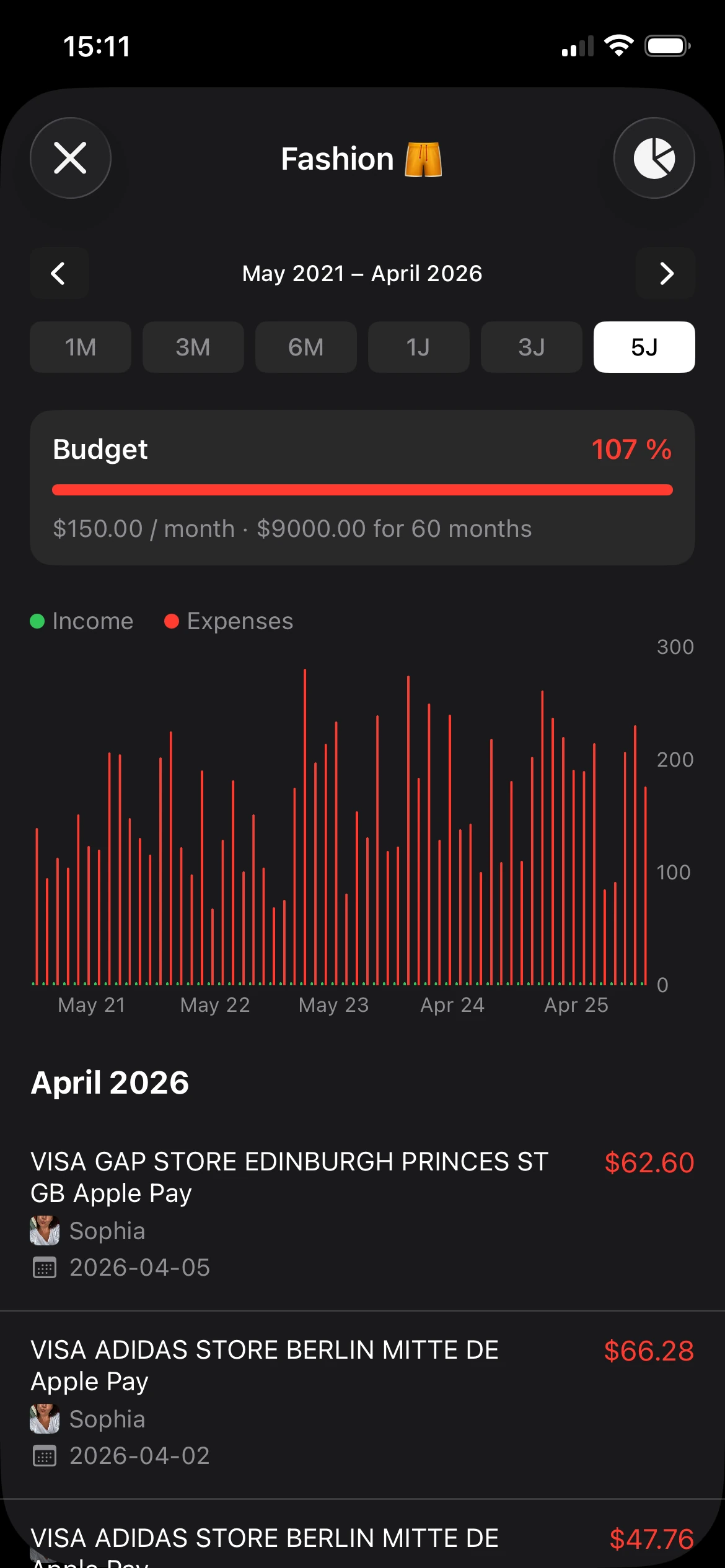
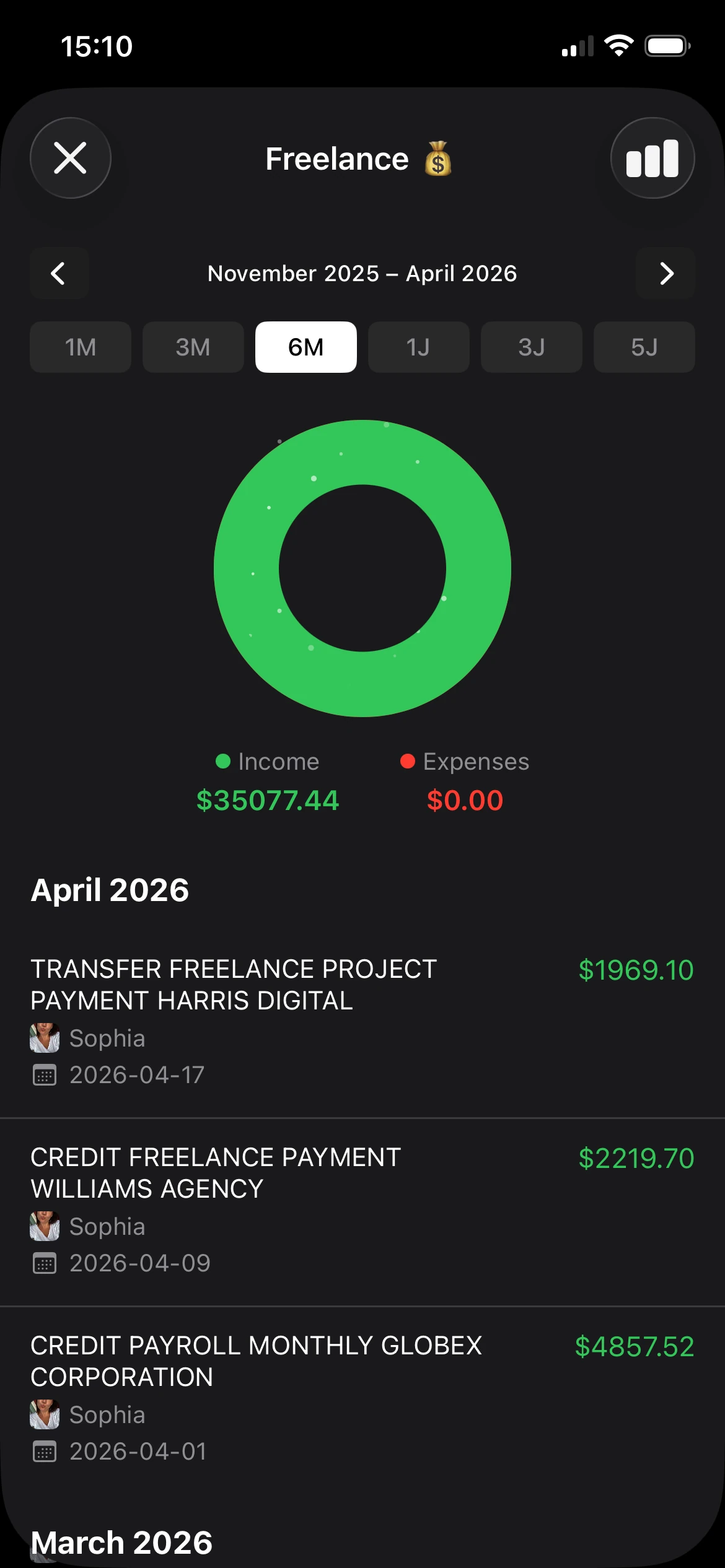
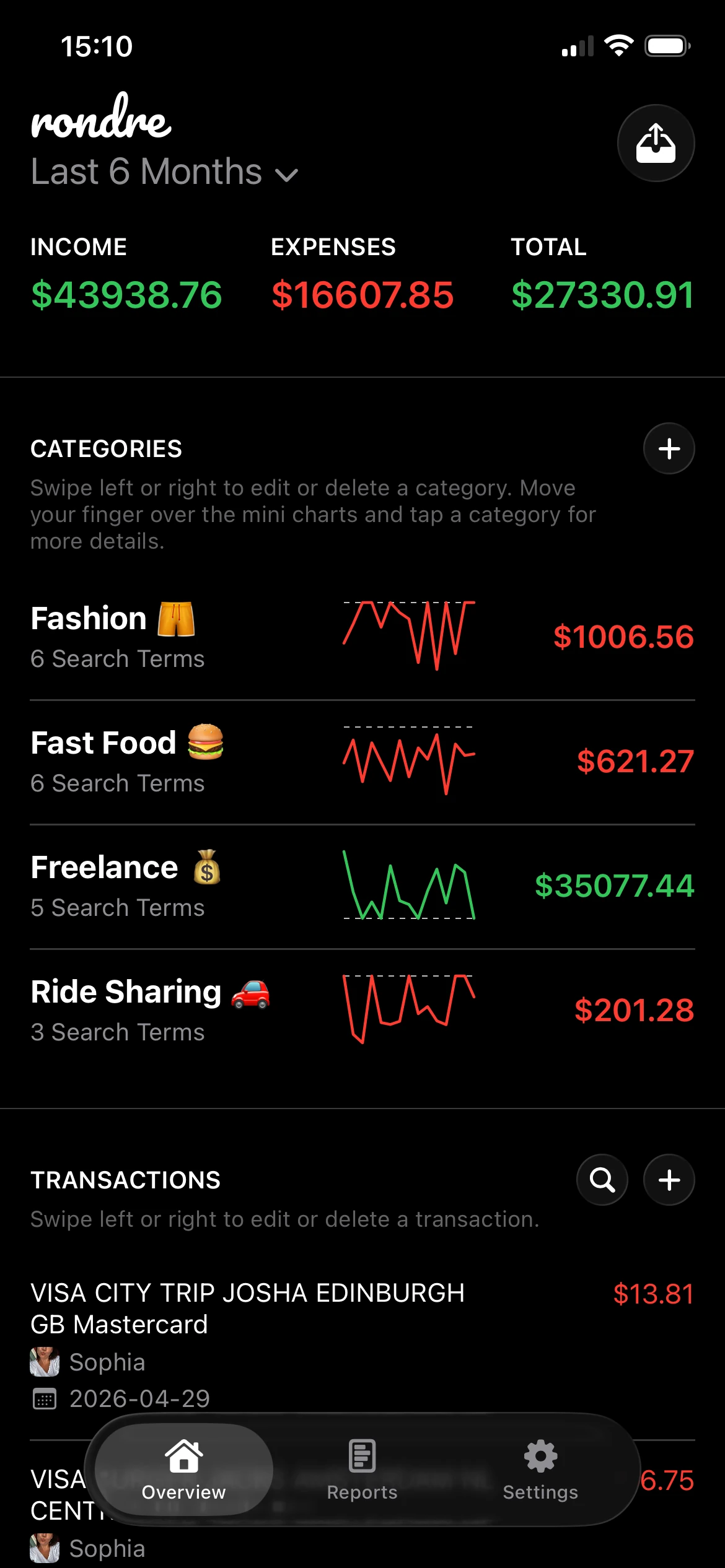
One practical option is rondre, which lets iPhone users track income and expenses, upload CSV files and PDF bank statements, create custom categories with search terms, and search transactions without creating an account.
Which method fits which situation
| Situation | Better method |
|---|---|
| Cash purchase during the day | Manual entry |
| Recurring card charges | Import, then review |
| Catching up after a busy month | CSV or PDF import |
| Shared expenses that need notes | Manual entry |
| Privacy concerns about bank linking | Manual plus imports |
The strongest systems aren't pure. They're mixed on purpose.
From Raw Data to Real Insights
A list of transactions isn't insight yet. First the records need to match reality. Then the patterns become worth trusting.

Reconcile before analyzing
A solid tracking workflow is a closed loop. Categories come first, transactions get captured as they happen, and then the records are reconciled against statements on a fixed cadence. That process helps catch missing entries, coding errors, and duplicate transactions before they distort the numbers, as described in this guide to closed-loop expense tracking.
Reconciliation sounds heavier than it is. For personal use, it usually means checking a recent statement against the app and asking a few plain questions:
- Is anything missing?
- Is anything duplicated?
- Did a transfer get mislabeled as spending?
- Are refunds visible?
For readers who want a clearer feel for this process, this explanation of a running balance helps make daily totals easier to read.
Reconciliation is what turns an expense tracker from a diary into a reliable record.
Ask simple questions your charts can answer
Once the data is clean enough, charts become useful fast. Donut charts are good for category mix. Bar charts are good for comparisons over time. Search is good for vendor-level review.
A short monthly review can focus on only a handful of questions:
- Which category was largest last month?
- Did eating out grow compared with the prior month?
- Are fixed costs steady, or did a subscription creep in?
- Which merchants appear more often than expected?
The point isn't to admire the charts. It's to make one or two small decisions with them. Maybe groceries are fine but takeout is creeping up. Maybe subscriptions need a cleanup. Maybe transport costs changed after a move or commute shift.
What to ignore at first
Not every insight matters right away. Skip the urge to over-analyze tiny one-off purchases or build complex forecasting models from a month of data.
Start with trends that are easy to act on:
| Useful signal | Better response |
|---|---|
| One category feels inflated | Review the merchants inside it |
| Statement total and app total don't line up | Reconcile before drawing conclusions |
| Same merchant appears often | Decide whether it belongs in a different category |
| Spending jumps in one month | Check if it was seasonal, shared, or a duplicate |
That's how to track expenses in a way that changes behavior. Clean records first. Small insights second.
Managing Shared Finances with a Partner or Family
Friday night. One person grabbed groceries on the way home, the other paid the internet bill, and someone ordered takeout for everyone. By Sunday, nobody is arguing about the total. They are arguing about whose card covered what.

Shared finances get messy fast when the record lives across texts, memory, and separate bank apps. A private manual system is often easier to manage because everyone can see the same entries without linking accounts or handing over login access. That matters for couples, roommates, and families who want a clear household view without turning their finances into a surveillance project.
A shared book reduces guesswork
Use one shared book for household spending. Keep personal spending somewhere else.
That one decision fixes a lot. Each shared expense gets a category, an amount, and a quick note for who paid. The result is a record people can review together without scrolling through bank screenshots or asking, "Did you already count that?"
A simple example helps:
Alex buys groceries. Sam pays the electric bill. Both belong to the household. If they land in the same shared record, the month is easier to review and reimbursements are easier to settle.
For couples who want a setup built around that use case, this expense tracker for couples guide shows a straightforward shared workflow.
Split shared, personal, and payback items early
Households usually run into trouble at the category level, not the math level. A charge can be real and still be unclear. Was that pharmacy run for the family, or personal? Was the restaurant bill a date night, a family meal, or one person's lunch?
Set the rules early and keep them plain:
- Shared book: Rent, utilities, groceries, household supplies, school costs, family subscriptions, shared travel
- Personal book: Individual shopping, hobbies, gifts, solo meals, personal subscriptions
- Reimbursable tag or note: One person paid now, someone else will pay them back later
This works well with a no-account workflow in an app like rondre. Each person can add expenses manually as they happen, then import a CSV or PDF later to catch anything missed, without merging bank access into one system.
Use a routine that survives normal life
Shared tracking falls apart when it depends on perfect memory. It also falls apart when the process is too heavy, because one person ends up doing all the admin work.
Keep the routine light:
| Moment | Action |
|---|---|
| Right after paying | Add the transaction to the shared book and note who paid |
| Once or twice a week | Mark anything personal or reimbursable |
| At month-end | Import CSV or PDF statements, reconcile missed items, settle up |
I have found that this is the trade-off that matters most. Bank syncing feels faster at first, but manual entry plus statement import usually gives better control in shared households. People decide what belongs in the record. They do not have to sort through every private purchase that a linked account pulled in automatically.
Make ownership clear
Shared does not have to mean fully merged. Many households do better with partial sharing, where joint costs are tracked together and personal spending stays separate. That setup reduces friction because the conversation stays focused on the expenses that affect the household.
A good shared system should answer three questions quickly:
- What did the household spend?
- Who paid?
- Does anyone need to be reimbursed?
If those answers are easy to find, the review stays short and calm. That is the goal.
How to Make Expense Tracking a Lasting Habit
The system only works if it survives busy weeks. That means the routine has to be small enough that someone will still do it when they're tired, traveling, or distracted.
Keep the routine small
A workable cadence looks like this:
- During the day: Enter cash purchases and unusual spending when they happen.
- Once a week: Review recent transactions and fix categories.
- Once a month: Import a CSV or PDF statement to catch anything missed.
That's enough to keep the record current without turning expense tracking into homework.
Small check-ins beat big resets. A short weekly review is easier than rebuilding a month from scratch.
Aim for complete enough, not perfect
Perfect tracking is a trap. The better goal is a record that is accurate enough to trust and simple enough to repeat. If a category needs tweaking later, that's fine. If one transaction lands in "Wants" instead of "Variable Needs," that won't ruin the month.
The fastest way to build momentum is to make the first action tiny. Open the tracker. Add the last purchase. Give it a category. Done.
The goal today isn't to perfect a budget. It's to record one transaction and prove the system can be easy.
If a private, no-account workflow sounds better than linking bank accounts, rondre is worth a look. It lets iPhone users start tracking in seconds, log transactions manually, import CSV files and PDF bank statements, organize spending with smart categories, and share a book with a partner or family. The practical takeaway is simple: open whatever tracker you'll use, enter your most recent expense, and let that be the start.