A lot of people don't fail at budgeting because they're careless. They fail because the tools ask too much, too early. The app wants a bank connection, a dozen categories, recurring rules, alerts, goals, widgets, and a setup flow that feels longer than the budget itself.
A simple expense tracking app solves a different problem. It doesn't try to watch every financial move in the background. It gives people a clean place to record what matters, see patterns quickly, and stay aware without turning money management into another digital chore. For anyone using an iPhone and wanting a calmer system, that approach is often the difference between quitting after three days and sticking with it.
Table of Contents
- Why Your Finances Don't Need a Complicated App
- The Philosophy of Simple Expense Tracking
- Tailored Tracking Workflows for Your Life
- Getting Started with rondre in 60 Seconds
- Advanced rondre Workflows for Total Control
- Your Actionable Takeaway Today
Why Your Finances Don't Need a Complicated App
The usual pattern is familiar. Someone downloads a budgeting app on a Sunday night, spends twenty minutes connecting accounts, answers questions about financial goals, gets hit with a dashboard full of charts, and closes the app before logging a single coffee or grocery run. The problem isn't motivation. The problem is friction.
A simpler setup works because it asks for one action at a time. Record the expense. Give it a category. Move on. That small loop is easier to repeat, and repetition is what creates clarity.
The broader market is moving in that direction too. The expense tracker apps market is projected to see steady growth through 2035, driven by digital transactions and stronger consumer interest in financial planning, with mobile apps becoming the dominant platform and freemium models helping more people get started with basic tools (expense tracker market projections through 2035).
A tracking system should lower resistance, not add another layer of work to daily life.
That's why many people eventually come back to something lighter. They don't need an app that acts like an accountant, advisor, and surveillance layer all at once. They need an app that helps them notice where the money went this week.
A good starting point is often a tool built around fast logging and clear categories, not endless setup. For readers comparing lightweight options, this guide to a free simple budget app is a useful reference point.
The cost of too many features
Complex apps often create three practical problems:
- Setup fatigue makes people delay tracking until they “have time” to configure everything.
- Passive dashboards show lots of information but don't always improve awareness.
- Constant prompts turn money management into background noise.
The fix is rarely more automation. Usually, it's less.
The Philosophy of Simple Expense Tracking
A simple expense tracking app isn't just a stripped-down version of a larger finance platform. It follows a different philosophy. The core ideas are privacy, speed, and clarity.

Simple does not mean incomplete
The strongest simple trackers don't try to be everything. They focus on a small set of jobs and do them well. Leading simple expense trackers prioritize privacy by storing records locally on the device and, critically, they don't connect to bank accounts. That approach centers manual entry and clear visual analytics so users can understand spending without giving up financial data control (privacy-first simple expense trackers on Google Play).
That design choice matters because it changes the relationship between the person and the app. Instead of pulling transactions and guessing categories, the app becomes a tool for deliberate review. A manual entry takes a few seconds, but it also creates a moment of recognition. Rent is due. Lunch spending is rising. Subscriptions are piling up.
Three signs that an app is built on this philosophy:
- No sign-up barrier so people can start tracking before motivation fades.
- No ads or tracking layer so the product isn't competing for attention.
- A narrow core loop focused on transaction entry, categories, and quick review.
The trade-off that gives people more control
Bank linking is convenient. It also changes the product from a notebook into a live financial monitor. For some people, that's worth it. For others, it isn't.
A privacy-first tool gives up some automation in exchange for more control over what gets captured, how it's labeled, and where it's stored. That trade-off works especially well for people who share devices carefully, prefer local records, dislike giving finance apps account access, or find they think better when they enter transactions intentionally.
Practical rule: If automatic syncing makes someone less aware of spending, it isn't simplifying anything. It's just moving the work to a later cleanup.
A good mental checklist for choosing a simple expense tracking app looks like this:
- Can it be used immediately? Long onboarding kills momentum.
- Does it respect privacy by default? That includes no account requirement and no unnecessary data collection.
- Can categories stay flexible? Real life doesn't fit rigid templates.
- Is review faster than entry? The point is insight, not data entry for its own sake.
People who prefer this style aren't choosing a “lite” version of budgeting. They're choosing intentional tracking. That's a different mindset, and for many households it's the more sustainable one.
Tailored Tracking Workflows for Your Life
Simple tools work best when they match a real routine. A student tracking food spend, a couple sharing rent, and a freelancer sorting business costs don't need the same dashboard. They need a workflow that fits how money moves in their life.

Many app roundups still flatten shared finance into “for couples” and stop there. That leaves out households with more complicated dynamics. Reviews often miss use cases like multi-generational families or co-living friends, and they don't spend enough time on uneven contributions or permission needs (budgeting app coverage gaps for shared household finance).
Four real-life tracking setups
For an individual, the goal is usually awareness. The simplest useful system is a small set of categories such as groceries, eating out, transport, bills, and fun. Logging stays quick, and weekly review shows where spending drift happens.
For couples, the challenge is usually separation and overlap. Joint costs like rent, groceries, and utilities need one view. Personal spending usually needs another. The healthiest setup is often one shared book for household costs and separate books for individual money.
Families need a structure that reduces confusion. A parent may want to see school costs, groceries, activities, and home expenses in one place without mixing them with every small personal purchase. The cleaner the category names are, the fewer conversations start with “what was this charge for?”
Freelancers need boundaries more than complexity. The key move is keeping business and personal transactions apart from the start. One book for business, one for personal, and category names that match actual tax or reporting habits are usually enough.
Shared finance works better when the app makes the record neutral. People argue less when everyone is looking at the same list.
Simple Tracking Workflows by Use Case
| Audience | Primary Goal | Key Feature to Use | rondre Example |
|---|---|---|---|
| Individual | See where day-to-day money goes | Fast manual entry and instant search | Log coffee, transit, groceries, and review by category at the end of the week |
| Couple | Track shared household costs without mixing personal spending | Shared book plus separate books | One shared household book for rent and utilities, separate personal books for individual spending |
| Family | Coordinate recurring home expenses clearly | Custom categories and shared visibility | Create categories for groceries, school, kids' activities, and home supplies |
| Freelancer | Separate business costs from personal life | Multiple books, CSV import, PDF statement import | Keep one business book for software, travel, and client expenses, and another for personal spending |
The point isn't to mimic corporate accounting. It's to build a record that answers the questions that come up most often. What got spent? Where did it go? Was that personal, shared, or business-related?
A simple expense tracking app earns its place when those answers are easy to find.
Getting Started with rondre in 60 Seconds
A tutorial isn't necessary for everyone. Most users need a first win. The fastest useful setup is the one that gets a transaction into the app before attention wanders.

The fastest useful setup
Open the app and create a book with a plain name. “Personal” is enough. Fancy naming can wait.
Then add the most recent transaction, not the oldest one. If lunch cost money today, start with lunch. If rent went out this morning, start there. People stick with tracking when they begin from the present instead of trying to reconstruct the entire month before the habit exists.
A clean first setup looks like this:
- Create one book for the money that needs attention right now.
- Add one expense from today.
- Add one income item if that helps balance the picture.
- Choose a clear category such as Groceries, Eating Out, Rent, Transport, or Salary.
That's enough to make the app useful.
One small upgrade that pays off quickly
After the first few entries, create a category that matches repeated spending language, as real transactions aren't always labeled the way people think about them. A category works better when it reflects recognition, not accounting theory.
For example:
- Eating Out can catch coffee shops, takeout, lunch spots, and late-night orders.
- Home can hold cleaning supplies, hardware purchases, and basic house items.
- Work Expenses can separate software or travel from personal spending.
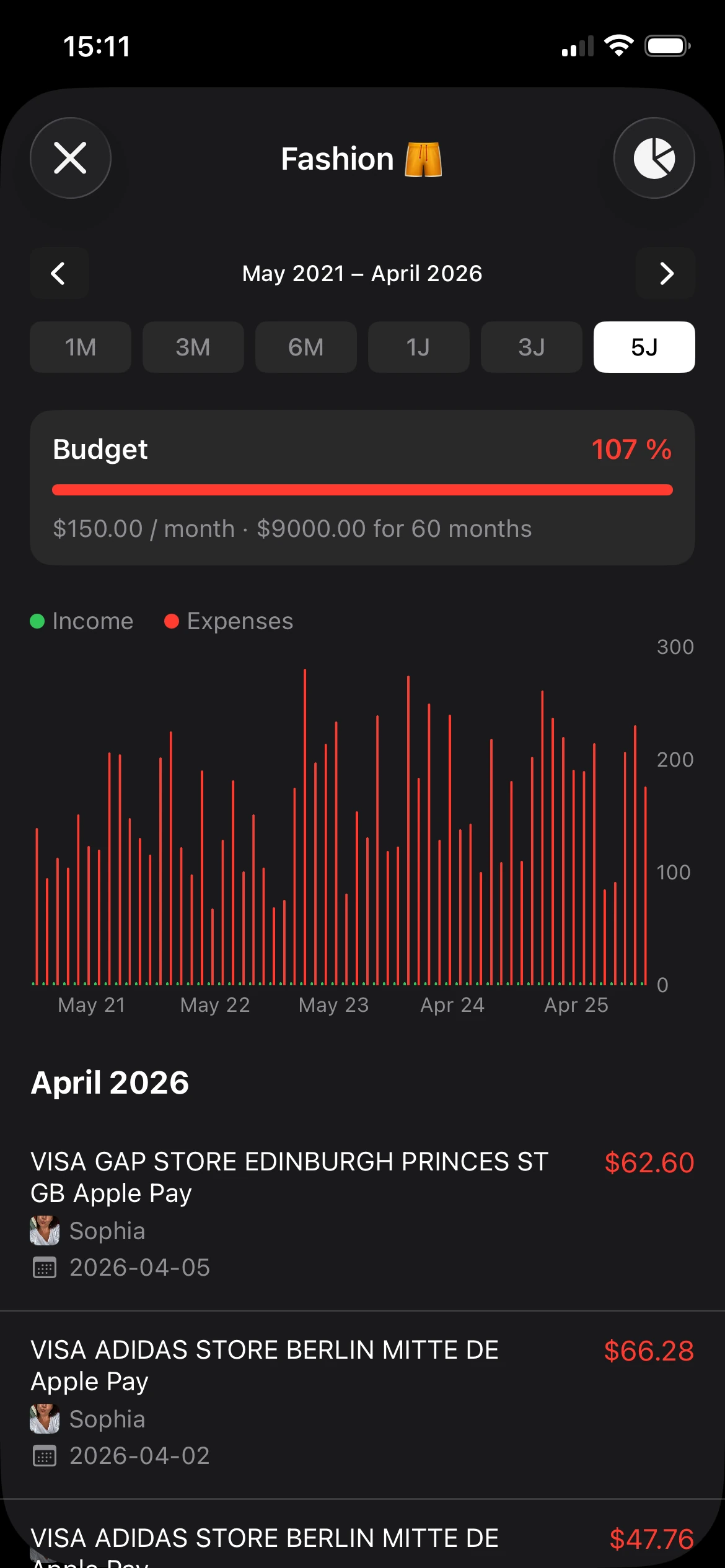
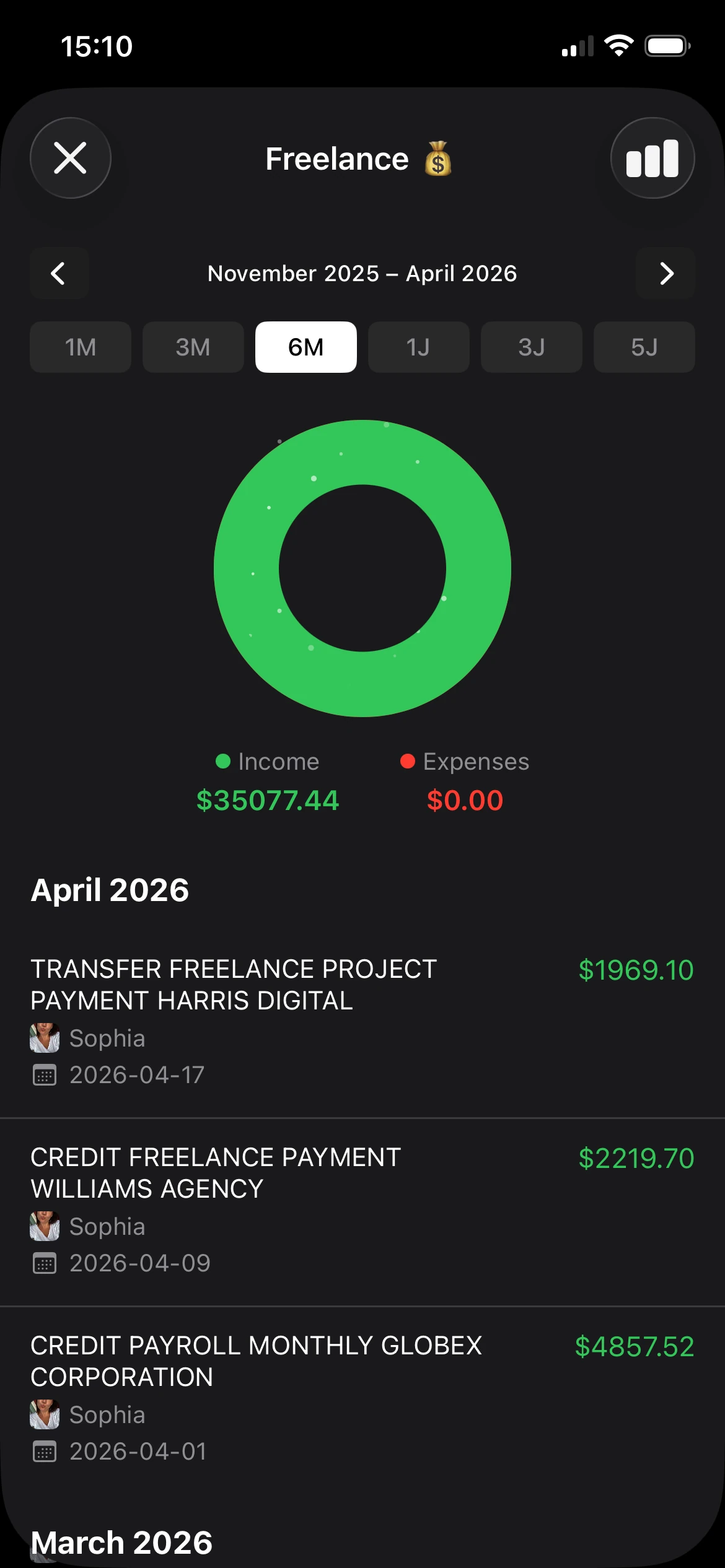
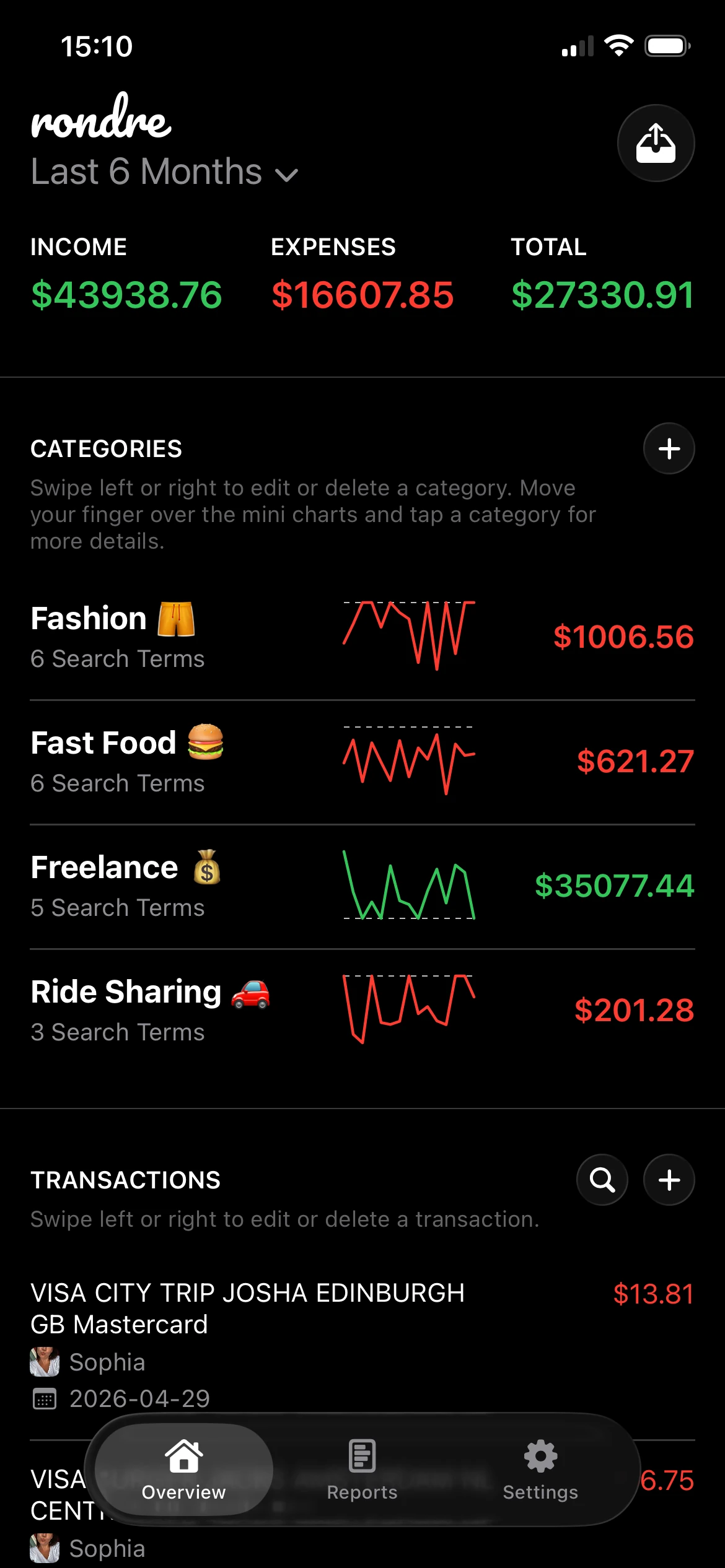
This is also the point where a tool such as rondre makes sense for iPhone users who want quick manual entry, custom search-term categories, CSV uploads, PDF bank statement imports, shared books, and instant transaction search without an account or sign-up.
Start with categories that match decisions, not categories that sound impressive. “Food out” is often more useful than a perfectly tidy chart of micro-categories.
A common mistake is overbuilding on day one. Ten categories are harder to maintain than five. A dense category list also slows entry, and speed matters more than precision at the beginning. It's better to log consistently with broad labels than to abandon tracking because every purchase feels like a classification test.
If the setup takes less than a minute, there's a much better chance it becomes a routine.
Advanced rondre Workflows for Total Control
Simple systems should scale when life gets messier. The difference between a toy tracker and a useful one is whether it still works when two people share bills, when a freelancer needs a clean expense history, or when someone falls behind and needs to import old records fast.

When shared money needs clear boundaries
A shared book works best when it has a narrow purpose. Household expenses are a good example. Rent, utilities, groceries, and kid-related costs belong there. Random personal spending usually doesn't.
That simple boundary removes a lot of low-level friction. One partner doesn't have to scan through the other person's personal transactions to find the electric bill. A family member can check the grocery pattern without touching unrelated spending.
A practical setup often looks like this:
- Use one shared book for recurring joint costs.
- Keep personal books separate for individual spending and privacy.
- Name categories plainly so everyone reads them the same way.
- Search before asking when a household purchase seems unclear.
When catching up matters more than typing
Manual entry is excellent for staying aware. It's not always the fastest way to rebuild the last six weeks. That's where imports become valuable.
For catch-up periods, uploading a CSV file or PDF bank statement is usually the better move. It gets the raw history into the app quickly, and then categories can be cleaned up afterward. That's far less draining than keying in every transaction one by one.
Automated data capture using OCR can reduce manual entry time by up to 70% per transaction and reach 92% accuracy with modern ML models. In privacy-focused apps, this can happen on-device, which supports receipt or PDF imports without sending financial documents to the cloud (OCR expense tracking and on-device processing guide).
The right question isn't “manual or automated?” It's “which method keeps the record accurate without adding stress?”
For freelancers, this workflow is especially useful at month-end. Import the statement, search for software vendors, travel spend, client meals, or subscriptions, then review and reassign anything that needs a better category. The same pattern helps households that forgot to track for a while. Import first. Clean second. Analyze last.
Search is what ties the whole workflow together. A solid search function turns a long transaction list into a usable record. Someone can look up a merchant instantly, check how often a bill appears, or isolate all spending tied to one category without building a complicated report.
That's what total control usually looks like in practice. Not more screens. Better retrieval.
Your Actionable Takeaway Today
The strongest reason to use a simple expense tracking app isn't convenience alone. It's ownership. There's a growing group of users who deliberately want manual-entry tools because they don't want to link bank accounts, and that preference is often overlooked rather than treated as a valid choice for transparency and data control (manual-entry expense tracking demand and privacy concerns).
That matters because awareness starts when someone records spending on purpose. Not when an app automatically imports it. Not when a dashboard guesses what category it belongs in. The habit begins with a deliberate action.
The most useful thing to do today is very small:
- Track the next three purchases instead of trying to rebuild an entire month.
- Use broad categories so entry stays fast.
- Review them tonight and notice what feels obvious only after it's written down.
That's enough to change the relationship with money. Three entries create a record. A record creates visibility. Visibility creates better decisions.
Many people wait until they feel “organized enough” to start. That's backwards. Tracking is what creates the organization.
If a private, no-sign-up way to track income, expenses, shared books, and imports sounds like the right fit, rondre is a straightforward place to start. Open it, record the next three transactions, and let clarity come from the habit rather than from a complicated setup.