A lot of people don't start looking for an expense report app because they love finance. They start because money has become noisy.
There's a folder full of PDF statements that never got reviewed. A few paper receipts are stuffed into a bag. The notes app has half a list of shared bills. A spreadsheet exists somewhere, but it stopped being useful after the second missed update. Then a bank statement shows a charge that looks familiar, but no one can remember what it was for.
That mess is exactly where a good expense report app helps. Not by turning someone into an accountant, but by making everyday money easier to see, sort, and understand.
Table of Contents
- From Shoeboxes to Smartphones
- What Is an Expense App for Personal Finance
- Core Features That Actually Simplify Your Life
- How to Choose an App That Respects Your Privacy
- Real-World Scenarios and Your Quick Setup
- Your First Step Toward Financial Clarity Today
From Shoeboxes to Smartphones
The old version of expense tracking was painfully familiar. Receipts lived in drawers, coat pockets, wallets, car consoles, and random kitchen bowls. If someone wanted a clear monthly picture, they had to gather scraps, open a spreadsheet, and hope the totals matched.
That approach still exists, but it's clear why it fails. It takes too long, it depends on perfect memory, and it turns simple questions into annoying detective work. What was spent on groceries last month? How much went to subscriptions? Did that restaurant charge get counted twice? Manual methods rarely answer those questions quickly.

The shift away from that mess is already well underway. Some leading platforms such as Expensify serve more than 15 million users globally, which shows how widespread the move from paper receipts and spreadsheets has become, according to the Expensify Google Play listing.
Why this change matters
An expense report app takes a job that used to be delayed until “later” and turns it into something that fits daily life. A purchase happens. It gets recorded. It lands in the right category. The bigger picture starts building itself.
That matters because money problems often aren't math problems first. They're visibility problems.
Practical rule: If spending is hard to see, it's hard to control.
For a household, that might mean finally seeing how much goes to delivery apps. For a freelancer, it might mean spotting business purchases mixed into personal spending. For a couple, it might mean ending the monthly debate over who paid which bill.
What makes a modern app different
A modern expense report app isn't just a digital notebook. It can pull in data from statements, store transactions in one place, and make them searchable later. Instead of building a financial record by hand, the user reviews and guides a system that does much of the sorting.
That's its primary appeal. The app removes friction from a task many find burdensome.
What Is an Expense App for Personal Finance
A lot of confusion comes from the phrase expense report app itself. It sounds corporate. It sounds like reimbursements, approval chains, and someone in accounting asking for missing receipts.
For personal finance, the useful version is much simpler. It's a tool for tracking what came in, what went out, and what those patterns mean over time.
A personal tool, not a corporate workflow
Historically, people tracked expenses with paper receipts and manual ledgers. Mobile-first apps changed that model in a major way, and some now also emphasize privacy through zero-tracking approaches, as described by ExpenseVisor's overview of modern expense tracker apps.
That history helps explain the difference between two kinds of apps:
| Type | Main purpose | Typical experience |
|---|---|---|
| Corporate expense tool | Reimbursement and policy control | Submit receipts, follow rules, wait for approval |
| Personal expense app | Clarity and planning | Record spending, organize it, understand habits |
The second category is what most individuals need.
A useful analogy is a digital money diary that organizes itself. It remembers transactions better than memory can, groups them more consistently than a spreadsheet usually does, and makes patterns visible without requiring hours of setup.
What the app is really doing
A personal expense app has three main jobs.
- Capture spending: It gives each transaction a home, whether it comes from manual entry, a bank statement, or a receipt image.
- Categorize activity: It sorts purchases into labels such as groceries, rent, transport, subscriptions, or dining.
- Create understanding: It lets the user scan history, search for a charge, and notice trends before they become problems.
That last part is where people often underestimate the value. The app isn't only keeping records. It's reducing uncertainty.
A good personal finance app should answer ordinary questions quickly, without making the user learn accounting terms first.
When readers hear “expense report,” they often think they need a business reason to use one. They don't. Personal finance works better when everyday spending is visible, searchable, and easy to revisit.
That's why the best personal tools feel quiet. They don't bury someone in settings. They help someone remember, sort, and decide.
Core Features That Actually Simplify Your Life
Some apps look impressive because they offer a long feature list. The better question is whether those features remove work from everyday tracking.
The most helpful expense report app usually gets four things right: capturing data quickly, sorting it sensibly, making it easy to search, and turning the record into something readable.

Capture without the busywork
If every transaction has to be typed in line by line, people stop tracking. Good apps reduce that burden.
Some support CSV imports, which help when transactions already exist in a bank export. Others accept PDF bank statements, which is useful for anyone trying to consolidate scattered records into one place. Some also work with receipt images.
Modern automation demonstrates its practicality, moving beyond mere flashiness. AI-driven categorization can achieve up to 98% accuracy in classifying transactions, adapting to merchant names and spending patterns, according to Payhawk's discussion of expense tracking features.
That matters because the user doesn't have to keep redoing the same labeling work.
Organize in a way that matches real life
Categories sound simple until real life gets involved. A grocery store might also sell medicine. A large online retailer might include home goods, gifts, and office supplies in the same month. A shared household might need separate views for family spending and personal purchases.
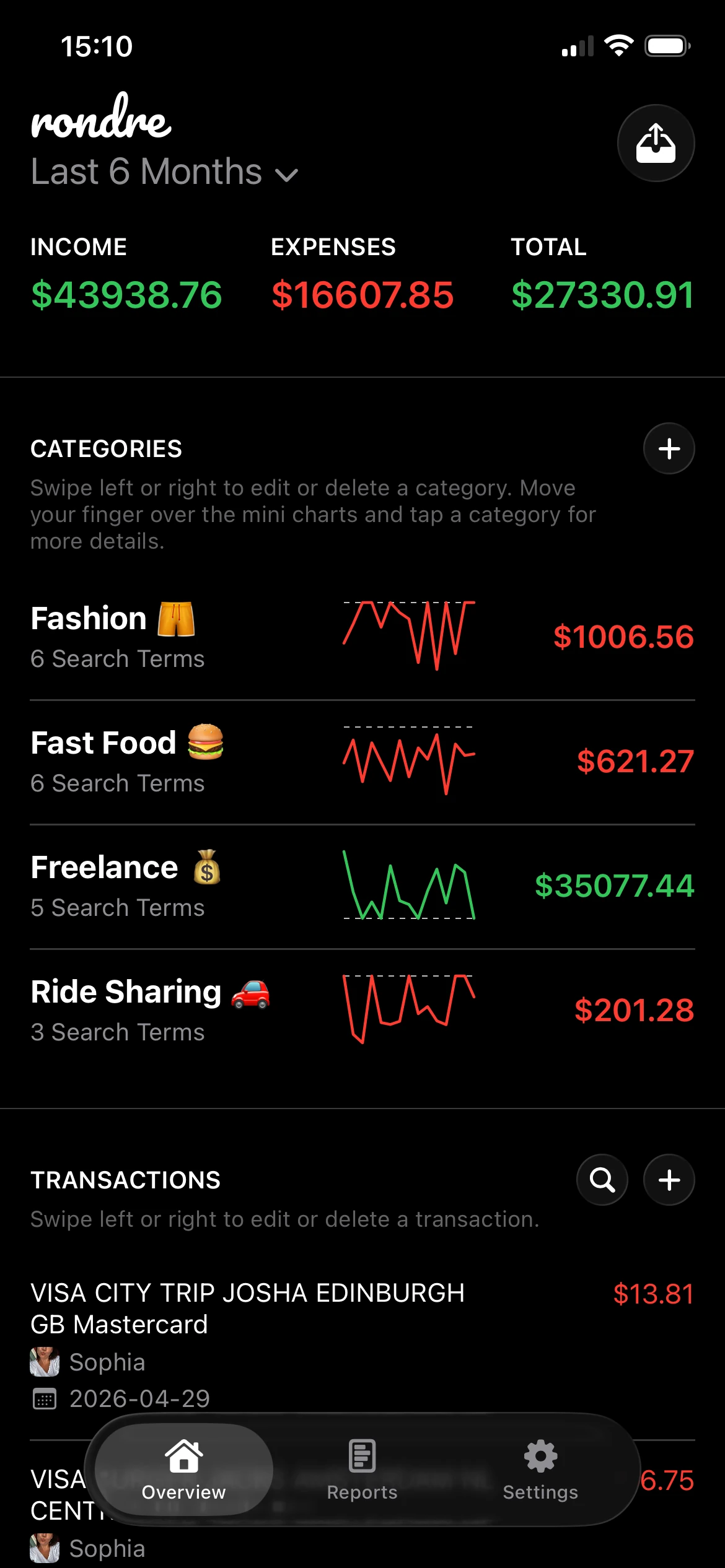
The best apps handle this by allowing custom categories and flexible rules. Some let users create smart category matching based on search terms, merchant names, or recurring patterns.
That approach helps in cases like these:
- Messy merchants: One retailer appears again and again, but the category depends on what was bought.
- Recurring charges: Subscription services can be grouped consistently instead of manually corrected every month.
- Shared finances: Household books can separate groceries from child-related costs or utility bills from repairs.
A related habit that helps is pairing expense tracking with bill awareness. Readers comparing recurring costs and monthly obligations may also find this guide to the best app for bill tracking useful.
Find answers fast
Search is one of the most underrated features in any expense report app.
A person may not care about search on day one. Six months later, it becomes the feature that saves the most time. Instead of scrolling through transactions, someone can look up a merchant, amount, or keyword and find the exact charge in seconds.
Useful test: If an app makes it hard to find one transaction from three months ago, it probably won't feel simple for long.
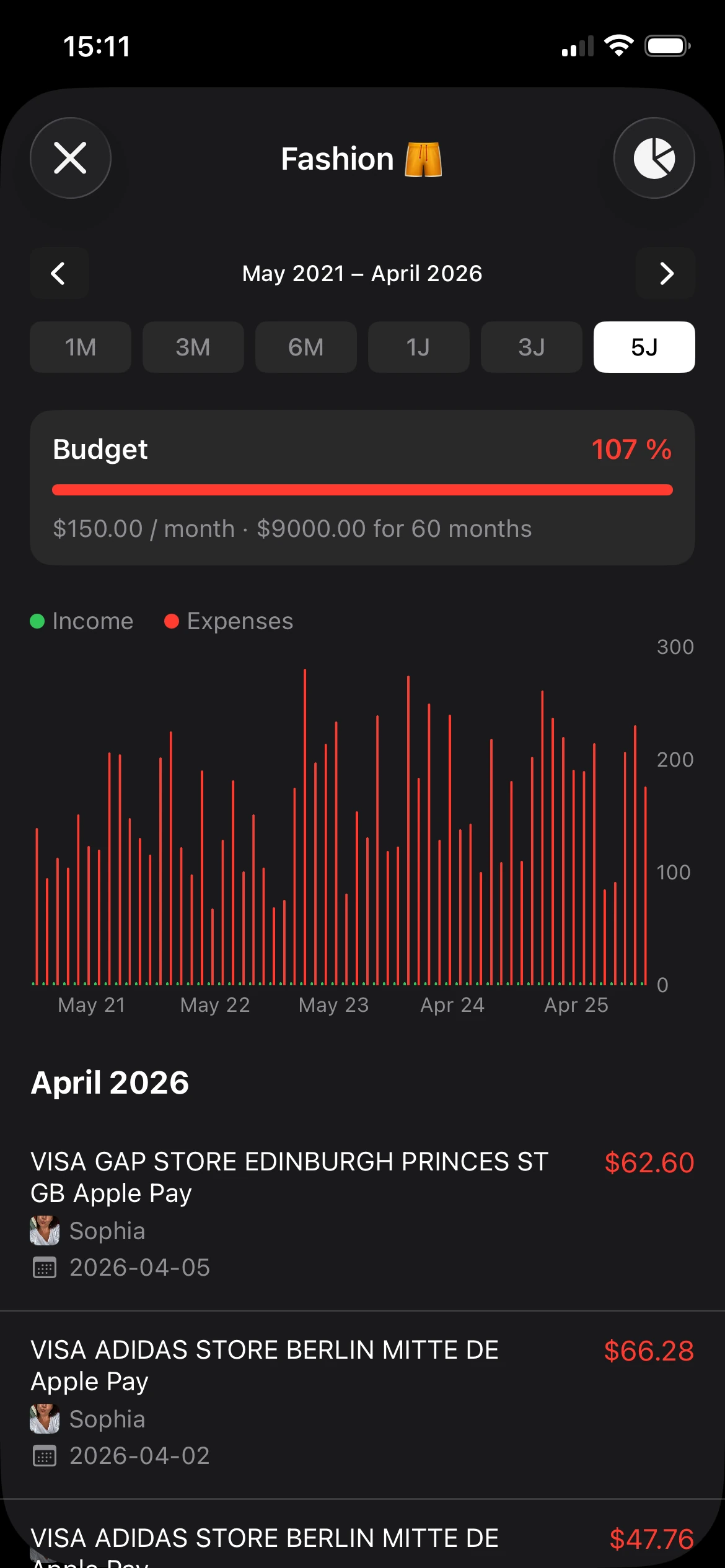
Reports and charts matter too, but only when they stay readable. A clean bar chart or category summary can answer practical questions fast. Which group is eating the budget? Which charges are growing unnoticed? Which month had unusual spending?
A feature isn't valuable because it sounds advanced. It's valuable when it removes one more excuse to avoid looking at the numbers.
How to Choose an App That Respects Your Privacy
Many reviews of an expense report app focus on automation, reimbursements, and integrations. Those features matter in workplaces. For personal use, trust often matters more.
Financial data is unusually intimate. It can reveal routines, priorities, family life, travel patterns, health-related purchases, and stress points. That's why privacy shouldn't be treated as a bonus feature.

Recent surveys show 68% of users avoid finance apps that require creating an account, which highlights strong demand for offline, no-tracking alternatives, according to SmartAsset's expense app discussion.
The questions that matter most
A privacy-first choice usually starts with a few plain questions.
- Does the app require an account? If the answer is yes, the user should understand why that account is necessary.
- Does it track behavior or show ads? Finance tracking should help people observe spending. It shouldn't turn the user into the product.
- Can data be imported and exported easily? Ownership matters. If data goes in, it should also be possible to take it back out.
- Can shared finances stay simple? Couples and families often need collaboration without adding friction.
- Does the app feel lightweight? Complexity often pushes people away from consistent use.
Some readers looking for a simpler budgeting setup may also appreciate this article on choosing a free simple budget app.
A simple comparison lens
When comparing options, it helps to shift from “Which app has the most features?” to “Which app asks for the least trust while still doing the job well?”
| Question | Why it matters |
|---|---|
| Account required | More setup usually means more personal data handed over |
| Tracking and ads | These can conflict with the purpose of private money management |
| Import options | Easier importing means less manual cleanup |
| Sharing support | Critical for partners, households, and joint budgets |
| Search and export | Useful when reviewing history or leaving the app later |
Privacy in a finance tool isn't only about security. It's also about how much personal friction the app creates before someone can start using it.
That distinction matters because a tool can be polished and still feel invasive. For many people, the right app is the one that stays out of the way, keeps records organized, and doesn't demand more information than the task requires.
Real-World Scenarios and Your Quick Setup
Features can sound abstract until they show up in everyday life. An expense report app becomes useful when it solves ordinary problems without turning setup into a weekend project.
The examples below are simple on purpose. Users typically don't need a finance system that looks like corporate software. They need one that makes a few recurring tasks easier.

Three common ways people use an expense report app
The individual case. A young professional wants to understand why the account balance always feels tighter at the end of the month than expected. After importing transactions and reviewing categories, the picture gets clearer. Several recurring subscriptions, food delivery, and small convenience purchases were harder to notice when viewed one at a time.
The couple case. Two partners share rent, groceries, utilities, and occasional travel costs. Instead of sending each other screenshots or maintaining a shared spreadsheet, they keep a single shared record. That creates fewer “Who paid that?” conversations and a clearer monthly view.
The freelancer case. Someone doing client work needs to separate business purchases from personal life. Multiple books or separate records help keep those streams apart. That makes expense review simpler later, especially when looking back for invoicing or tax prep support.
A quick setup that doesn't feel like a project
The best setup is small enough to finish in a few minutes.
- Start with one source of truth. Pick the current month, a recent CSV export, or one PDF statement.
- Create a few useful categories. Groceries, transport, bills, income, subscriptions, dining, and work expenses are enough to begin.
- Import first, clean up second. It's better to get the data in than to wait for perfect categories.
- Search for one known charge. This confirms that transactions are easy to retrieve later.
- Review one category. Looking at subscriptions or dining often reveals immediate cleanup opportunities.
Advanced tools can also automate receipt entry with OCR. In enterprise contexts, OCR can extract receipt details with over 95% accuracy, reducing manual typing and speeding up the process, according to Microsoft's Dynamics 365 expense app overview.
That doesn't mean everyone needs enterprise software. It demonstrates how far modern capture tools have come.
Start small. One statement, one shared book, or one week of expenses is enough to make the app useful.
Your First Step Toward Financial Clarity Today
Financial clarity usually doesn't arrive through a grand reset. It starts when someone can finally see the full picture without piecing it together from memory.
That's what makes a good expense report app so useful for personal finance. It replaces scattered receipts, half-finished spreadsheets, and vague guesswork with a record that can be searched, reviewed, and understood. The winning app isn't necessarily the one with the largest enterprise toolkit. It's the one that helps a person keep going.
For many readers, the smartest choice is a simple app that supports imports, clear categories, fast search, and privacy by default. Shared finance support matters too, especially for couples, families, and freelancers managing separate streams of spending.
Readers who want to build a broader money routine around this habit may also like this guide to a free financial planning tool.
The practical takeaway is straightforward. Pick one recent statement or one week of transactions today. Import it into a private, easy-to-use app. Clean up only the biggest categories first. That single step is usually enough to turn “money feels messy” into something visible and manageable.
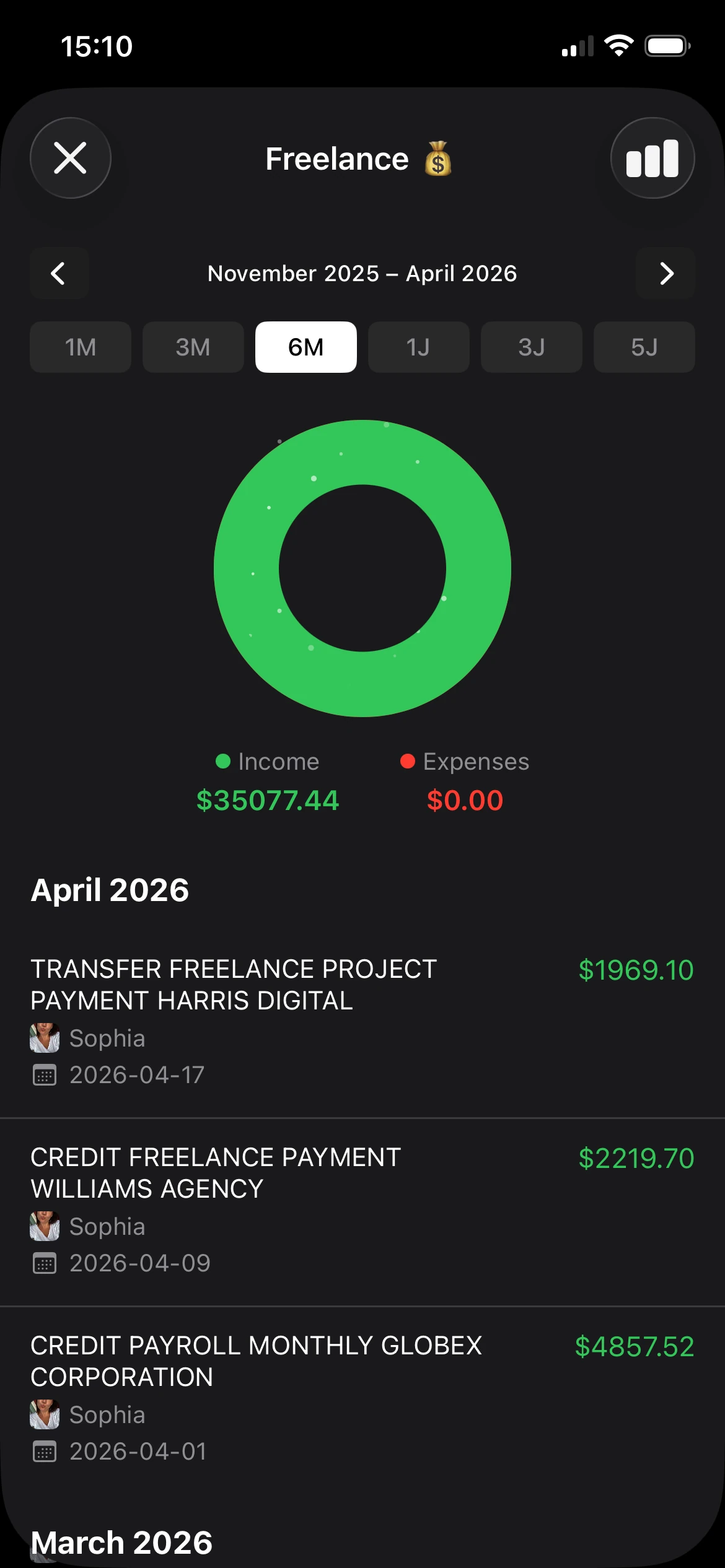
A simple next move is to try rondre. It's free, requires no account, has no ads or tracking, and makes it easy to track income and expenses, import CSV files and PDF bank statements, create smart categories, share a book with a partner or family, and search transactions instantly. For anyone who wants less friction and more clarity, downloading it and importing one recent statement is a practical way to get started today.