You notice the problem on an ordinary Tuesday. The phone bill clears early, the credit card due date was Friday instead of Monday, and a streaming trial turned into another charge you meant to cancel. None of those bills are huge on their own. The trouble comes from keeping all of them straight at the same time.
That is why the best app for bill tracking is not always the one with the longest feature list. It is the one that fits how you already manage money. Some people want automatic bank syncing, recurring bill detection, and alerts pushed to their phone. Others want a private setup they can control by hand, without linking accounts or sorting through extra budgeting tools. I have seen both approaches work well. The difference is whether the app matches your real routine after the first week of setup.
This guide is built for people who want both simplicity and control. We compare apps the way they are used, from fully automated tools to manual trackers like rondre that keep bill management clean and focused. If you are also comparing broader spending tools, this breakdown of what to expect from an expense tracker app for everyday money management is a useful companion.
Some apps feel like a financial dashboard. Some feel like a bill calendar. A few sit in the middle and do a decent job of both.
The trade-off is straightforward. More automation can save time, but it also brings more notifications, more category cleanup, and more trust in bank connections. More manual control takes a few extra minutes, but many people prefer the clarity. This list focuses on that practical difference so you can choose the app that fits your workflow, not just the one with the most features.
Table of Contents
- 1. rondre
- 2. Rocket Money formerly Truebill
- 3. Simplifi by Quicken
- 4. Monarch Money
- 5. YNAB You Need A Budget
- 6. PocketGuard
- 7. Copilot Money
- 8. PocketSmith
- 9. Chronicle iPhone iPad Mac
- 10. CalBudget Calendar Budget Tracker
- Top 10 Bill-Tracking Apps: Feature Comparison
- Final Thoughts
1. rondre

rondre is the strongest pick for people who want simplicity and control without giving up useful features. It skips the usual fintech friction. There's no signup, no email, no password, and no ad-filled onboarding flow trying to turn a bill tracker into a marketing machine.
That matters because setup friction kills consistency. In broader bill-tracking coverage, users who complete setup in under a minute show much stronger retention patterns, and privacy-first tools continue to attract people who don't want data tracking or account requirements, as summarized in this roundup of bill management app trends and trade-offs. rondre fits that low-friction camp well.
Why rondre works so well for simple bill tracking
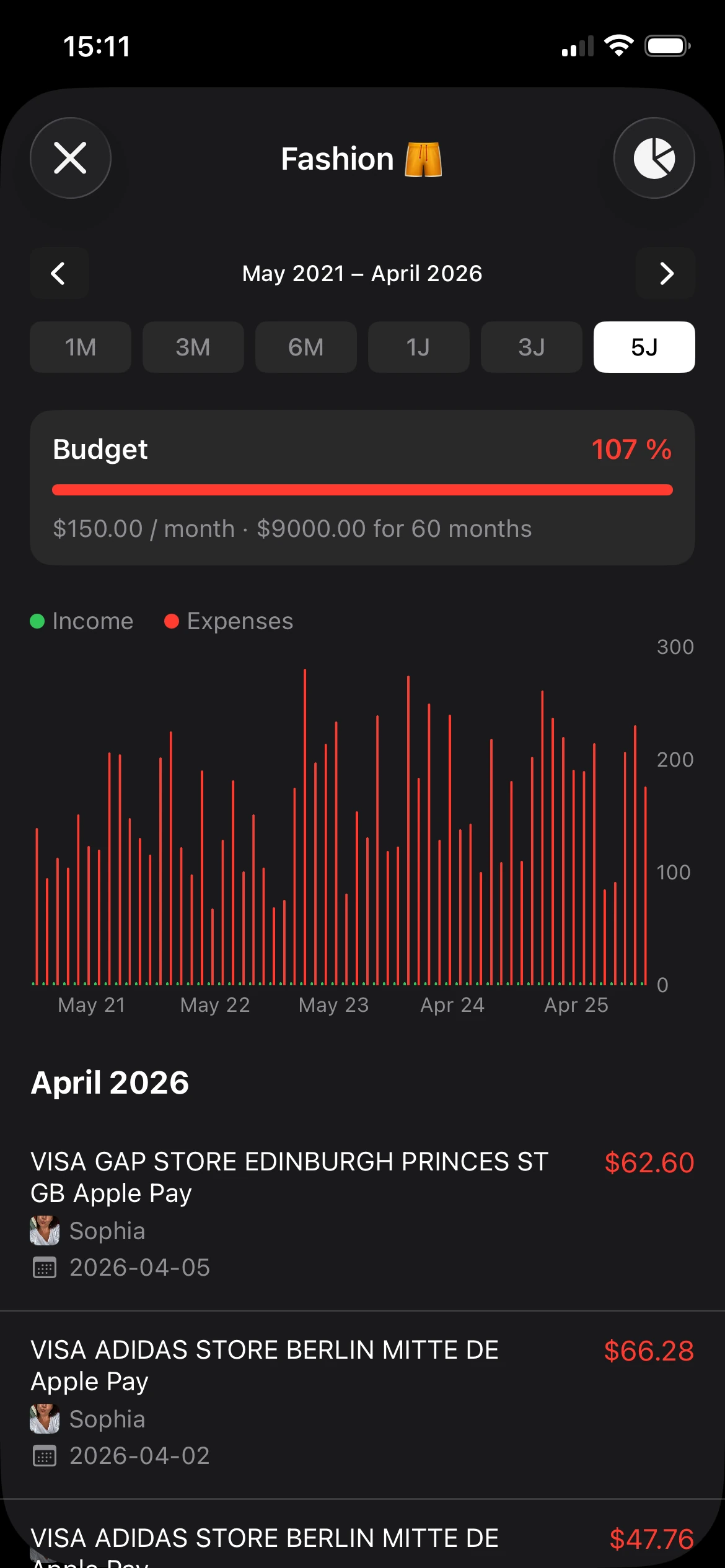
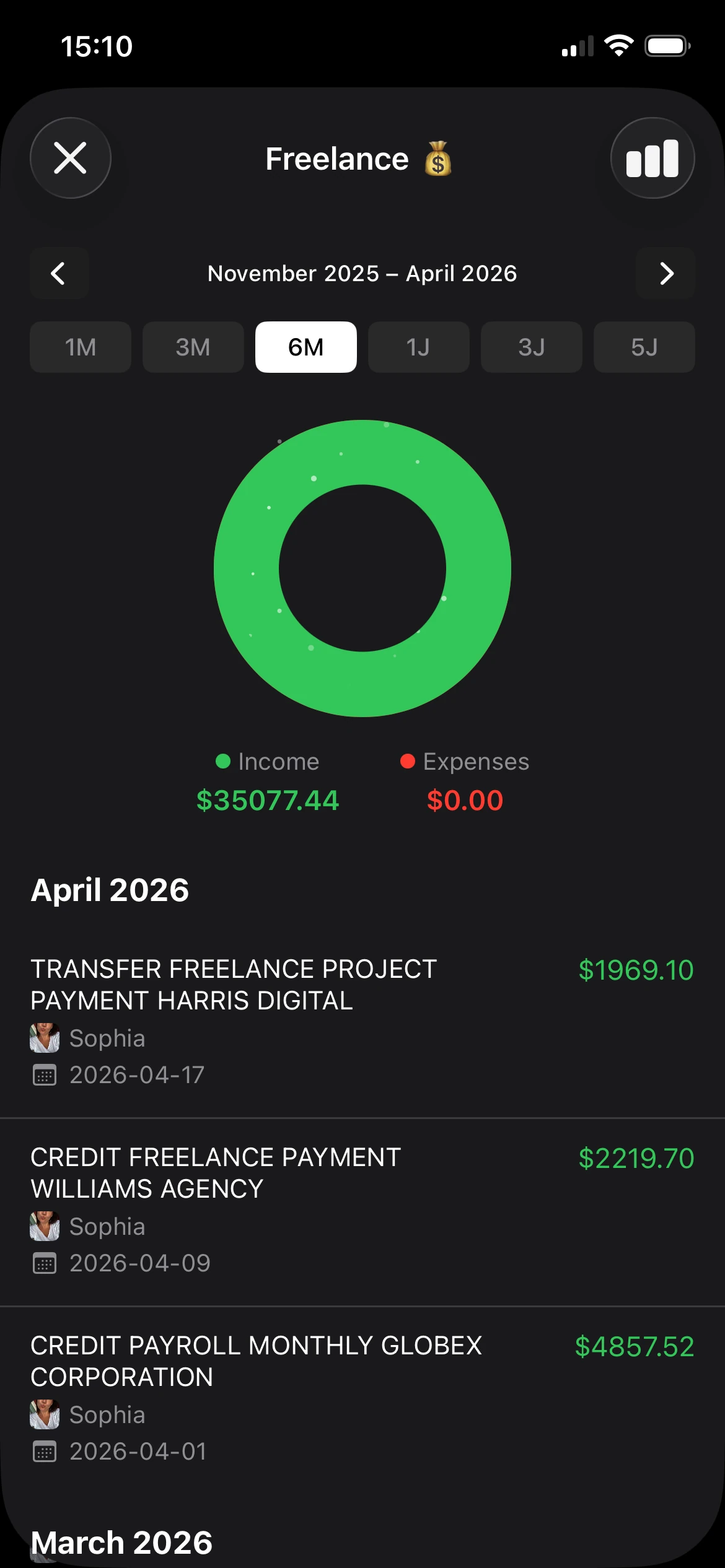
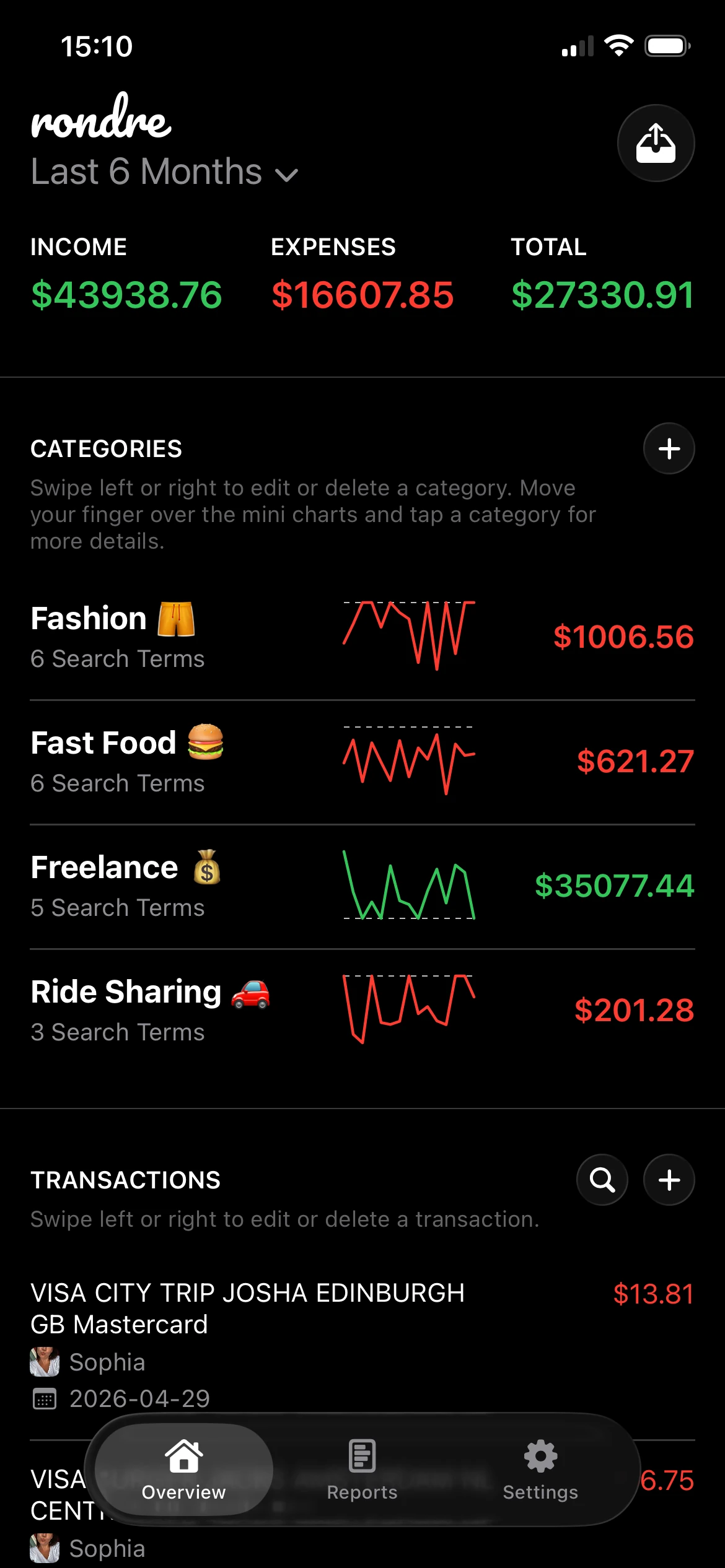
The daily experience is focused. Transactions can be added manually or imported through CSV files and PDF bank statements, which is practical for anyone moving away from spreadsheets or trying to consolidate bills from different accounts without linking bank logins. Categories can be customized with search terms, so recurring charges land where they should with less cleanup over time.
Shared books are one of the most useful parts of the app. Couples or families can track household bills together without building separate systems or passing screenshots back and forth. Multiple books also help when personal, household, and freelance expenses need to stay separate.
A strong starting point is this guide to using an expense tracker app effectively.
Practical rule: If someone checks bills once a week instead of once a day, the app should open fast, make recent transactions obvious, and never require a re-learning session.
Best fit
rondre is best for people who want a private, clean bill tracker and are fine with manual entry or file imports instead of live bank syncing. That trade-off is real. It won't auto-pull every account like a Plaid-based platform, but it also avoids the complexity that pushes many users away from larger finance apps.
Pros and cons are straightforward:
- Best reason to choose it: setup is fast, all core features are free, and the app stays focused on tracking.
- Biggest limitation: there's no built-in bank API sync, so fully automatic bill detection isn't the point here.
- Who gets the most value: individuals, couples, families, and freelancers who care about privacy, shared tracking, and replacing spreadsheets with something much easier to keep up with.
2. Rocket Money formerly Truebill
A common setup goes like this: bills are paid on time, but the account still feels messy because subscriptions, annual renewals, and small recurring charges keep piling up in the background. Rocket Money is built for that kind of problem.
It works best for people who want the app to do the first pass for them. After you connect accounts, Rocket Money scans for recurring charges, groups subscriptions, and puts upcoming bills into a view that is easier to act on than a plain transaction feed. If rondre is the cleaner option for manual control and privacy, Rocket Money sits on the opposite side of the spectrum. It asks for account access in exchange for automation.
Where Rocket Money stands out
The biggest advantage is speed after setup. Once bank syncing is in place, recurring charges usually become obvious fast. That is useful for anyone who has ever realized they were still paying for an old streaming service, a forgotten trial, or a bill that increased without notice.
Rocket Money also goes beyond tracking. Cancellation help and bill negotiation are part of the pitch, which changes the experience in practice. Some people want that. They would rather have one app flag problems and help fix them than maintain a manual system themselves. Others will see it as extra service layers attached to a bill tracker.
That trade-off matters daily.
The app is less appealing if you want a lightweight tool with no account connections, no upsells, and no broader dashboard around your bills. Some of the more useful features sit behind premium access, so the free version can feel more like a preview than a complete system.
Rocket Money is a strong fit when bill tracking and subscription cleanup are really the same job.
Best fit is straightforward: choose it if automation is the priority and you are comfortable connecting financial accounts. Skip it if simplicity means keeping your data entry manual and your bill tracker narrowly focused.
3. Simplifi by Quicken
Simplifi by Quicken is the app to choose when due dates alone aren't the issue. Its real strength is timing. It focuses on projected cash flow, which helps answer the harder question: what will the account balance look like after the next set of bills hits?
That makes Simplifi useful for people who get paid irregularly, spread spending across several accounts, or need to know whether a specific week will be tight. A plain reminder app can tell someone a bill is coming. Simplifi is better at showing whether the money will still be there when it arrives.
Why people pick Simplifi
The Bills & Income hub is the center of the experience. Recurring items can be organized in one place, and projected views make upcoming obligations easier to understand than a basic list of reminders. People who think in terms of account balances, not just categories, usually find this approach easier to trust.
The main drawback is commitment. Simplifi is typically sold on annual plans, and promotional pricing can look better than renewal pricing. That doesn't make it a poor option, but it does make it a better fit for someone who already knows they'll use a cash-flow tool consistently.
- Best for: people who want a forward-looking balance view tied to bills.
- Less ideal for: anyone who just wants a light, manual bill list with minimal setup.
- What works well daily: checking one projected view instead of mentally combining due dates, balances, and paydays.
4. Monarch Money

Monarch Money fits people who want one app to track bills, budgets, accounts, and shared household finances without piecing together separate tools. The bill-tracking experience is strongest when accounts are connected and recurring transactions are allowed to auto-populate, because the app can surface patterns that would be tedious to enter by hand.
Its Recurring page is the part that matters most for daily use. Instead of keeping bills buried inside a general transaction feed, Monarch pulls recurring charges into a view that is easier to review during the week. For couples or families, that shared visibility is a real advantage. One person can set things up, and both can still see what is due and what already cleared.
The trade-off is clear. Monarch works best for users who are comfortable handing over a lot of the tracking to synced accounts. If the goal is a private, manual-first system with very little account connection, an app like rondre will feel more direct and easier to control.
Bill Sync for liabilities also helps, especially for credit cards and loans where due dates and balances can drift. When it works well, it cuts down on the small mistakes that happen when someone is managing bills across multiple institutions and trying to remember which payment already posted.
It still needs supervision.
Utilities, annual charges, and less predictable recurring expenses can require manual cleanup or confirmation. That does not make Monarch weak. It means the app is best used as an automated starting point, not as a system you can ignore for a month and assume is perfect.
Better approach: choose Monarch if you want automation, collaboration, and broader money management in one paid app. Skip it if you want a stripped-down bill list or prefer to track everything manually.
Monarch is a good fit for households that want simplicity on the surface while keeping enough control to review, correct, and organize recurring bills in one place.
5. YNAB You Need A Budget

YNAB isn't the most obvious answer when someone asks for the best app for bill tracking. It doesn't lead with a bill calendar. It leads with a budgeting method. That difference matters.
YNAB handles bills best when the problem is not forgetting the due date, but scrambling for the money when the due date arrives. Scheduled transactions and targets let users prepare for monthly and irregular bills before they hit the account.
Best for planning before the bill arrives
This is the app for people who want every bill assigned a place in the budget. Annual insurance, quarterly taxes, holiday travel, and uneven utilities all fit naturally into YNAB's planning style. For users who stick with it, that approach can turn bill tracking from reactive to proactive.
The cost is the learning curve. Someone who only wants a clean list of due dates may find YNAB heavier than necessary. It asks users to adopt a system, not just download a reminder app.
A few practical trade-offs stand out:
- Big win: bills stop feeling like surprises because the money is assigned ahead of time.
- Common friction point: the app isn't built around a simple calendar-first bill view.
- Best user: anyone willing to spend time learning a method in exchange for tighter control over future bills.
YNAB is less about checking whether rent is due next week and more about making sure rent money was already reserved.
6. PocketGuard

PocketGuard is a practical middle-ground app. It combines recurring bill tracking with budget visibility, subscription help, and debt payoff tools without feeling as dense as some larger platforms.
That balance is useful for people who don't want separate apps for reminders, budgeting, and recurring expenses. The bill list is easy to understand, and the broader budget context makes due dates feel connected to actual spending limits instead of living in isolation.
Best for a budget-first bill view
PocketGuard works well when someone wants to see upcoming bills and also answer a basic question: what room is left after those bills are accounted for? That's a more useful daily view than a plain reminder list for many households.
Its limitations are predictable. Some advanced features require Premium, and bill-lowering options depend on outside partners rather than being universally available across providers. That means the app is strongest as a tracker and budgeting helper, not as a guaranteed bill-reduction tool.
- Strongest use case: someone who wants bills, subscriptions, and budget awareness in one app.
- Weakest use case: someone expecting every provider to support lowering or negotiation flows.
- Day-to-day feel: simpler than a full finance suite, but more capable than a basic manual bill calendar.
PocketGuard is a good value pick for users who want enough automation to stay on top of recurring expenses without moving into a highly technical budgeting workflow.
7. Copilot Money

Copilot Money has one of the cleanest recurring-expense interfaces in this category. For Apple users, that matters more than it sounds. A polished recurring section makes review faster, which makes consistent use more likely.
Its Recurrings area is the feature that bill trackers should study. Paid and upcoming items are easy to scan, and controls like pauses, frequency changes, and price-change flags make recurring costs feel manageable instead of buried in transaction history.
Best for Apple users who want a polished recurring view
Copilot is strongest for users who already live in the Apple ecosystem and want a premium interface with strong automation. It also works well for people who care about subscriptions and recurring charges as much as traditional monthly bills.
The app isn't ideal for everyone. International support is more limited than some competitors, and recurring items are built from existing transactions, which adds a small setup step. Users who want deeper forward-looking cash-flow planning may also prefer Simplifi or PocketSmith.
Some apps are technically powerful but tiring to use. Copilot succeeds because its recurring-bill view is easy to understand at a glance.
The result is an app that feels modern and fast, with enough recurring-bill clarity to justify its place on this list.
8. PocketSmith

PocketSmith is for planners. It's one of the few apps that makes future cash flow the main event rather than a side panel. If bills tend to cause stress because of timing, its calendar and forecasting model can be more useful than standard budgeting screens.
The visual layout is the reason to use it. Bills sit inside a broader balance forecast, so someone can see not only what is due, but also how that due date affects the following days and weeks.
Best for long-range cash flow visibility
PocketSmith shines when a household has many moving parts: multiple income dates, uneven expenses, or long-range obligations that need to be seen in one timeline. That includes freelancers, self-employed users, and families managing more than one financial rhythm.
The downside is complexity. Rich forecasting tools take time to configure, and the more advanced planning features are tied to paid tiers. Someone who just needs reminders for rent, phone, and insurance will probably find it too much.
- Best reason to choose it: few apps show bill timing and future balances this clearly.
- Why some people quit: setup takes patience, and forecasting only helps if someone reviews it.
- Ideal user: anyone who thinks in calendar terms and wants to see future financial pressure before it happens.
9. Chronicle iPhone iPad Mac

Chronicle takes the opposite approach from most fintech-heavy apps on this list. It's a focused bill organizer for Apple devices, and that simplicity is the reason many people still prefer it.
There are no bank connections to manage and no oversized dashboard trying to combine bills, investments, credit scores, and net worth in one place. Chronicle is for entering bills, seeing them on a calendar, and marking them paid.
Best for manual bill control on Apple devices
This is a strong fit for users who want a dedicated bill reminder system without sharing bank credentials. Paid and overdue status are easy to track, and iCloud sync keeps the same view available across iPhone, iPad, and Mac.
The trade-off is obvious. Every bill has to be entered and maintained manually. For users with a stable set of recurring bills, that's manageable. For users with many variable charges, reimbursements, or rotating subscriptions, manual upkeep can become a chore.
Chronicle is best thought of as a clean digital bill binder. If that sounds appealing, it does its job well. If someone wants automatic imports and recurring detection, another app on this list will be a better match.
10. CalBudget Calendar Budget Tracker

CalBudget is one of the clearest options for people who think in dates, not categories. It puts bills and paychecks directly on a calendar and keeps the running balance visible, which is exactly what some users need to avoid overdrafts and timing mistakes.
That approach feels refreshingly direct. Instead of opening several screens to piece together what's due and what remains, the answer sits on the calendar.
Best for calendar-based bill planning
CalBudget is particularly useful for manual planners who don't want bank syncing but still want structure. Recurring transactions can fill future months automatically, and CSV import helps bring in history without connecting accounts.
Its limitation is the same as its appeal. It's a manual, calendar-driven tool. Users who want the app to discover bills, detect subscriptions, and reconcile accounts on its own won't get that here.
A good way to think about CalBudget is this:
- Choose it for: date-based planning and daily balance visibility.
- Skip it for: fully automated aggregation across banks and cards.
- Best household fit: anyone who gets tripped up by timing more than by categorization.
Top 10 Bill-Tracking Apps: Feature Comparison
| App | Key features | UX / Privacy & ease | Target audience | Pricing / USP |
|---|---|---|---|---|
| rondre | Manual + CSV/PDF imports; smart customizable categories; mini/bar/donut charts; multiple shared "books" | No account/email/password; privacy-first (no ads/trackers); fast, dark minimal interface | Individuals, couples, families, freelancers, spreadsheet replacer | Completely free; no paywalls or ads; voluntary support; recommended |
| Rocket Money (Truebill) | Recurring/bills calendar; subscription detection + 1‑tap cancel; optional bill negotiation | Automated bank connections and detection; easy bill view; some features gated | Users who want automated subscription tracking and bill negotiation | Freemium + Premium; negotiation success-fee for wins |
| Simplifi by Quicken | Bills & Income hub; Bill Connect; projected cash-flow views | Bank sync with forward-looking balance views; Quicken support resources | Users who want proactive cash-flow and upcoming-bill forecasting | Subscription (promo intro; annual plans common) |
| Monarch Money | Recurring page; Bill Sync auto-marks paid; budgeting & reports | Clean, privacy-minded UI; regular updates and help center | Users wanting a premium, ad-free recurring/budget manager | Subscription-only; ad-free, paid product |
| YNAB (You Need A Budget) | Scheduled transactions; Targets/goals; strong reconciliation | Zero-based budgeting model; steeper learning curve but thorough | Serious budgeters who pre-fund bills and manage cash flow | Subscription; mature ecosystem and API access |
| PocketGuard | Recurring/upcoming bills list; subscription cancel tools; bill-lowering partners | Simple, value-focused UI; bank connections for automation | Value-conscious users who track bills and subscriptions | Freemium with Premium features; partner-based lowering services |
| Copilot Money | Automatic recurring detection; split/pause controls; price-change alerts; net worth | Polished Apple-native design (iOS/macOS + web); actionable recurrings | Apple users wanting clear recurring insights and alerts | Subscription-based; strong native UX, US-focused connections |
| PocketSmith | Budget calendar with daily balances; long-range forecasting; flexible rules | Calendar-first interface; powerful forecasting (configurable) | Users needing long-range cash-flow and calendar visibility | Tiered plans; advanced forecasting on paid tiers |
| Chronicle (iPhone/iPad/Mac) | Bill calendar, reminders, paid/overdue status; notes & attachments | Manual entry only; iCloud sync; native Apple apps | Users who prefer manual control and privacy on Apple devices | Paid app (no bank logins); simple, reliable bill reminders |
| CalBudget (Calendar Budget Tracker) | Recurring auto-fill; multi-month projection; CSV import | Privacy-first mobile web app; calendar-style drag-and-drop | Users needing day-by-day balance forecasting without bank links | Simple pricing with no tiers or ads; manual/CSV workflows |
Final Thoughts
Monday morning is a common failure point for bill tracking. A subscription renews early, a utility bill lands in email, a credit card payment is due tomorrow, and the system only works if everything gets copied over by hand or categorized correctly on its own. The best app is the one you will still trust and use in that moment.
That usually comes down to a simple choice. Do you want automation to pull recurring bills into one place, or do you want tighter control with manual entry and imports? Both approaches can work well. The right pick depends on how involved you want to be day to day.
Across the apps in this guide, the split is clear. Rocket Money, Monarch Money, Simplifi, and Copilot Money are strongest for connected-account workflows where the app does a lot of the collection for you. PocketSmith fits that group too, especially if cash-flow forecasting matters more than clean minimalism.
YNAB is different. It asks for more effort up front, but that effort pays off for people who plan bills before the due dates show up. PocketGuard sits in the middle. It gives useful recurring-bill context without asking you to adopt YNAB's full budgeting method.
Manual tracking still has a real place. Chronicle and CalBudget work well for people who want a straightforward bill calendar without linking financial accounts. rondre stands out for readers who want both simplicity and control. Setup stays light, shared tracking is easy to maintain, and CSV or PDF import support makes it practical for households, freelancers, or anyone cleaning up a spreadsheet-based system.
Import and export flexibility is important because plenty of people still move between spreadsheets and apps. That is especially true for shared finances, side-income tracking, or situations where one person wants automation and the other wants a clear manual record. A bill tracker should reduce admin work, not create a new data silo.
A good final test is practical. If an app saves time after the first week, helps you catch due dates without extra checking, and makes corrections easy when something imports badly, keep it. If it adds friction, switch early.
If a simple, private setup sounds better than another finance app with signups, upsells, and clutter, rondre is worth trying. It's free, has no ads or tracking, supports manual entry plus CSV and PDF imports, and makes shared bill tracking with a partner or family much easier to keep up with.