A lot of people start looking for a free financial planning tool at the exact moment money feels harder to see. The paycheck lands, bills get paid, a few card charges slip by, and by the end of the month the balance seems lower than expected. The problem usually isn't a lack of effort. It's too many scattered places to look.
One spreadsheet tracks fixed bills. A banking app shows account balances but not the bigger picture. Shared expenses with a partner sit in text messages, notes, or memory. For freelancers, personal and work spending often blur together until tax season forces a cleanup. That kind of setup makes money feel noisy.
A good tool should quiet that noise. It should help someone see what came in, what went out, and what needs attention next, without asking for a finance degree or a lot of personal data in return.
Table of Contents
- Why Your Finances Deserve a Simple Plan
- Understanding What a Financial Tool Actually Does
- Core Features That Matter
- How to Choose the Right Tool for Your Needs
- Your Quick-Start Guide to Financial Clarity
- The One Practical Step to Take Today
Why Your Finances Deserve a Simple Plan
Financial clutter usually looks ordinary at first. A few uncategorized card payments. A subscription nobody remembers signing up for. Grocery spending mixed with takeout, gas, and pharmacy runs under one vague bank label. Then a simple question, like "How much went to household costs last month?" turns into a half-hour search.
That friction matters because people stop checking systems that feel like homework. A complicated setup often fails not because the tool is weak, but because daily life is busy. The simpler the method, the more likely it is to last.
Free tools have become a normal starting point for that reason. As of February 2026, there are at least 11 major free financial planning resources available to consumers, covering everything from retirement projections to basic budgeting, according to SmartAsset's financial planning tools guide. That matters because it confirms something many people already feel. Paying for advice isn't the only way to get organized.
What a simple plan changes
A simple plan doesn't need to forecast every future decision. It needs to create a reliable view of day-to-day money.
- Income becomes visible when deposits are recorded in one place instead of spread across accounts.
- Spending stops feeling mysterious when transactions are grouped into categories that mean something in real life.
- Shared finances get calmer when both people can look at the same numbers instead of comparing separate notes.
- Small problems show up earlier when recurring charges and spending drift are easy to spot.
Practical rule: If a money system takes too long to update, most people won't keep using it.
The right free financial planning tool should remove effort, not add more of it. That's the difference between a system that gets abandoned after a weekend setup and one that steadily supports better decisions every week.
Understanding What a Financial Tool Actually Does
A financial planning tool is easiest to understand as a dashboard for personal money. Not a trading platform. Not a replacement for a financial advisor. Not a pile of advanced charts built for someone managing a portfolio all day. Its basic job is simpler than that.

It should answer two questions clearly.
- Where is the money coming from?
- Where is the money going?
Once those answers are visible, planning becomes less intimidating. A person can decide whether spending is aligned with priorities, whether income is covering obligations comfortably, and whether a goal like saving, debt payoff, or a family budget needs adjustment.
It isn't the same as advice
A lot of people avoid planning tools because the phrase sounds formal. In reality, many tools sit somewhere between a notebook and an advisor. They help organize facts. They don't make life choices for the user.
Here's a simple comparison:
| Tool type | Main purpose | Best for |
|---|---|---|
| Budget tracker | Record and sort spending | Daily money awareness |
| Financial planning tool | Show income, expenses, and trends in one view | Ongoing decision-making |
| Investment platform | Buy and manage assets | Investing activity |
| Financial advisor | Give personalized guidance | Complex situations |
That middle category is where many individuals need help first. Before retirement models or portfolio analysis, they usually need a clean picture of current cash flow.
Who benefits most
These tools are especially useful for people whose money has moving parts.
- Couples need one place to review household expenses without confusion.
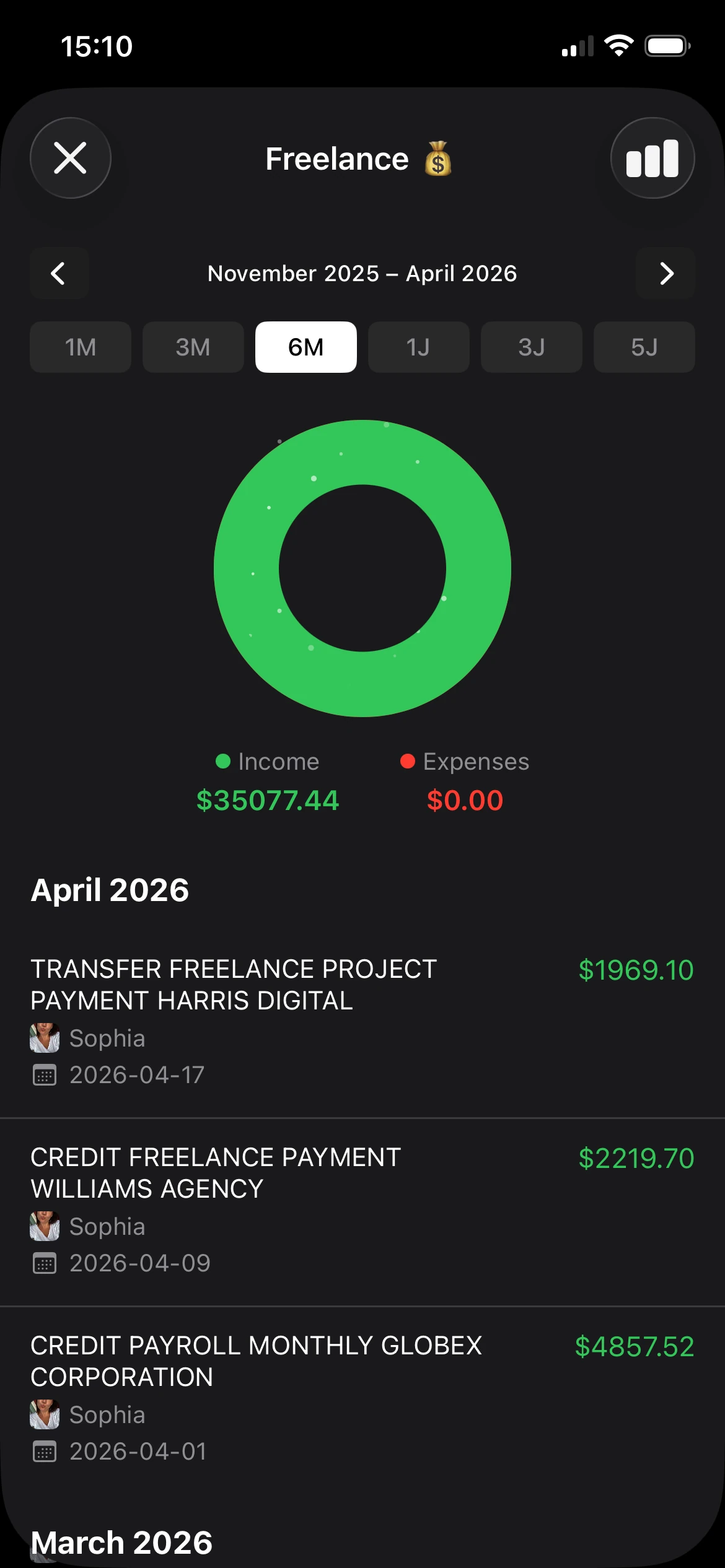
- Freelancers need separation between personal spending and business-related costs.
- Families need categories that reflect real life, like childcare, groceries, transport, and school costs.
- Anyone leaving spreadsheets behind needs a system that's easier to maintain on a phone.
A good tool turns a stream of transactions into a picture someone can actually act on.
That's the main function of a free financial planning tool. It reduces guesswork. It gives context to transactions that would otherwise stay buried in bank feeds and receipts.
Core Features That Matter
Feature lists get bloated fast. A better financial tool does a small number of jobs well, keeps the screen clear, and lets someone stay consistent without handing over sensitive data just to get started.

Tracking should feel easy
A tool fails early if adding a transaction feels like work. Daily use depends on speed.
Manual entry is still useful because it gives full control and works even when someone does not want to connect bank accounts. Imports matter too, since many people already have months of history sitting in CSV files or PDF statements. The strongest setup supports both. It meets people where they are instead of forcing one method.
For readers comparing options, this overview of an expense tracker app explains why fast entry often matters more than a long list of extras.
Categories should match real life
Raw transaction names are messy. Decision-making needs clean labels that reflect how money is spent.
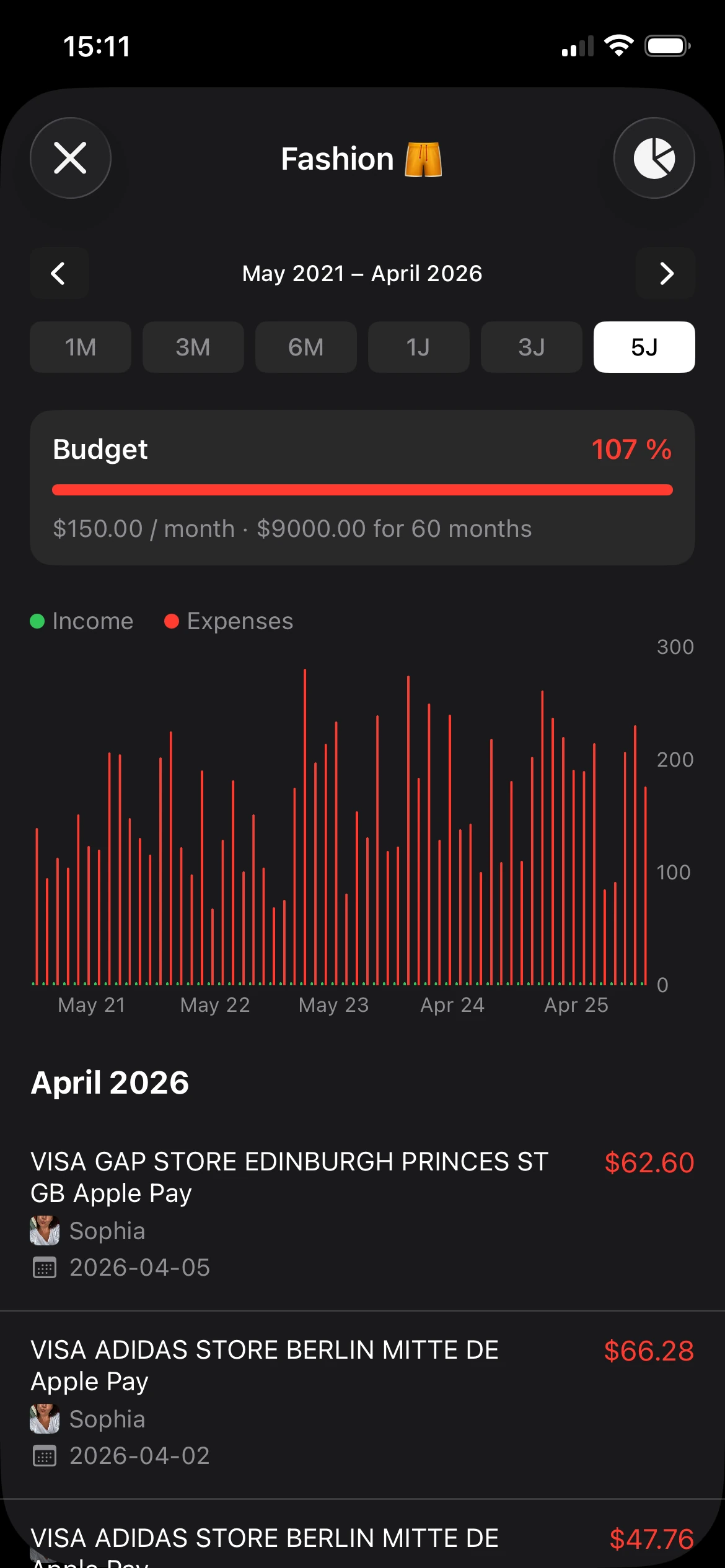
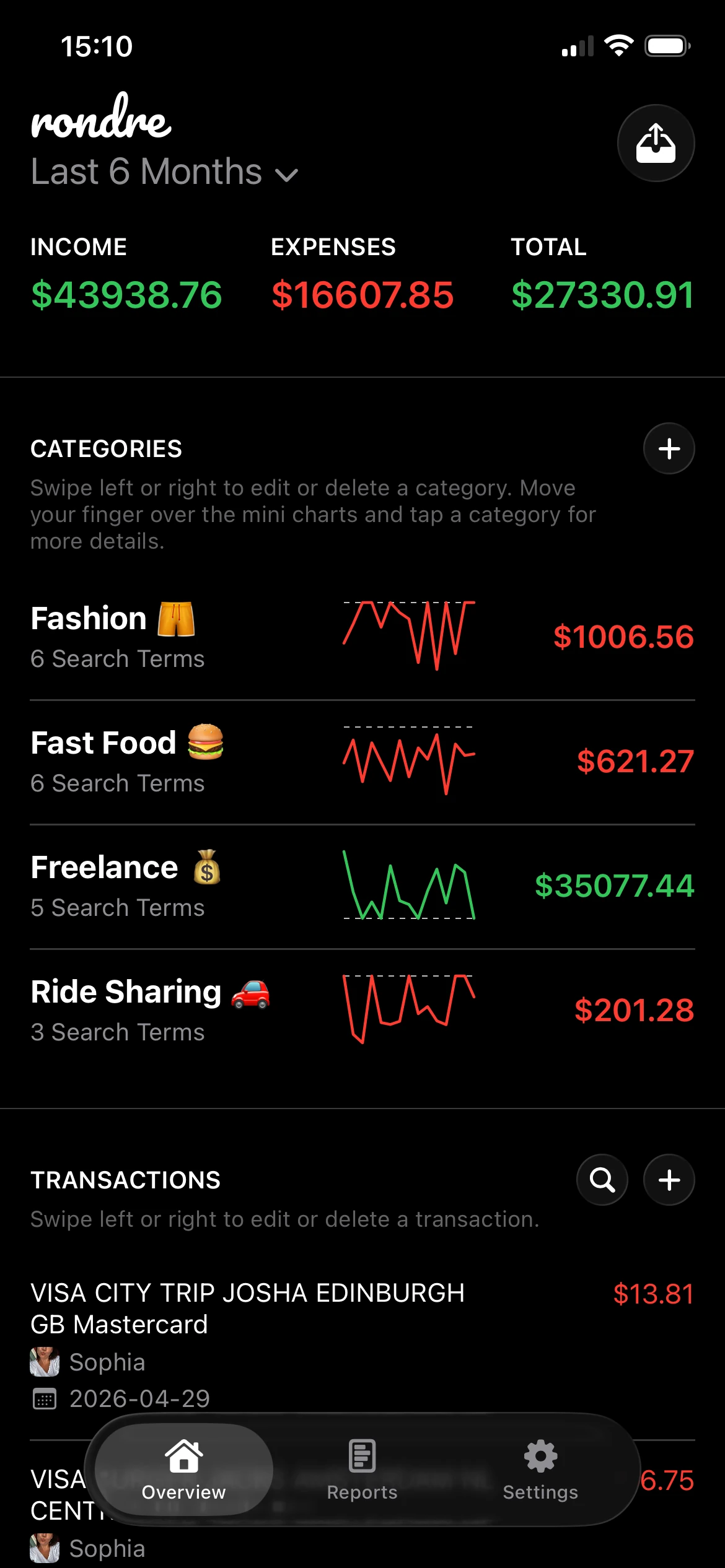
Good categories make patterns visible without creating maintenance work. A household may need rent, groceries, childcare, and utilities. A freelancer may need software, client meals, taxes, and reimbursements. Fixed labels often fall apart here, which is why custom categories and keyword rules matter. They cut repeat cleanup and make reports more useful later.
- Broad categories support monthly review such as housing, food, and income.
- Detailed categories support behavior change such as takeout, subscriptions, or fuel.
- Custom rules save time because repeat merchants land in the right place more often.
Reports should answer one question quickly
Many users do not need advanced forecasting. They need to see where money went, whether spending is rising, and what changed this month.
Simple charts are enough if the underlying records are clean. A bar chart by category, a monthly income-versus-expense view, and a quick trend line will answer more practical questions than a crowded dashboard full of widgets.
A useful report leads to a clear next step.
Shared finances need clear boundaries
Money gets more complicated when it covers a partner, children, or side work. One mixed stream of transactions creates confusion. Separate books solve a real problem here. Personal spending can stay separate from household costs, and freelance income can stay separate from both.
Privacy matters too. Many free tools ask for an account before a person can test whether the workflow fits. That is a poor trade if the job is basic budgeting and expense tracking. Tools such as rondre let users track income and expenses, create custom categories with search terms, import CSV files and PDF bank statements, and share a book with a partner or family, all without requiring an account.
Those are the features that hold up after the first week. They are simple, practical, and far closer to "genuinely free" than a polished app that treats financial data as its primary product.
How to Choose the Right Tool for Your Needs
Choosing a free financial planning tool comes down to one uncomfortable question. What is the user paying with? Sometimes it's money. Sometimes it's time. Sometimes it's privacy.
A lot of free tools look generous on the surface. The interface is polished, setup looks simple, and the price is zero. But free can hide a trade-off that matters more than most feature lists admit.

According to Free Financial Plan's discussion of the privacy gap in free tools, many popular free financial tools, including Mint, are funded by targeted advertisements based on user spending habits. That's a serious trade-off when the app is built around sensitive personal data.
Start with the real cost
Financial data says a lot about a person's life. Income patterns, household structure, recurring obligations, travel habits, health-related purchases, and business activity can all show up in transactions. A free app that monetizes that information isn't free in the way many people assume.
That doesn't mean every user needs the same type of tool. It does mean privacy should be part of the decision, not an afterthought.
A practical checklist helps:
- Privacy first. Does the tool rely on ads, tracking, or account creation before it becomes useful?
- Import flexibility. Can it handle CSV files or PDF statements without forcing a full manual rebuild?
- Collaboration. Can a partner or family member work from the same data set when needed?
- Simplicity. Is the home screen clear enough that someone will still use it next month?
A short comparison that helps
| Decision area | What usually works | What often fails |
|---|---|---|
| Privacy | No ads, no tracking, no forced signup | "Free" apps funded by behavioral data |
| Setup | Quick start with import options | Long onboarding before any value appears |
| Shared budgeting | Shared records or separate books | Passing screenshots back and forth |
| Daily use | Fast search and clean categories | Dense dashboards with too many steps |
What works and what doesn't
Some people need retirement calculators from public institutions. Others need a daily spending tracker. Some need both. The right choice depends on the problem being solved.
What tends to work is a narrow, clear tool that handles core money tracking well. What tends to fail is an app that tries to look full-featured while making everyday use awkward or invasive.
Privacy isn't a bonus feature when the app handles financial data. It's part of the product.
For anyone comparing tools today, that standard is worth keeping high. A free financial planning tool should help organize money without turning spending habits into advertising fuel.
Your Quick-Start Guide to Financial Clarity
Starting clean matters more than starting perfectly. Individuals often get stuck because they think they need a full budget, detailed goals, and flawless categories before entering the first transaction. They don't.
A better approach is to get one working view of money first, then improve it as patterns appear.
Set up one clean place for money
Start with a single book or workspace for the area that causes the most confusion. For one person, that might be daily spending. For a couple, it might be household costs. For a freelancer, it might be business expenses.
The first setup should stay simple.
- Pick one focus area. Don't try to rebuild an entire financial life in one sitting.
- Name the book clearly. Personal, Home, Joint, or Freelance works better than vague labels.
- Add the main categories. Income, housing, groceries, transport, bills, subscriptions, and a small catch-all category are enough to begin.
Import first and tidy second
People often try to categorize everything manually from the start. That's slow. If transaction history already exists in CSV files or PDF bank statements, importing that history gives an immediate picture of recent activity.
Once the data is inside the tool, cleanup gets easier because patterns become visible.
- Rename confusing categories after seeing what merchants appear.
- Group repeated spending into categories that reflect real habits.
- Separate shared and personal costs if multiple people are involved.
- Use search to find duplicates or uncategorized items before making broader changes.
Start broad, then refine. A category system only needs to be accurate enough to support decisions.
Build a habit that lasts
The strongest routine is usually the shortest one. A daily two-minute check beats a long weekly cleanup that keeps getting postponed.
A sustainable pattern often looks like this:
| Time | Action |
|---|---|
| Morning or evening | Enter new expenses or review imported ones |
| Once a week | Fix categories and scan for unusual spending |
| Once a month | Review income, total spending, and category changes |
Many tools often fail to retain users. If every review feels like administration, usage drops. If searching transactions is fast and categories are easy to adjust, the habit sticks.
Financial clarity usually doesn't arrive through one giant planning session. It comes from a small system that stays usable on ordinary days.
The One Practical Step to Take Today
The most useful next step isn't building a perfect financial plan. It's creating one honest record of today's spending in a tool that respects privacy and doesn't slow the process down.
That small action does more than it seems. It reveals whether money tracking feels clear or annoying. It shows how quickly spending can be categorized. It gives a real answer to the question that drives most financial stress, which is usually some version of "Where did the money go?"
A simple, private free financial planning tool makes that answer easier to find. Not because it predicts the future, but because it removes clutter from the present. That's often what people need first.
For today, the assignment is small:
- Create one place for daily spending
- Record every expense for the next 24 hours
- Use plain categories that make sense immediately
- Review the list once before bed
That single day won't solve everything. It will create a baseline. And once a baseline exists, planning gets easier, decisions get calmer, and money stops feeling so abstract.
If a private, low-friction tracker sounds like the right fit, rondre is worth a look. It lets iPhone users start without an account, track income and expenses, import CSV files and PDF bank statements, create shared books, and keep data free from ads and tracking. The practical move today is simple. Download it, set up one book, and track just today's spending.