La mayoría de las familias no buscan una app de presupuestos porque gestionar el dinero sea divertido. Lo hacen porque las finanzas se han convertido en una fuente diaria de tensión. Una persona pagó la compra, la otra cubrió los materiales del colegio, una suscripción se renovó sin que nadie lo esperara, y ahora nadie tiene claro cuánto queda para el fin de semana o para la próxima factura importante.
Esa confusión es exactamente por la que la mejor app de presupuestos para familias no es simplemente la que tiene la lista de funciones más larga. Es la que ayuda a varias personas a ver la misma realidad, tomar decisiones más rápido y evitar que cada gasto se convierta en una discusión. Algunos hogares quieren sincronización bancaria profunda y categorización automática. Otros quieren justo lo contrario: un sistema privado y sencillo que no exija vincular todas las cuentas ni entregar datos sensibles a otro servicio.
Una comparativa práctica es más útil que un listado genérico, así que esta guía empieza directamente con los compromisos más importantes.
| App o enfoque | Ideal para | Punto fuerte | Compromiso principal |
|---|---|---|---|
| Monarch | Familias que gestionan muchos tipos de cuentas juntas | Colaboración familiar y sincronización amplia de cuentas | Mayor dependencia de cuentas conectadas y modelo de suscripción |
| YNAB | Familias que quieren presupuestar de forma activa con base cero | Fuerte disciplina de asignación y mayor control | Más esfuerzo y una curva de aprendizaje más pronunciada |
| Goodbudget | Familias que prefieren el presupuesto por sobres | Planificación clara por categorías con uso compartido | Menos automatizado que las herramientas de agregación de cuentas |
| Honeydue | Parejas que quieren visibilidad compartida | Diseñado para la coordinación financiera entre dos personas | Encaje más limitado para la planificación familiar más amplia |
| Enfoque manual y privado | Familias que valoran la privacidad y el control | Sin necesidad de vincular bancos, configuración más sencilla, control directo | Más trabajo de entrada manual e importación |
Índice
- Lo que las familias realmente necesitan en una app de presupuestos
- Los grandes referentes: YNAB, Monarch y Goodbudget
- Un enfoque diferente: un presupuesto familiar privado y sencillo
- Comparativa de funciones de apps de presupuestos para familias
- Cómo empezar tu presupuesto familiar compartido hoy mismo
- El veredicto final: la mejor app para tu familia
Lo que las familias realmente necesitan en una app de presupuestos
El presupuesto familiar suele romperse en los momentos más corrientes, no en los dramáticos. Se rompe cuando uno de los padres asume que el otro ya ha registrado un pago. Se rompe cuando las categorías de gasto son demasiado vagas para responder preguntas sencillas. Se rompe cuando la app resulta tan molesta que una persona deja de usarla después de una semana.
La presión doméstica agrava el problema. La Oficina de Protección Financiera del Consumidor de EE. UU. informó de que más del 40 % de los adultos estadounidenses reconocieron que los gastos del hogar eran más difíciles de afrontar en 2022, y la Encuesta de Economía y Toma de Decisiones del Hogar de la Reserva Federal de 2023 reveló que el 37 % de los adultos tendría dificultades para cubrir un gasto de emergencia de 400 $, según recoge el resumen de apps de presupuestos de Equifax. En ese contexto, una app de presupuestos familiar no es un extra prescindible. Es una forma de reducir la incertidumbre.

La visibilidad compartida importa más que las funciones en bruto
El requisito más importante es la visibilidad compartida. Una familia necesita un único lugar donde los ingresos, las facturas, los gastos irregulares y los objetivos de ahorro tengan sentido para más de una persona. Si una app es estupenda para el seguimiento individual pero incómoda para el uso compartido, generará más trabajo del que elimina.
Un sistema doméstico útil suele necesitar estos elementos básicos:
- Una vista común del gasto: los dos adultos deberían poder ver en qué se ha gastado, dónde y a qué categoría pertenece.
- Asignación clara de las transacciones: si una persona paga las actividades extraescolares y la otra paga los suministros, el registro debería seguir estando en una imagen compartida.
- Seguimiento sencillo de objetivos: vacaciones, reparaciones del coche, gastos escolares y compras navideñas no deberían quedar fuera del presupuesto.
- Historial con búsqueda: las familias necesitan responder preguntas prácticas rápidamente, no desplazarse sin fin.
- Mantenimiento sin fricciones: si registrar o revisar el dinero lleva demasiado tiempo, el sistema no durará.
Regla práctica: La app adecuada debería reducir las conversaciones sobre información que falta, no aumentarlas.
La privacidad y la facilidad de uso deciden si un presupuesto sobrevive
La privacidad se ignora en muchas comparativas de apps, pero las familias la notan enseguida. Las apps conectadas al banco pueden ahorrar tiempo. También pueden exigir ceder los datos de las transacciones a un servicio, depender de integraciones de terceros y aceptar una configuración más basada en la nube de lo que algunos hogares desean.
Por eso, la mejor app de presupuestos para familias suele ser ante todo una decisión de valores antes de convertirse en una decisión de funciones. Algunas familias quieren la máxima automatización. Otras quieren un control más estricto sobre dónde viven sus datos financieros y quién puede acceder a ellos.
La facilidad de uso importa igual. Un sistema de presupuesto solo funciona si las dos personas lo van a usar. Eso generalmente implica:
| Necesidad | Lo que funciona en la práctica | Lo que suele fallar |
|---|---|---|
| Colaboración | Acceso compartido con una vista clara del hogar | Una sola persona gestionándolo todo |
| Privacidad | Una configuración que la familia entiende y en la que confía | Complejidad oculta en torno a las cuentas vinculadas |
| Configuración | Incorporación rápida e importaciones sencillas | Un proceso de configuración largo antes del primer uso |
| Claridad | Búsqueda, categorías y gráficos simples | Paneles densos con demasiadas piezas en movimiento |
Las familias que dejan las hojas de cálculo suelen obtener mejores resultados si primero definen las categorías del hogar que necesitan. Un punto de partida sencillo son alimentación, vivienda, transporte, hijos, suscripciones, salud y ahorro. Un marco más detallado puede ser de ayuda, especialmente para los hogares que abandonan un sistema manual, como se muestra en esta guía sobre cómo crear un presupuesto familiar.
Los grandes referentes: YNAB, Monarch y Goodbudget
La mayoría de las familias que comparan apps se toparán rápidamente con los mismos nombres. Tiene sentido. Las herramientas más populares han dado forma a lo que la gente espera ahora de un software de presupuestos: sincronización, categorización, paneles de control y acceso multidispositivo.
Sin embargo, no todas resuelven el mismo problema. Una actúa como un panel de control financiero. Otra funciona como un método de presupuestación. Otra digitaliza el sistema de sobres que muchos hogares ya conocen.

Monarch para visibilidad total del hogar
Para la colaboración amplia, Monarch destaca en las principales comparativas del mercado. La guía de apps de presupuestos de Rocket Money describe Monarch como la opción colaborativa más potente para la gestión del presupuesto familiar, ya que admite la gestión del hogar, permite añadir un miembro de la familia a la misma suscripción sin coste adicional, y sincroniza cuentas bancarias, tarjetas de crédito, préstamos e inversiones. Eso lo convierte en una opción muy sólida para las familias que quieren una única vista de todos sus activos en lugar de un simple rastreador de gastos.
Esa fortaleza es real. Para un hogar con varias cuentas corrientes, varias tarjetas, un préstamo de coche y cuentas de inversión, un único panel puede despejar mucha confusión. También funciona bien cuando uno de los miembros de la pareja prefiere una visión de alto nivel en lugar de introducir transacciones en detalle.
Pero hay un compromiso. Una familia que quiera ese nivel de comodidad tiene que estar cómoda con la vinculación de cuentas y la mayor huella de datos que eso conlleva. Cuanto mayor es la automatización, menos directo tiende a sentirse el control del hogar.
Un panel potente ayuda cuando el problema principal son las cuentas dispersas. Ayuda menos cuando el problema principal es la confianza, la consistencia o la privacidad.
YNAB y Goodbudget para presupuestar con intención
YNAB adopta un enfoque diferente. Se basa en el presupuesto de base cero, lo que significa que al dinero se le asigna un propósito antes de gastarlo, en lugar de revisarlo después. Esto puede funcionar muy bien para las familias que intentan dejar de gastar a la deriva y ser más deliberadas con categorías como alimentación, gastos escolares y fondos para imprevistos.
El reto es que YNAB exige más del hogar. No es solo un rastreador, sino un sistema con reglas y hábitos. Las familias que quieren esa disciplina suelen adorarlo. Las familias que ya tienen dificultades para mantener un sistema compartido actualizado pueden chocar con él.
Goodbudget atrae a un tipo de hogar diferente. Las principales comparativas lo han descrito como un sistema de presupuesto personal y familiar basado en el clásico método de los sobres, disponible en web, Android e iPhone, según recoge el resumen de apps de presupuestos de NerdWallet. Para las familias que piensan en compartimentos en lugar de paneles, puede resultar inmediatamente comprensible.
Aquí conviene tener en cuenta algunas observaciones prácticas:
- Monarch es ideal para la agregación: mejor cuando el hogar quiere que las cuentas se consoliden automáticamente.
- YNAB es ideal para los planificadores intencionales: mejor cuando la familia está dispuesta a mantener un método de presupuestación, no solo una app.
- Goodbudget es ideal para quienes piensan en sobres: mejor cuando los límites por categoría y la disciplina compartida importan más que la automatización profunda.
Los lectores que comparen enfoques dentro de la corriente de base cero también pueden encontrar útil este análisis sobre las tarjetas de crédito en YNAB, ya que el tratamiento de las tarjetas es un área donde la filosofía presupuestaria se vuelve muy tangible en el uso diario.
Un enfoque diferente: un presupuesto familiar privado y sencillo
No todas las familias quieren una app de presupuestos que se conecte a todo. Algunos hogares están hartos de las suscripciones. Otros no quieren que su vida financiera esté repartida por otro servicio en la nube. Algunos simplemente quieren un registro compartido de ingresos y gastos sin convertir la configuración en un proyecto.
Ahí es donde tiene sentido un enfoque privado y manual. En lugar de optimizar para la ingesta automática, optimiza para la claridad, el control y la confianza.
Por qué algunas familias deberían prescindir de la sincronización bancaria
La sincronización bancaria suena como una ventaja automática hasta que un hogar analiza el intercambio de cerca. La app gana en comodidad. La familia cede algo de privacidad, acepta integraciones externas y, de todos modos, a menudo tiene que solucionar problemas con categorías, duplicados o conexiones de cuentas.
Para muchas familias, una regla más sencilla funciona mejor: registra lo que importa, importa cuando sea necesario y mantén el sistema lo suficientemente comprensible como para que los dos adultos puedan mantenerlo. Este enfoque evita el fallo habitual en el que una persona se convierte en el administrador de la app mientras la otra solo echa un vistazo a los resúmenes.
Una herramienta privada también puede resultar menos cargada emocionalmente. Se convierte en un libro de cuentas compartido, no en una plataforma financiera omnisciente. Esa diferencia importa para las parejas que quieren colaboración sin vigilancia.
Una configuración más ligera para el seguimiento familiar compartido
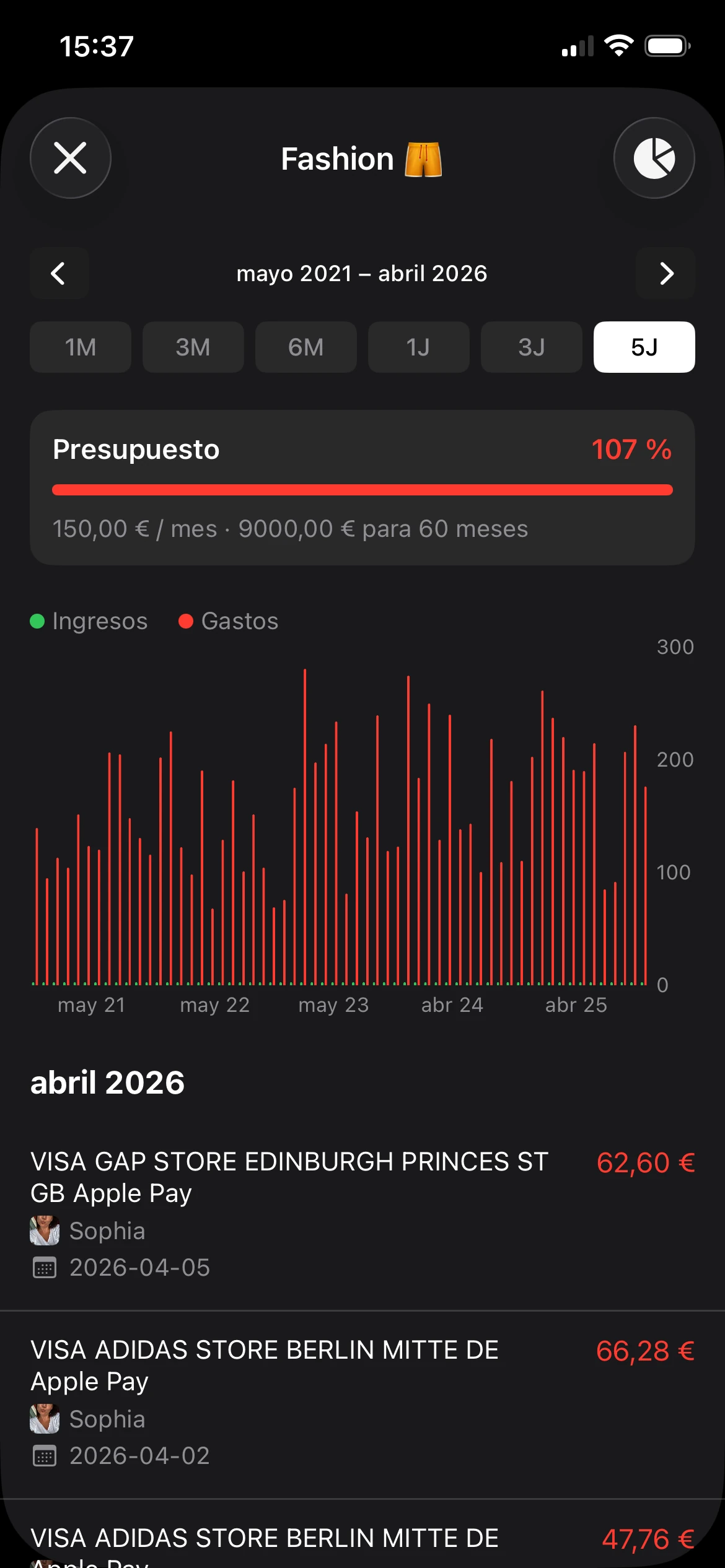
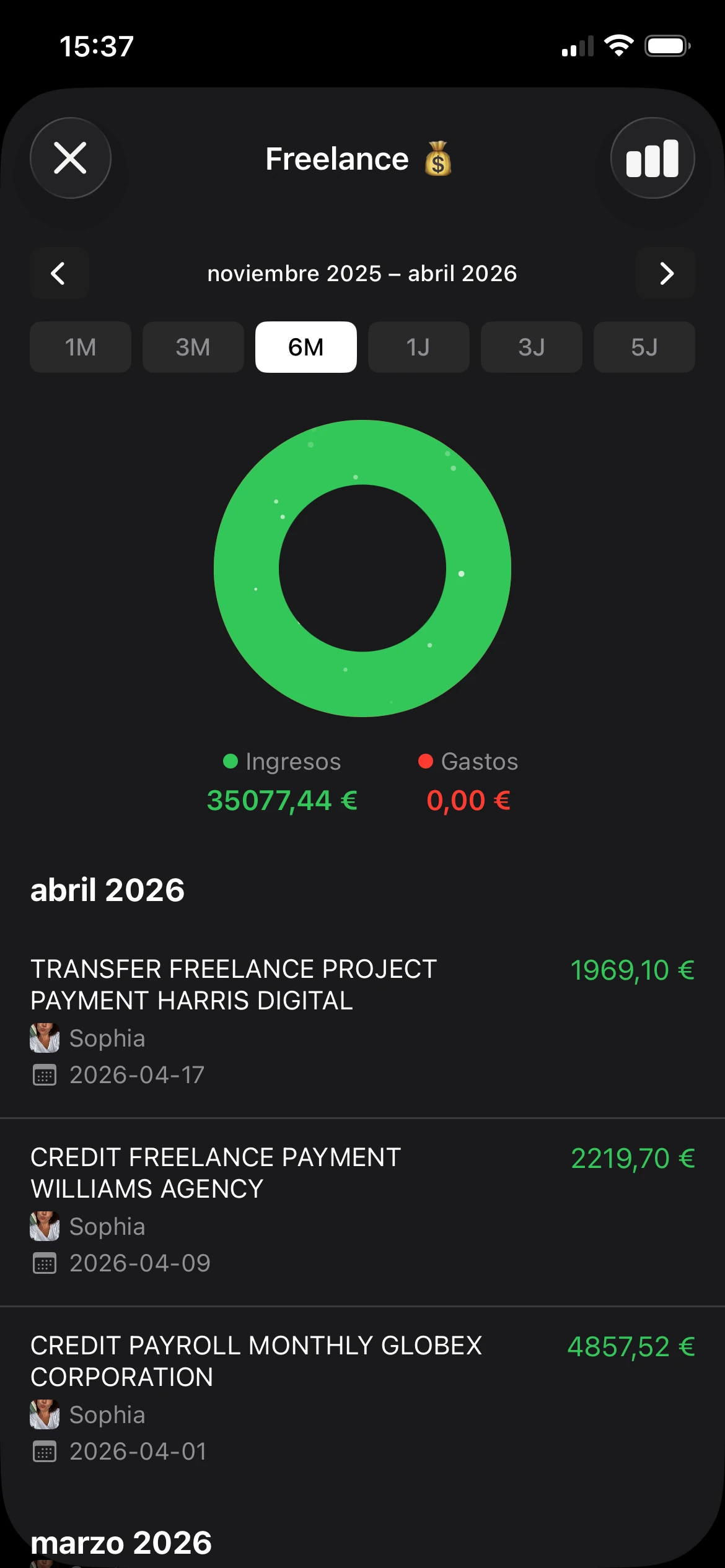
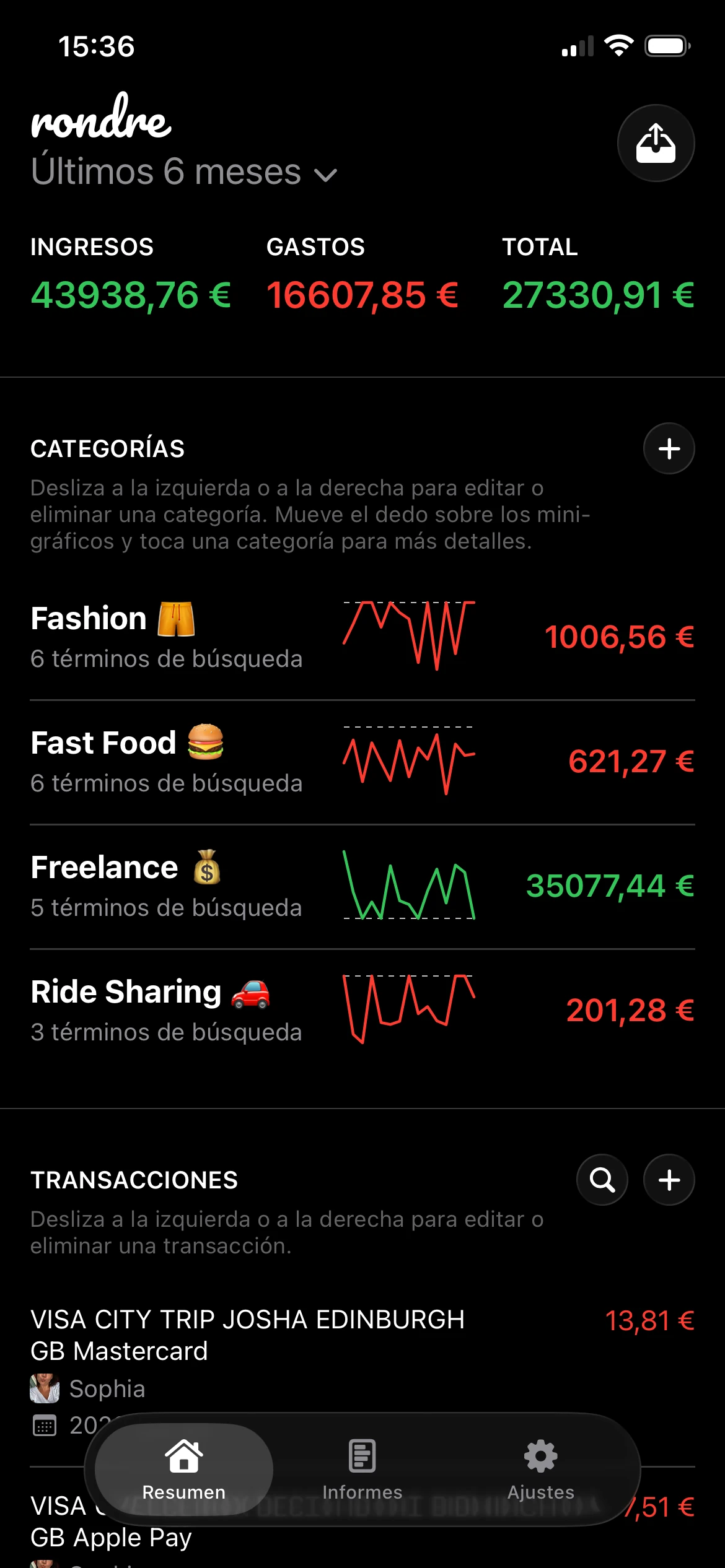
Un ejemplo práctico es rondre, un rastreador de finanzas gratuito para iPhone que permite registrar ingresos y gastos, crear categorías personalizadas con términos de búsqueda, importar archivos CSV y extractos bancarios en PDF, buscar transacciones al instante y compartir libros con la pareja o la familia. Además, no requiere crear una cuenta ni registrarse, y funciona sin publicidad ni rastreo.

Este tipo de configuración no será la adecuada para todos los hogares. Una familia con muchos productos financieros vinculados puede seguir prefiriendo un agregador completo. Pero para los hogares que principalmente necesitan un libro compartido para facturas, alimentación, gastos escolares, gastos irregulares y seguimiento del ahorro, una app más sencilla puede eliminar más fricciones que una compleja.
Este modelo funciona especialmente bien para las familias que vienen de usar notas, hojas de cálculo o mensajes de texto inconsistentes sobre los gastos. En lugar de reconstruir toda la estructura financiera, pueden empezar con un hábito más limpio:
- Registrar los gastos compartidos en un único lugar
- Usar categorías que reflejen las decisiones reales del hogar
- Importar datos pasados cuando sea necesario
- Mantener el acceso compartido sin crear otro sistema de cuentas
Una opción ligera puede ser más adecuada que una plataforma con muchas funciones cuando el hogar valora el control por encima de la automatización. Para los lectores que buscan ese tipo de herramienta, esta visión general sobre una app de presupuestos gratuita y sencilla comparte la misma filosofía.
Comparativa de funciones de apps de presupuestos para familias
La decisión más importante no es qué app tiene más funciones. Es qué compromiso puede asumir una familia semana tras semana. En la práctica, la mayoría de las elecciones se sitúan en algún punto entre dos extremos: automatizado e intensivo en datos o manual y controlado.

Dónde ayuda la automatización
Entre las apps de presupuestos más valoradas, el principal compromiso técnico para las familias es entre la profundidad de la automatización y el control manual. El resumen de apps de presupuestos familiares de Albert señala que apps como Monarch y Rocket Money hacen hincapié en la sincronización bancaria y la categorización automática, mientras que YNAB se posiciona en torno al presupuesto de base cero con sincronización opcional o transacciones manuales o importadas. En la práctica, esto significa que las familias que quieren una ingesta de transacciones con menos mantenimiento y una reconciliación más rápida suelen beneficiarse de la categorización automática, mientras que las que prefieren una asignación más estricta al estilo sobre suelen preferir el flujo de trabajo más manual de YNAB.
Esto coincide con lo que las familias suelen descubrir por su cuenta. La automatización ayuda más cuando el hogar tiene:
- Muchas cuentas que conciliar
- Facturas recurrentes repartidas entre tarjetas y bancos
- Una persona que prefiere los resúmenes a los detalles mecánicos
- Una fuerte preferencia por los paneles frente a la introducción de datos
Si el principal punto de dolor es la visibilidad fragmentada, la sincronización automática puede resolver un problema real. También puede reducir el desfase entre el gasto y la revisión, lo que facilita las correcciones de categorías.
Dónde gana el control manual
Los sistemas manuales ganan en una situación diferente. Funcionan bien cuando la familia quiere controlar exactamente qué se registra, evitar vincular cuentas y mantener el presupuesto centrado en la toma de decisiones más que en la agregación financiera total.
Esa diferencia se ve más clara en una comparativa directa:
| Criterio | Apps populares como Monarch o YNAB | Enfoque manual y privado |
|---|---|---|
| Colaboración | A menudo muy pulida, especialmente para la visibilidad compartida del hogar | Más sencilla, pero puede seguir admitiendo un registro compartido |
| Privacidad | Más basada en la nube y a menudo vinculada a servicios conectados | Control más directo, menor dependencia de la vinculación de cuentas |
| Estilo de configuración | Rápida si la sincronización funciona bien, más compleja si el mapeo de cuentas se complica | Rápida si se introducen datos nuevos, progresiva si se importan registros antiguos |
| Curva de aprendizaje | De moderada a alta según el método | Normalmente más fácil si la app se centra primero en el seguimiento |
| Ideal para | Familias que quieren automatización o paneles completos | Familias que quieren sencillez y mayor control de sus datos |
En resumen: La mejor app de presupuestos para familias no es la que más hace. Es la que el hogar puede seguir usando juntos sin resentimientos.
Algunos compromisos específicos importan más de lo que sugieren las páginas de marketing:
- La categorización automática ahorra tiempo, pero necesita revisión. Las familias siguen teniendo que corregir casos especiales y categorías específicas del hogar.
- La introducción manual requiere esfuerzo, pero genera conciencia. Las personas detectan los patrones de gasto más rápido cuando introducen o importan las transacciones de forma intencionada.
- Los paneles compartidos facilitan la coordinación, pero solo si las dos personas confían en la configuración.
- Más funciones pueden significar más mantenimiento. La complejidad extra solo es útil cuando la familia la va a aprovechar.
Una forma práctica de decidir es hacerse una pregunta: ¿esta familia necesita teclear menos o exponerse menos? Si la respuesta es teclear menos, las apps con fuerte automatización tienen ventaja. Si la respuesta es exponerse menos, las herramientas privadas y más sencillas suelen encajar mejor.
Cómo empezar tu presupuesto familiar compartido hoy mismo
Empezar un presupuesto familiar no debería requerir un plan perfecto. Debería producir un sistema compartido y funcional al final de la primera sesión. La forma más sencilla de conseguirlo es ignorar las funciones avanzadas al principio y construir un registro doméstico que funcione.
Primero, define la estructura
Empieza con un único presupuesto compartido, no con varios. Una familia normalmente necesita un lugar para los gastos domésticos del día a día antes de necesitar proyectos secundarios, previsiones detalladas o informes complejos.
Una estructura de partida limpia tiene este aspecto:
Crea un libro familiar único
Usa un registro compartido para el presupuesto principal. Céntrate en ingresos, facturas regulares, alimentación, transporte, hijos, salud, suscripciones y ahorro.Acordad los nombres de las categorías juntos
Las categorías fallan cuando una persona dice "hogar" y la otra dice "suministros domésticos". Elegid etiquetas que las dos personas usaréis sin pensarlo.Elegid un ritmo de revisión
Registrar a diario con una revisión semanal breve funciona mejor que una gran sesión de puesta al día a final de mes.Decidid qué pertenece al presupuesto compartido
Las facturas conjuntas y los gastos familiares deberían entrar primero. Los gastos discrecionales personales pueden añadirse después si las dos personas quieren incluirlos.
Empieza con un alcance más reducido de lo que esperas. Un presupuesto que la gente usa es mejor que un sistema perfecto que la gente evita.
Importa o introduce solo lo que la familia necesita
Las familias que vienen de hojas de cálculo suelen asumir que tienen que reconstruir cada transacción pasada. No es necesario. Un enfoque mejor es traer solo el historial suficiente para que el presupuesto sea útil ahora.
Una ruta de migración práctica:
- Desde una hoja de cálculo: exporta los datos a CSV, luego importa los meses relevantes y mapea las categorías con cuidado.
- Desde extractos bancarios: usa importaciones de PDF cuando el hogar necesite capturar transacciones recientes sin vincular cuentas.
- Desde cero: empieza solo con este mes y añade datos más antiguos después si el análisis de tendencias se vuelve útil.
Lo importante es la consistencia. Si los dos adultos pueden buscar transacciones, ver los totales por categoría y entender lo que se ha registrado, el presupuesto ya está cumpliendo su función.
Una revisión familiar del presupuesto puede seguir un guion sencillo:
| Pregunta | Por qué importa |
|---|---|
| ¿Qué se pagó esta semana? | Mantiene visibles las obligaciones recurrentes |
| ¿Qué categorías se movieron más? | Muestra dónde se está produciendo la desviación |
| ¿Falta algo en el registro? | Evita el seguimiento unilateral |
| ¿Hay que ajustar los objetivos de ahorro? | Mantiene el presupuesto ligado a las decisiones |
La primera sesión debería terminar con un hábito que funcione, no con un panel perfecto. Si el hogar puede registrar gastos, encontrarlos después y revisar las categorías juntos, eso es suficiente para crear impulso.
El veredicto final: la mejor app para tu familia
No existe una única mejor app de presupuestos para todas las familias. Hay mejores opciones para distintos tipos de hogares.
Monarch es una buena elección para las familias que quieren un panel financiero amplio con colaboración familiar y visibilidad sincronizada entre varios tipos de cuenta. Encaja mejor cuando la comodidad y la supervisión entre cuentas importan más que mantener la configuración al mínimo.
YNAB tiene sentido para las familias que quieren un método de presupuestación, no solo un rastreador. Funciona mejor cuando el hogar está preparado para asignar el dinero de forma deliberada y mantener ese hábito de manera consistente.
Goodbudget es una opción práctica para las familias que ya aplican el presupuesto por sobres y quieren una disciplina de categorías compartida sin perseguir un centro de mando financiero completo.
Una app privada con enfoque manual suele ser la mejor opción para los hogares que quieren un sistema más sencillo, no quieren conectar cuentas bancarias y valoran más la privacidad y la claridad compartida que la automatización. Para muchas familias, esa es la diferencia entre una app que admiran y una app que siguen usando.
La elección más acertada suele ser la que los dos adultos van a confiar, entender y mantener juntos. Si el sistema actual es un caos, la primera victoria no es la optimización. Es crear un único registro compartido del dinero familiar y usarlo esta semana.
Un primer paso sencillo es probar rondre si el hogar quiere un rastreador de presupuesto gratuito para iPhone con libros compartidos, importaciones de CSV y PDF, categorías personalizadas y sin necesidad de crear una cuenta. Crea un libro familiar compartido, añade las transacciones de esta semana y revisad las categorías juntos esta noche.